The All-In-One WordPress Security Plugin
Block attacks. Detect malware. Find vulnerabilities. Strengthen your site with practical WordPress security tools that help you catch problems early and stay in control.
- 600M+ IPs Blocked
- Easy Setup
- Guided Fixes
Everything You Need to Secure Your WordPress Site
WP Security Ninja brings together vulnerability scanning, malware detection, firewall protection, login security, core file checks, audit logs, and guided fixes in one place.
It is built to help site owners, freelancers, and agencies protect WordPress sites without turning security into a full-time job.
See What Our Users Say About Us
Complete Security Protection Suite
Security monitoring with threat detection. Our advanced algorithms scan for vulnerabilities, malware, and suspicious activities across your entire WordPress installation.
Why Choose Security Ninja for WordPress Security?
Block over 600M+ malicious IPs automatically with our intelligent cloud firewall.
Set up protection in one click and get daily scan reports with instant alerts.
Monitor your site's security with clear reports and actionable recommendations.
Trusted by Thousands of Customers Around the World
Is Your WordPress Site Safe? Don't Wait Until It's Too Late!
Protect your website from hackers, downtime, and data loss with our comprehensive security suite.
Try Security Ninja today! No risk, no hassle.
Protection that is easy to use, but deep where it matters
WP Security Ninja helps you protect WordPress sites without turning security into a full-time job. Start with guided setup and practical defaults, then go deeper with malware scanning, file validation, vulnerability checks, login protection, firewall controls, audit logs, and agency-friendly deployment tools. Trusted since 2011 and designed for both site owners and professionals managing many installs.
Core protection
-
Block bad traffic before it becomes a problemFilter malicious requests, block known bad IPs from a large cloud database, use country blocking, and stop bots probing fake URLs with 404 Guard. Advanced firewall controls also let you decide how blocked visitors are handled.
-
Protect the login area from brute-force abuseStop repeated failed logins, reduce username guessing, protect lost-password flows, and tighten access to one of the most targeted areas of any WordPress site.
-
Add stronger login security with 2FA and hidden login URLAdd two-factor authentication with authenticator apps or email codes, and rename the default login URL to reduce automated attacks.
-
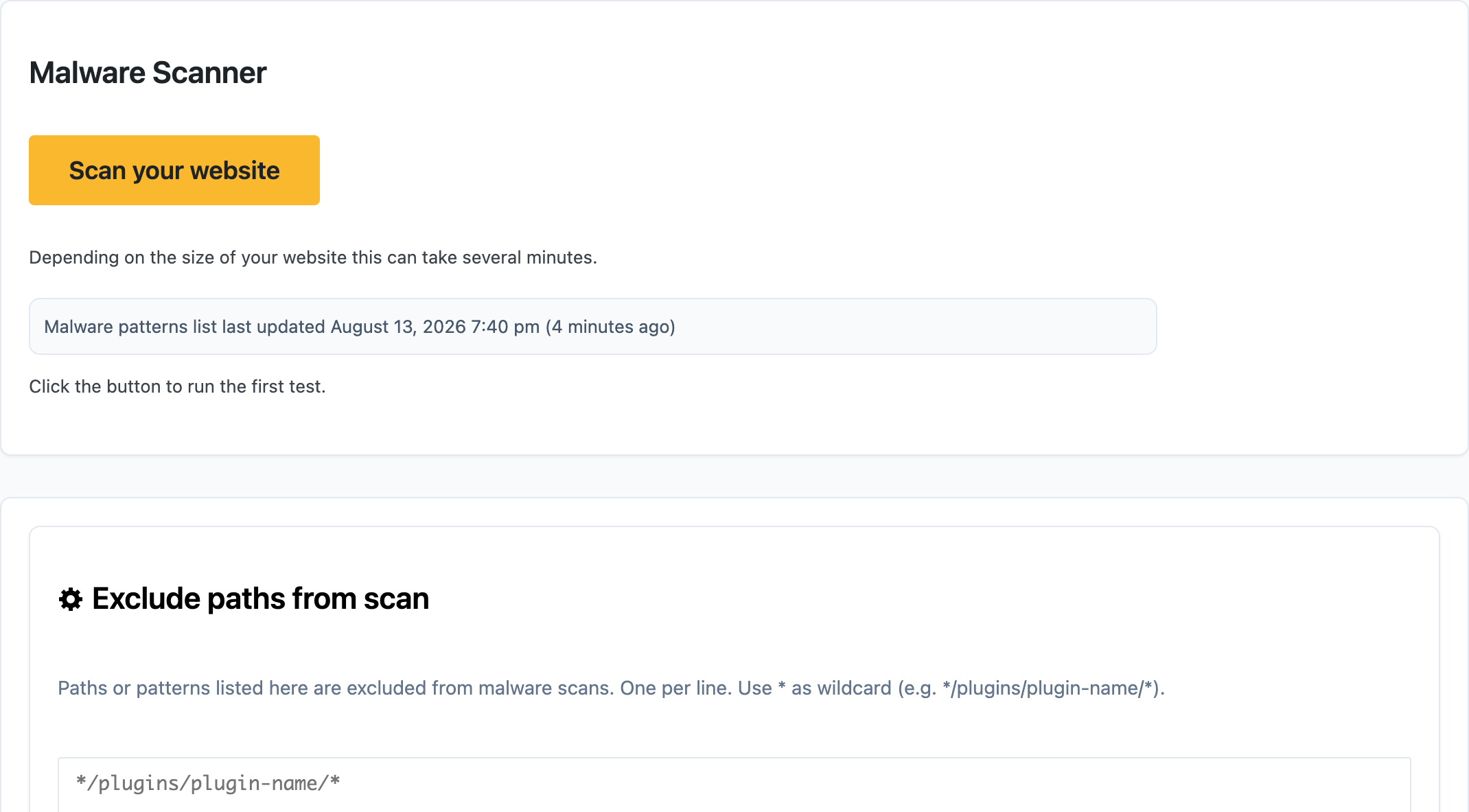
Find malware and suspicious code fasterScan plugins, themes, uploads, and other key areas for suspicious PHP and known malware patterns. Review flagged files safely, whitelist false positives, or remove what does not belong.
-
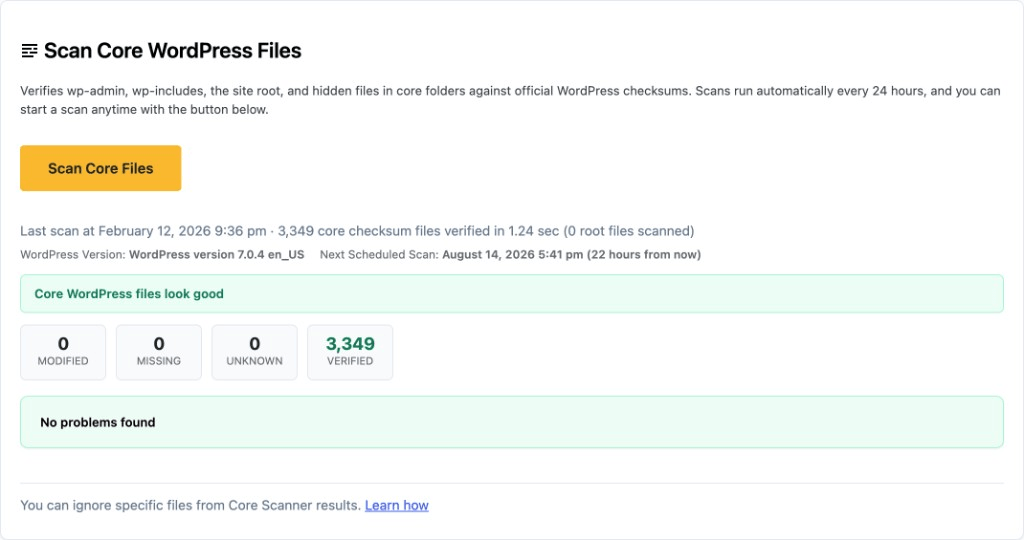
Verify WordPress core files against official checksumsDetect modified, missing, or unknown core files and compare them to the official WordPress version. Restore clean files when needed instead of guessing what changed.
-
Check whether plugins have been tampered withValidate WordPress.org plugins against their official versions and inspect differences when files have changed, giving technical users real visibility instead of vague warnings.
-
Catch vulnerable plugins, themes, and WordPress versionsCompare installed software against an up-to-date vulnerability database with CVE and fixed-version data, so you know what needs patching before it becomes a bigger problem.
-
Run 50+ security tests in one placeAudit common WordPress security mistakes, weak settings, outdated software, and risky configuration issues in a single pass.
-
Fix many common issues with a few clicksApply one-click fixes for many security findings, with backups created before sensitive changes. You stay in control, but the routine hardening work gets much easier.
-
Add extra protection for WooCommerceProtect login and registration flows, limit abusive checkout and add-to-cart activity, and reduce coupon brute-force attempts.
Security tools that make WordPress easier to manage
WP Security Ninja does more than block attacks. It helps you monitor changes, stay informed, speed up routine work, and manage multiple sites more efficiently with practical tools for everyday WordPress security.
-
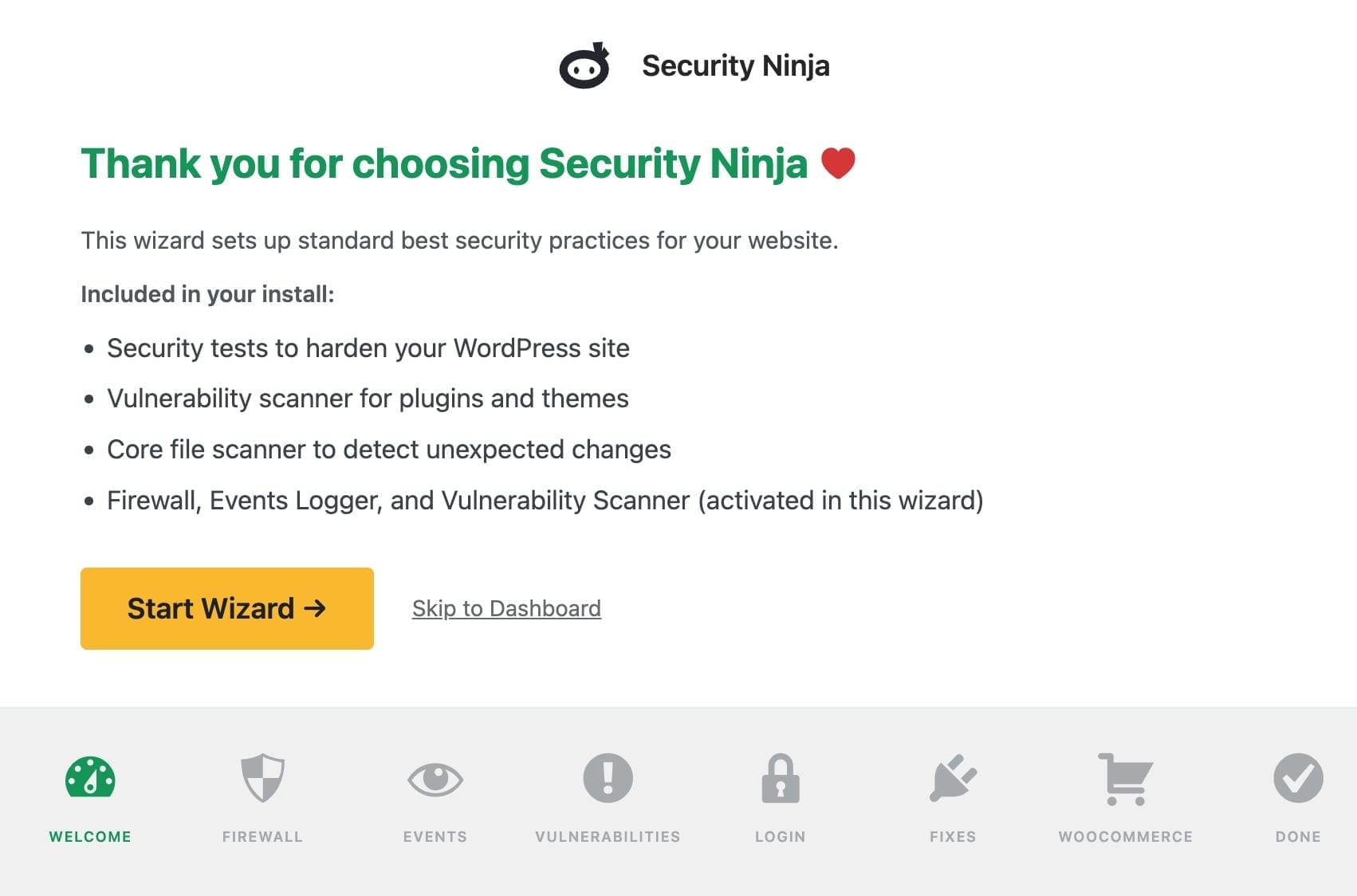
Get protected faster with a guided setup wizardStart with a practical setup flow that helps new users run tests, enable recommended fixes, and turn on key protections without digging through every screen.
-
Schedule scans and stay informed automaticallyRun regular scans in the background and get alerted when something changes, instead of relying on manual spot checks.
-
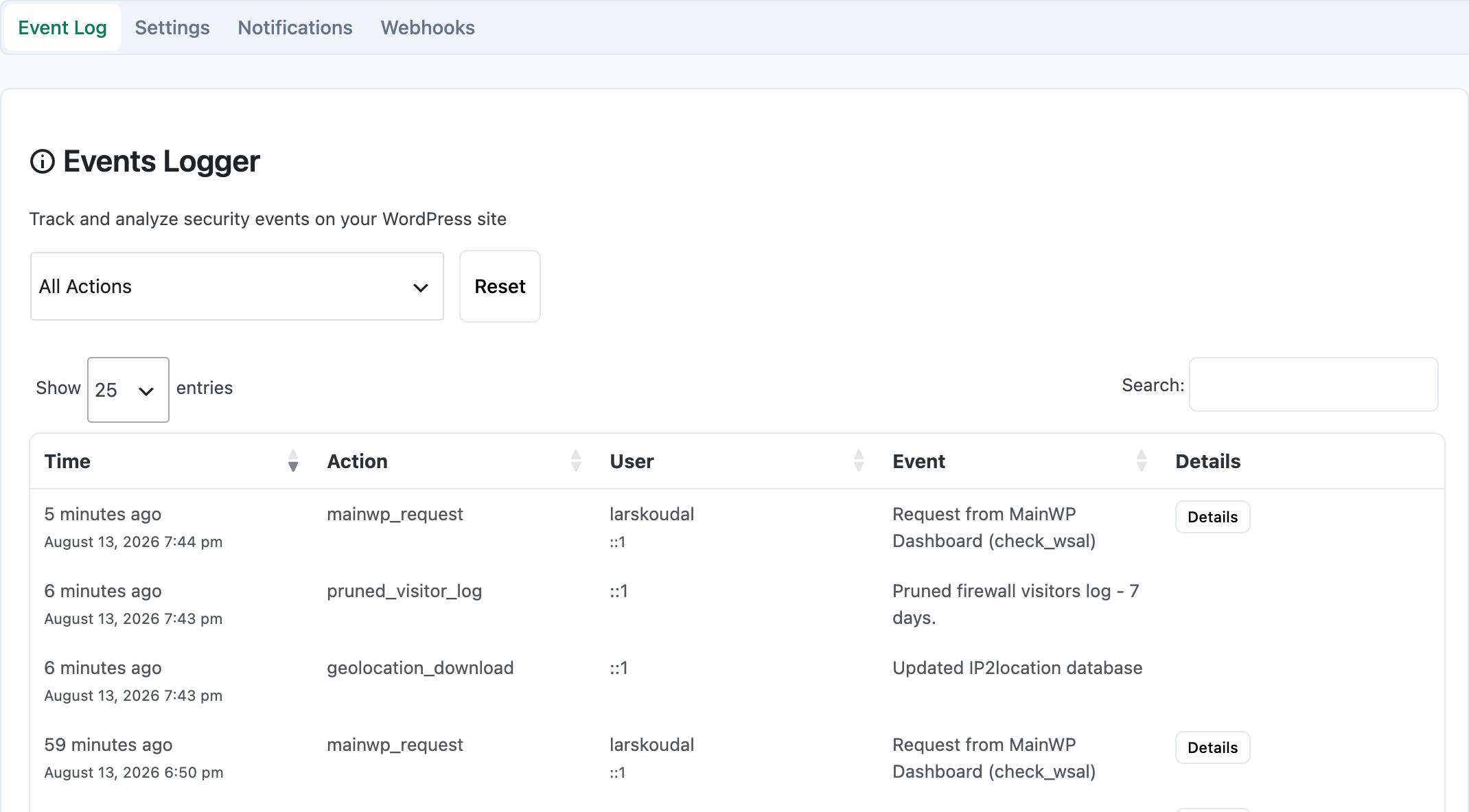
Track what happened with a filterable events logSee logins, scan activity, firewall events, updates, file actions, and more in one place when you need to investigate or document changes.
-
See your security status at a glanceThe dashboard widget surfaces firewall status, updates, security score, and vulnerability findings without making you dig around the plugin.
-
Reuse settings across sitesImport and export settings to keep security policies consistent and speed up repeat deployments.
-
Activate licenses across many sites with less manual workFor bulk rollouts, you can include your key in a license_key.txt file inside the plugin package to automate license activation during deployment.
-
White label the plugin for client sitesReplace the plugin name, author, icon, URLs, and related branding with your own, and optionally hide it from the standard Plugins screen for a cleaner client experience.
-
Connect security events to your workflowSend webhook events to Zapier or other systems that support webhooks for blocked visitors and login activity.
-
Get support from the people behind the pluginSupport comes from the team that built and works on Security Ninja, which matters when the question is not generic.
Features You Need for Protecting Your Website
Discover the essential security tools trusted by thousands of WordPress users to prevent attacks, boost site integrity, and maintain peace of mind, without any technical stress.
Stop threats before they reach your site.
Security Ninja's firewall system is designed to block dangerous traffic at the gate, before it even touches your WordPress site. From brute-force attacks to botnets and malware injections, our layered protection ensures only safe visitors get through.
- Prevent SQL injections, file uploads, and suspicious requests before they happen
- Fully automated - set it once and stay protected 24/7
- Designed for performance, security without slowing you down
Scan your website for 50+ real-world vulnerabilities.
Security Ninja's testing engine performs deep checks to uncover hidden security gaps that attackers exploit.
- What we test:
- File and folder permissions
- Version disclosure issues
- Dangerous PHP settings
- Suspicious code in plugins/themes
- And much more
- Free & Pro Capabilities:
- Free version: See detailed test results and recommendations
- Pro version: Unlock one-click fixes for many issues (like DB prefix, exposed APIs, etc.)
- It's like a security audit, minus the expensive consultant.
Ensure your WordPress core files are clean, original, and untouched
The Core Scanner verifies your WordPress installation against the official files from WordPress.org to detect unauthorized changes, infected files, and unexpected additions.
- Compares 1,200+ official WordPress core files with the originals from WordPress.org
- Flags modified, missing, and unknown core files
- Helps uncover hidden hacks and backdoors early
- Reduces the risk of instability, reinfection, and security issues caused by altered core code
Ready to lock down your WordPress site?
Install Security Ninja in seconds and sleep easy, your site is protected.
- 30-day money-back guarantee
- No setup-fees
- Easy to use - No dictionary needed
Detect threats before they do damage.
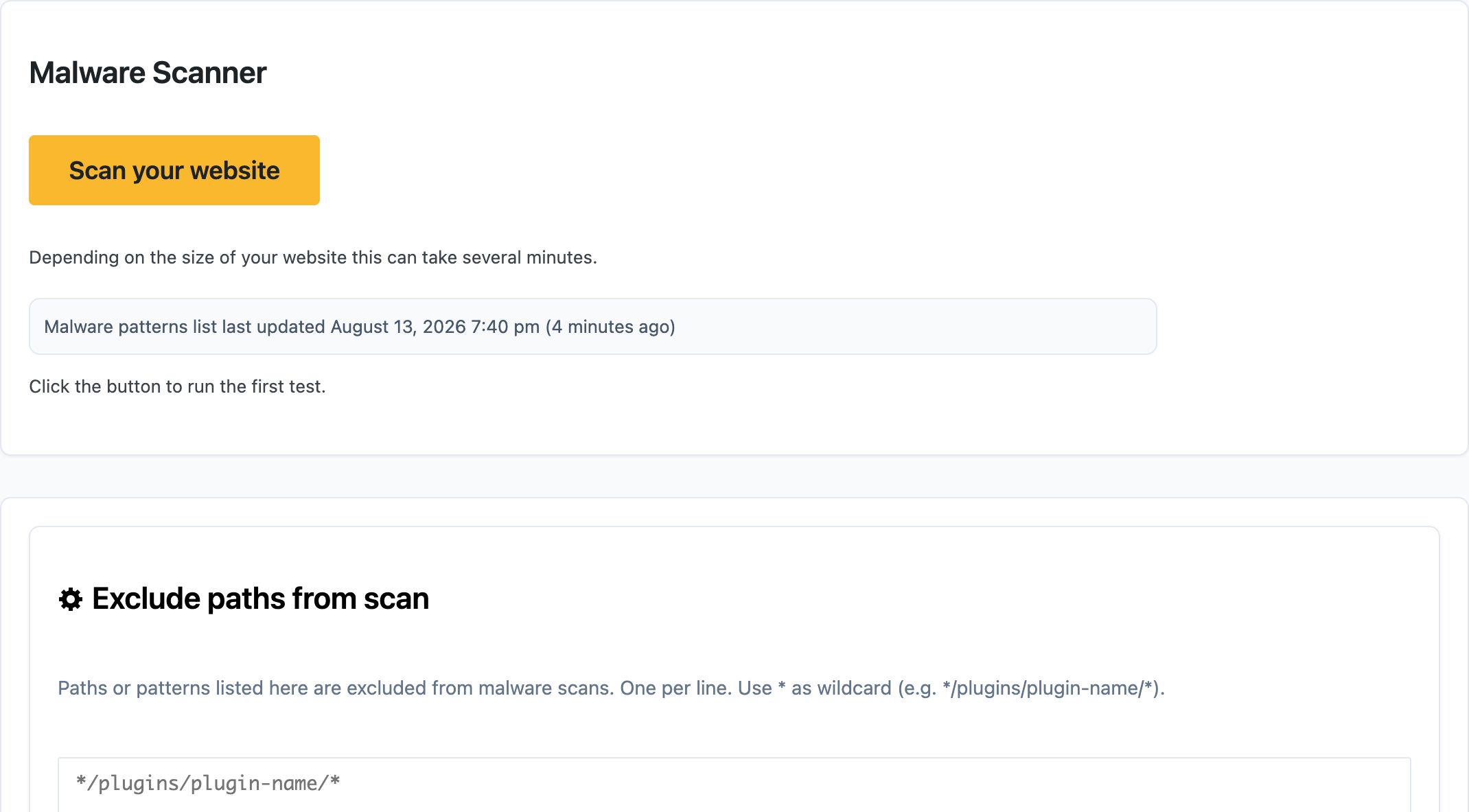
Security Ninja's Malware Scanner runs deep inspections of your WordPress installation to uncover infected code, suspicious files, and unauthorized changes.
- What it does:
- Scans thousands of files in seconds to find known malware patterns and unsafe code
- Detects modified plugins, outdated components, and injected scripts
- Identifies suspicious or unknown files that deviate from standard WordPress structure
- Why it matters:
- Stops hidden backdoors, script injections, and theme/plugin tampering
- Real-time alerts mean faster response before search engines blacklist your site
- Works hand-in-hand with Firewall for layered website protection
- Run scans, no technical skills required.
Security Ninja's Malware Scanner runs deep inspections of your WordPress installation to uncover infected code, suspicious files, and unauthorized changes.
Stay ahead of threats without lifting a finger. The Scheduled Scanner automatically checks your site for malicious code, vulnerabilities, and suspicious activity - every day
- Automated Protection Includes:
- Daily scans for malware, outdated plugins, and altered files
- Alerts delivered via email when a new risk is found
- Continuous background monitoring with minimal site performance impact
- Benefits:
- Hands-free peace of mind - you set it once, it runs forever
- Keeps your site secure even while you're offline
- Pairs seamlessly with other modules for full coverage
Fix some security issues with one click.
No time to dive into technical fixes? The Auto-Fix module lets you patch vulnerabilities instantly without writing a single line of code.
- What it auto-fixes:
- Changes insecure database prefixes
- Disables directory browsing
- Deletes unused themes & inactive plugins
- Adjusts file permissions
- Blocks known attack vectors
- Why it matters:
- Saves hours of manual work
- Prevents common misconfigurations from becoming attack points
- Helps non-tech users secure their sites with ease
- Stay protected, effortlessly. Let us handle the hard stuff.
Real Stories from Real Users
See how WP Security Ninja has transformed WordPress security for thousands of users worldwide.
Frequently Asked Questions
Complete WordPress Site Protection
Security Ninja has protected websites since 2011!
Is WordPress Secure?
WordPress is a reliable platform, but no system is completely secure. While the core WordPress software is well-built, vulnerabilities can arise when you install themes or plugins. These add-ons, while essential for customizing your site and adding features, can create security gaps that attackers exploit.
Why Do You Need Extra Protection?
Every website, no matter how small, is at risk. Automated bots constantly scan millions of websites, looking for weak points. These bots don't target sites based on popularity or revenue. Instead, they exploit any vulnerability they find, whether it's a business website, blog, or personal portfolio.
Themes and Plugins: A Hidden Risk
When you install a theme or plugin, you bring more than functionality to your site. Poorly coded themes or outdated plugins can open doors for hackers. Even premium plugins and themes sometimes use third-party code that hasn't been updated or secured properly.
The truth is, most website owners don't have the time or expertise to review every line of code in a theme or plugin. This leaves your site exposed to risks beyond your control.
Why Install a Security Plugin?
- Real-Time Protection
24/7 monitoring and threat detection
- Vulnerability Scanning
Identifies security gaps before hackers do
- Automated Defense
Blocks attacks without manual intervention
Why Small WordPress Sites Are Big Targets for Hackers
Many WordPress users believe only high-traffic or eCommerce websites are at risk. But the truth is, small WordPress websites are often the easiest targets.
Hackers and bots constantly scan for vulnerable websites, and smaller sites are more likely to lack strong security plugins or updates. Once compromised, attackers can use your site to:
- Speed Malware
Infect your visitors with malicious software
- Host Phishing
Create fake login pages and scams
- Launch Attacks
Use your server to attack other websites
No matter the size or type of your website, proactive protection is critical. That’s where Security Ninja steps in.
Complete WordPress Security – Made Simple
Many WordPress users believe only high-traffic or eCommerce websites are at risk. But the truth is, small WordPress websites are often the easiest targets.
- Block brute-force login attempts and known malicious IPs
- Scan core WordPress files for unauthorized changes
- Block brute-force login attempts and known malicious IPs
- Scan core WordPress files for unauthorized changes
Core File Scanner: Protect What Runs Your Website
Your WordPress core files are the backbone of your site, and hackers know it. If these files are tampered with, your entire site is at risk.
With Security Ninja Pro’s Core Scanner, every core file is checked against the official WordPress repository. Even the smallest unauthorized change is flagged instantly.
You'll have full control:
- Delete suspicious files (carefully)
- Restore clean versions from WordPress.org with one click
Tip: Never modify your core WordPress files. If a developer makes direct edits here, they could be unintentionally opening the door to attackers.
Start Protecting Your Website Now
With automated scans, real-time protection, and detailed reports, Security Ninja makes WordPress security easy and effective.
Don't wait for your site to be hacked - secure it today with one trusted plugin.
Complete WordPress Security, Powered by Pro Tools
Secure your site with real-time monitoring, malware detection, and advanced protection, all in one lightweight plugin.
Real-Time Event Logging
Track every action, change, and user interaction, instantly.
With Security Ninja Pro’s Audit Logging, you gain full visibility into what’s happening on your WordPress site. Monitor who made changes, what was edited, and when, so you can quickly spot suspicious behavior and stop threats before they cause damage.
Why it matters: Real-time logging helps you act before damage is done, a key component of any serious WordPress security strategy.
Advanced Plugin & Theme Vulnerability Scanning
Security Ninja's heuristic vulnerability scanner inspects all installed themes and plugins for signs of malware, code injections, or vulnerabilities. It goes beyond basic version checks, analyzing code patterns for risky behaviors.
- Instantly spot modified or suspicious files
- Get alerts before threats become active
- Compatible with all WordPress themes & plugins
Strengthen WordPress Login Security
Protect your admin area with our login protection.
Stop brute-force attacks before they start with features like:
- Two-Factor Authentication (2FA)
- Login attempt rate-limiting
- IP blocking and admin area cloaking
Bonus: Activate custom login messages and behavior settings to keep bots and bad actors away.
Hassle-Free WordPress Security Management
Security shouldn’t be complicated. That’s why Security Ninja is designed with simplicity and automation in mind.
- One-click malware scanning
- Auto-fix for 30+ common security issues
- Easy-to-read reports and instant alerts
- Minimal setup, zero coding required
Stay focused on your business, let Security Ninja handle the heavy lifting.
Why WordPress Security Is Essential (Even for Small Sites)
Whether you’re running a personal blog or an eCommerce store, every WordPress site is a potential target. Hackers exploit vulnerable themes, outdated plugins, and weak passwords to hijack sites, often with automated bots scanning millions of websites daily.
Common Threats to Your WordPress Site:
- Brute-force attacks:
- Bots guessing your login credentials
- Malware infections:
Hidden scripts from theme/plugin vulnerabilities - Cross-site scripting (XSS):
Dangerous input through comment forms - SQL injections:
Exploits targeting unsecured databases
Proactive Protection with WP Security Ninja:
- Run 50+ automated security checks
- Schedule scans and receive real-time alerts
Block 600M+ known malicious IPs via Cloud FirewallUse 2FA and login hardening features - Monitor users with detailed event logs
Built for Small Businesses, Agencies, and Developers
For small to mid-sized businesses, a single breach can cause downtime, data loss, or even legal issues. Security Ninja Pro protects your website and your reputation with enterprise-grade security, minus the complexity.
"You're not just protecting a site, you're protecting a brand, a business, and a livelihood."