Why hackers attack small WordPress sites
Small WordPress sites get hacked by bots looking for open doors, not personal targeting. Why “we are too small” fails, and what to do instead.
Topics Beginner guides

Updated Published
Small WordPress sites get hacked by bots looking for open doors, not personal targeting. Why “we are too small” fails, and what to do instead.
Topics Beginner guides
Updated Published
Small WordPress sites are not chosen by a human who read your About page. They are found by bots scanning for known plugin holes, weak logins, and soft defaults. “We are too small to be a target” is not a security plan.
Related: why your website is a target, do I need a security plugin?, security checklist.
When a vulnerability in a popular plugin is disclosed, automated scanners look for every site still running the unpatched version. Your traffic, brand size, and revenue do not matter. An unlocked door is enough.
That is why brochure sites, hobby blogs, and quiet business pages show up in cleanup queues next to bigger brands.
Compromised small sites get used as spam platforms: injected links, fake pages, or redirects that send visitors to scams. Comment spam and content injection are still common because they are automated and cheap.
Redirect cleanup: hacked redirect issues. SEO recovery: recover SEO after a hack.
If the site collects emails, logins, or payments, that data has resale value. Even a simple membership or form plugin can become a harvest point after a takeover. Breaches also create trust and legal problems for the business.
More on visitor impact: what can happen without proper WordPress security.
Attackers plant malware so browsers download payloads or show drive-by junk. Search engines and browsers then warn users. Recovering rankings and trust takes longer than the technical cleanup.
Removal path: WordPress malware removal.

Sometimes the goal is your own data: customer lists, private downloads, invoices, or site backups left on the server. Do not store sensitive files on a public web root “for convenience.”
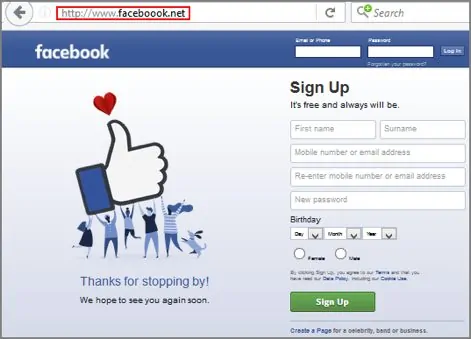
A phishing kit on your domain borrows your hosting and, sometimes, your SEO trust. Visitors see a fake login that looks like a bank, Microsoft, or a package carrier. Your domain ends up on blocklists while the attacker collects credentials elsewhere.
Phishing overview: beware of WordPress phishing attacks.
Compromised servers get used for brute force against other sites, cryptomining, or bulk outbound spam. Your host may throttle or suspend the account for traffic you never intended.
DDoS can knock a small site offline for rivalry, ransom noise, or as collateral damage. Separately, your server can be drafted into a botnet that attacks someone else. Either way, “small” does not mean “ignored.”
Some attacks are loud on purpose: homepage graffiti, political messages, or brag posts. The motive is attention. The business still pays in downtime and reputation.
Less common, but real: attackers publish extra pages or posts on a compromised site to push spam brands. Visitors may not realize the pages were not yours. Backdoors keep that access alive after a casual cleanup.
Hosting “includes security” usually means the server and sometimes an edge firewall. It does not mean your WordPress logins, abandoned plugins, and file integrity are watched for you. Small sites also tend to skip updates and leave old freelancer admin accounts in place. That softens the target further.
You do not need an enterprise SOC. You need boring basics:
My site has almost no traffic. Am I still at risk?
Yes. Bots match vulnerable software versions. They do not read your analytics.
Doesn’t my host protect me?
Hosts protect infrastructure. WordPress-specific login abuse, plugin vulnerabilities, and in-site malware still need application-level attention.
Is a free security plugin enough for a small site?
Often as a start: tests, vulnerability checks, and a hardening checklist. Add Pro or host WAF when you want continuous blocking and malware scans. See free vs premium.
Will security tools slow my small shared-host site?
They can if you stack heavy scanners and live logging. Prefer scheduled scans and one stack: do security plugins slow WordPress down?.
Small sites get attacked because they are numerous and often soft. Size is not a shield. Habits are.
Found this useful? Share it.
