Why we built an AI Security Advisor for WP Security Ninja

WP Security Ninja’s AI Security Advisor is the kind of AI feature I actually wanted to build

A lot of AI features right now feel like they exist because people think they are supposed to exist.

There is a chatbot somewhere in the corner, it says hello, it can answer broad questions, and after a minute or two you are left wondering what problem it really solved.

That was never the direction I wanted for WP Security Ninja.

If we were going to add AI, I wanted it to do something practical. Something tied to the real security data already sitting on a website. Something that could help a site owner or administrator make sense of what matters, what looks risky, and what deserves attention first.

That is what led to the AI Security Advisor.

Built around the new WordPress 7 connector flow

What makes this feature especially interesting to me is that it follows the new WordPress 7 AI connector direction instead of inventing a completely separate setup inside the plugin.

You go to Settings -> Connectors in WordPress 7, configure your AI provider there, and then WP Security Ninja uses that connector from inside the Security Advisor screen.

At the moment that means support for providers like OpenAI, Gemini, and Anthropic through the WordPress connector flow.

That is a better direction for WordPress as a whole. Plugins should not all be building their own disconnected AI islands if WordPress itself is starting to provide the connection layer.

If you want the step-by-step setup instructions, I wrote them here: How to enable AI Security Advisor

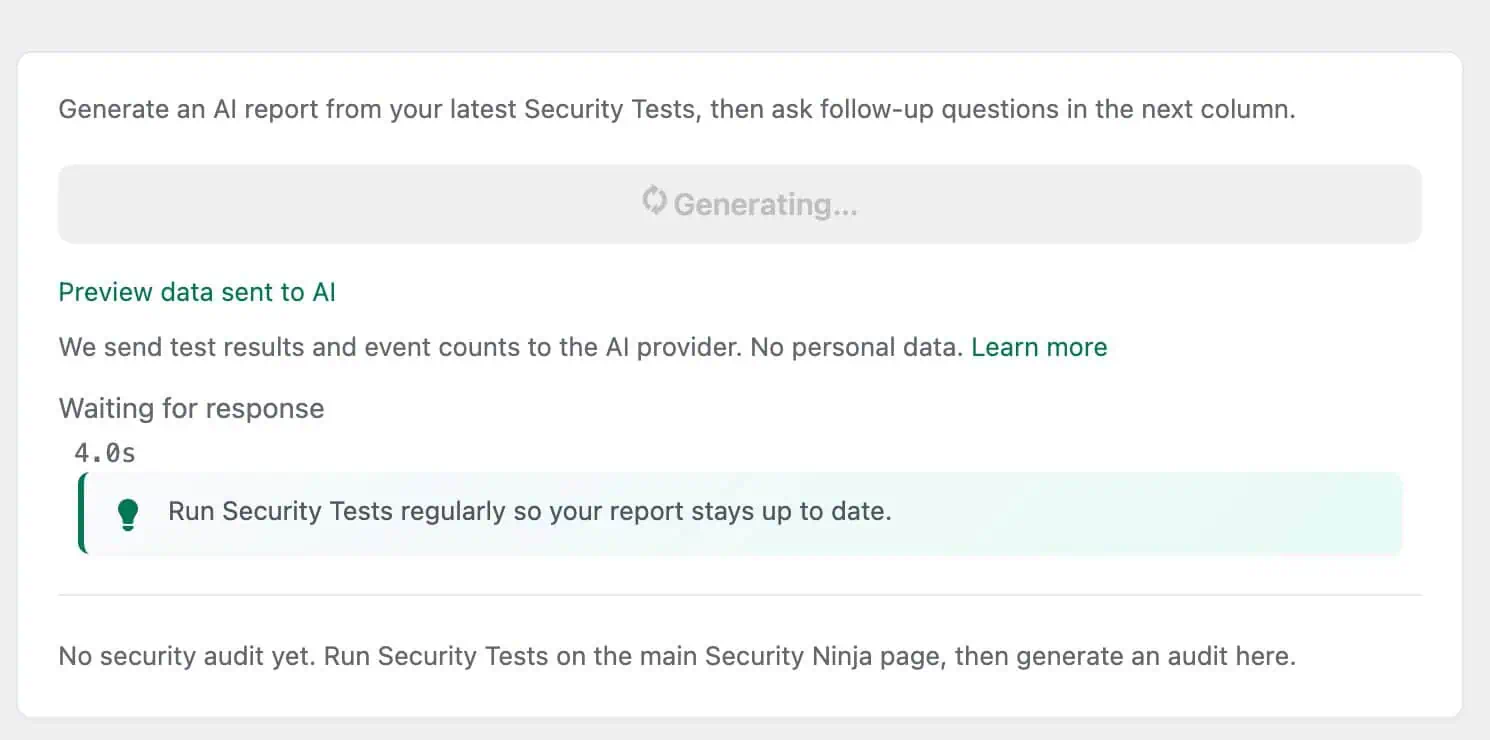
Generate your first report

What it actually does

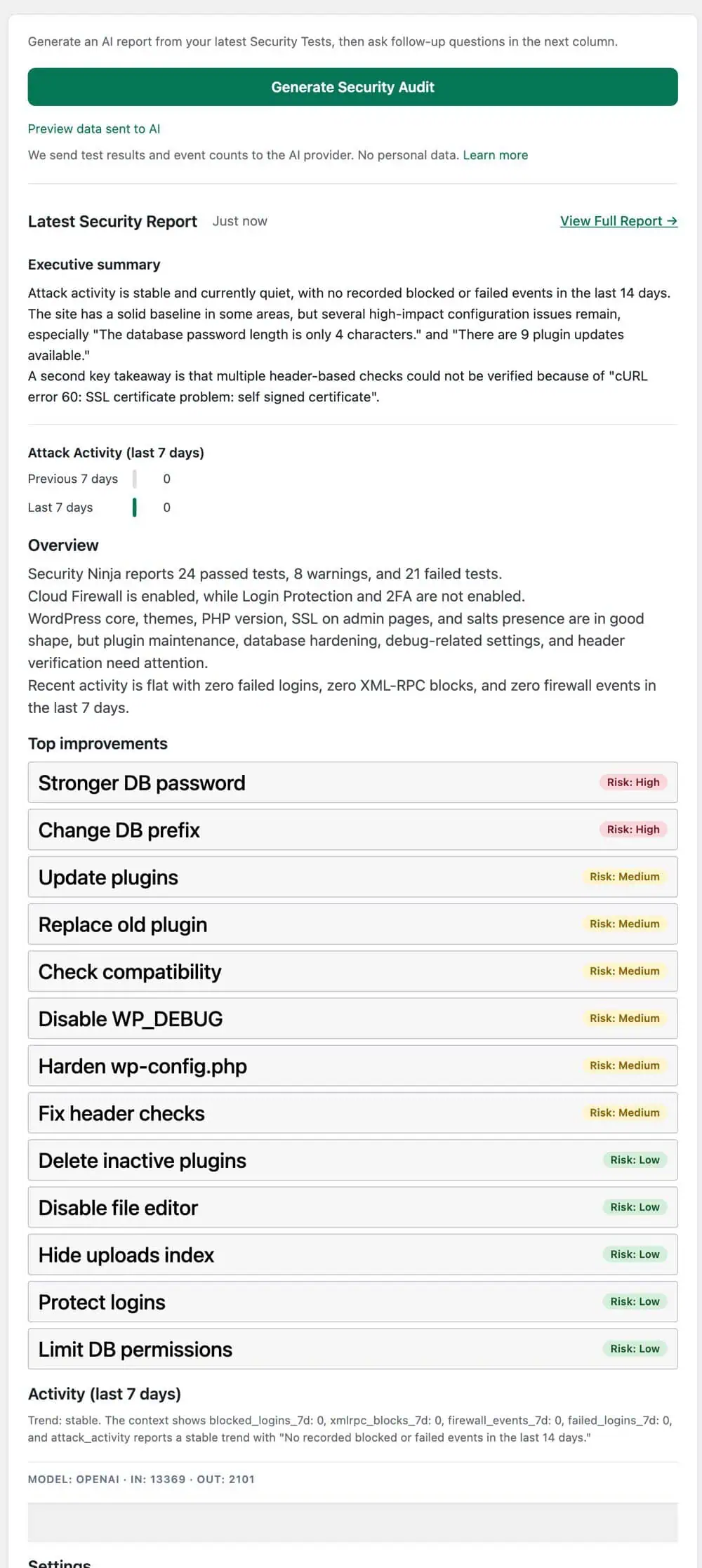
The AI Security Advisor takes real WP Security Ninja findings from your website and turns them into a structured security report inside wp-admin.

Not a vague conversation. Not generic advice. An actual report built from your own site’s security data.

That means things like test results, feature state, and other relevant context can be gathered, reviewed, and sent through the configured connector so the model can return a more useful audit.

The whole point is to make the output easier to act on.

Most site owners do not need more raw data. They already have enough warnings, settings, and test results. The hard part is usually understanding what deserves attention first and what can wait.

Generate your first report

You can see what is being sent

One part of this feature I cared about from the beginning was transparency.

Before generating the report, you can preview the exact context that is being sent.

I think that matters.

If a plugin is going to send security-related site data to an AI provider, the user should not be guessing what is included. They should be able to inspect it first, understand it, and then decide to continue.

That is a much healthier model than hiding everything behind a magic button and hoping people trust it.

The report is not just a one-time AI response

Another thing I did not want was a throwaway AI prompt box with no continuity.

When you generate a report, it is stored locally so you can come back to it later. That makes the feature feel like part of the product rather than a one-off experiment.

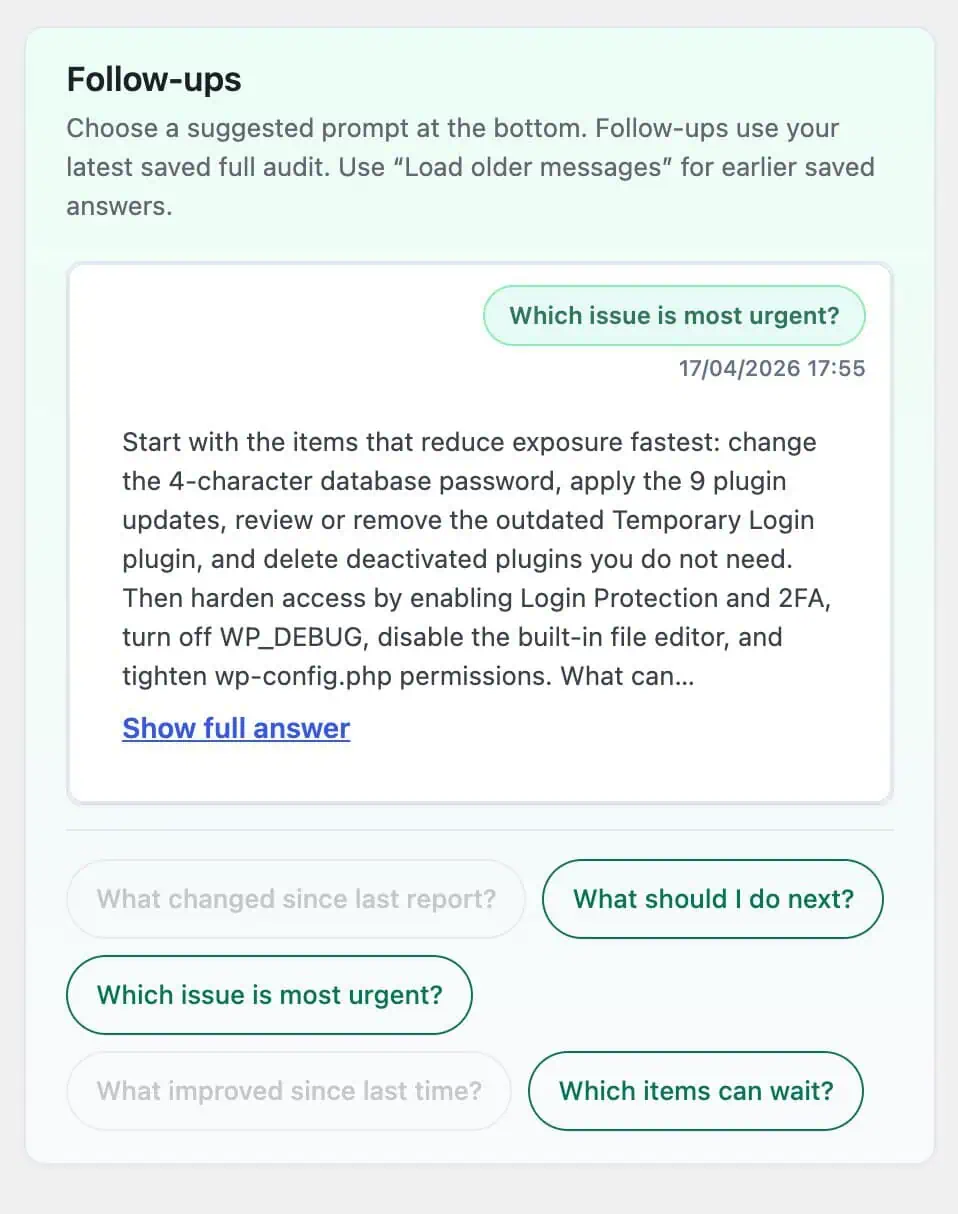
After the first report is generated, you can also ask follow-up questions such as what to do next, which issue is most urgent, which items can wait, what improved since last time, or what changed since the previous report.

That follow-up flow is where the feature starts becoming genuinely useful. It turns the report into a working reference instead of a novelty.

If you want to see that workflow, I documented it here: How to get your first security report

Ask follow-up questions

Available now for WordPress 7 testers

One thing worth being clear about: this is not being treated as some distant future promise.

If you are already testing WordPress 7 beta, you can use the AI Security Advisor now.

It is also not locked away as a Pro-only checkbox feature. The core Security Advisor flow is available to all users, with Pro adding extra depth rather than blocking the main experience entirely.

I wanted people testing WordPress 7 to be able to try something real, not just read marketing copy about what might be possible later.

Why I think this matters

The interesting part is not that WP Security Ninja now has AI.

The interesting part is that AI is finally being used for a job that makes sense inside a security plugin.

Site owners already run security tests.

They already collect findings.

They already look at warnings and try to decide what to fix first.

Helping them turn that information into a clearer, more structured review is a much better use of AI than tossing a generic assistant into the dashboard and hoping for the best.

That is the direction I want more WordPress AI features to take: focused, useful, transparent, and tied to real work.

How to try it

If you are testing WordPress 7 beta and want to try the AI Security Advisor, the short version is simple:

  1. Use a WordPress 7 build with the new connector support
  2. Configure your provider in Settings -> Connectors
  3. Open Security Ninja -> Security Advisor
  4. Preview the context if you want
  5. Choose your configured provider
  6. Generate the report

If you want the full details, start here:

Final thought

WordPress 7 is not fully out yet, so yes, this is still early.

But I think this is exactly the right time to build and test something like this.

Because if AI is going to become part of WordPress admin workflows, I would much rather see it start here: helping site owners understand their own security situation faster, with less guesswork, and with a clearer path to action.

That feels a lot more useful to me than another chatbot pretending to be a product strategy.

Get AI-Powered Security Summary

Let AI analyze this WordPress security article and provide actionable insights from WP Security Ninja experts.

Trusted WordPress Security Expert

10% OFF

Subscribe to our newsletter

* We do not spam or share your email

Discount on any Security Ninja plan

and get

Close the CTA

Hi and welcome back :-)