Pro · Cloud Firewall
WP Security Ninja
Your analytics look fine. Your server doesn't.
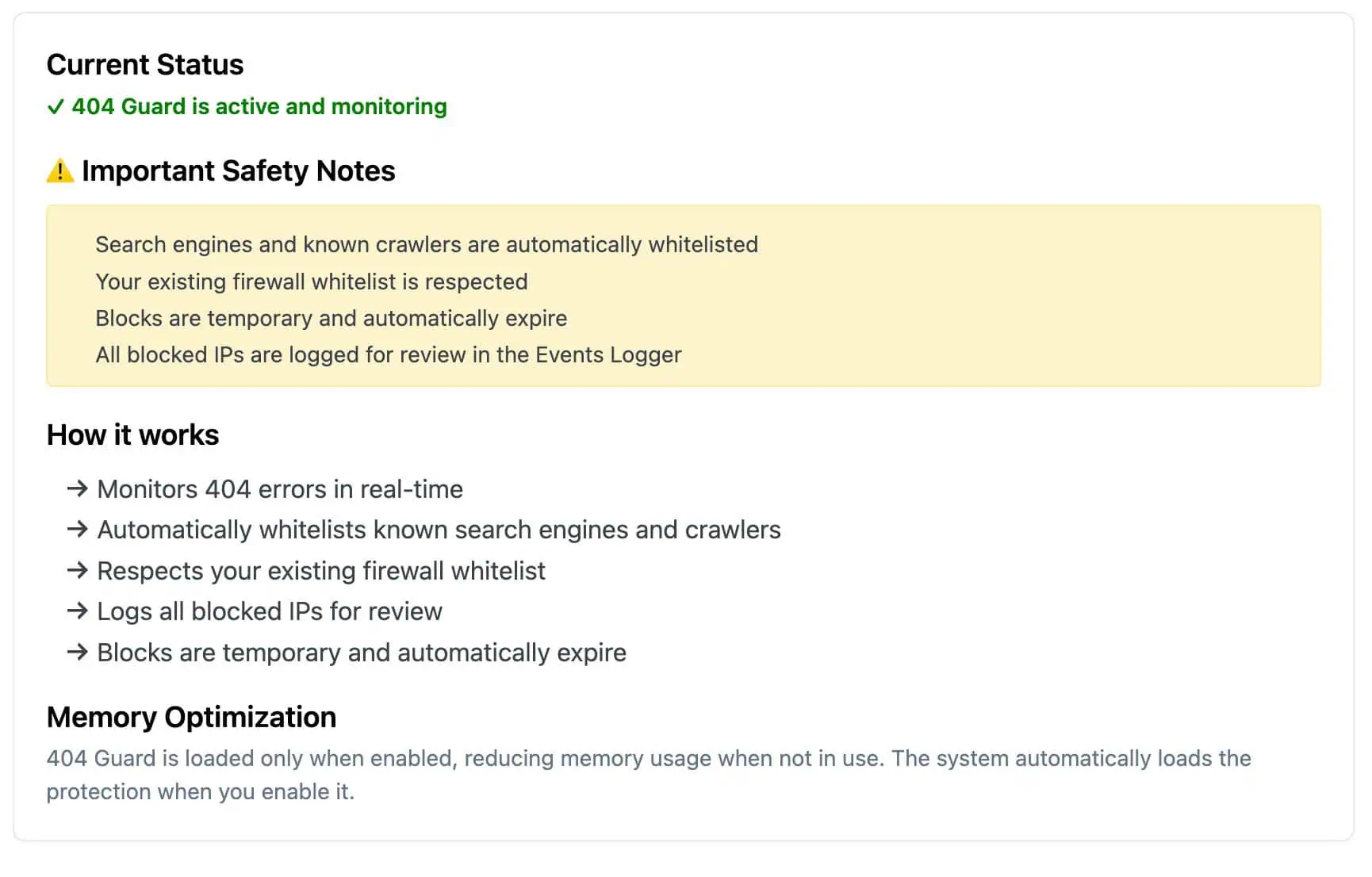
Bots love guessing URLs: backups, old plugin folders, config files. Each wrong guess can still load WordPress. 404 Guard spots the pattern and blocks the IP before it keeps burning CPU on pages that never existed.
- ✓ Blocks scanners, not one-off typos
- ✓ Google and your whitelist stay allowed
- ✓ On by default after setup
How it works
Count the misses. Block the repeat offenders.
One wrong URL from a real visitor is fine. Fifty probes to paths that never existed is not.
-
Bot hits fake URLs
Scanners probe junk paths that never existed on your site: backup files, old plugin folders, random PHP filenames.
-
404 Guard counts per IP
Misses are counted inside a time window you control. Crawlers and your whitelist skip the count.
-
Repeat offender blocked
Cross the threshold and that IP gets a temporary block. Warnings hit the event log before a block lands.
Watch the walkthrough
Two minutes on what 404 Guard watches for and where to tune it if your logs get loud.
404 Guard
Nobody clicks these links. Bots do.
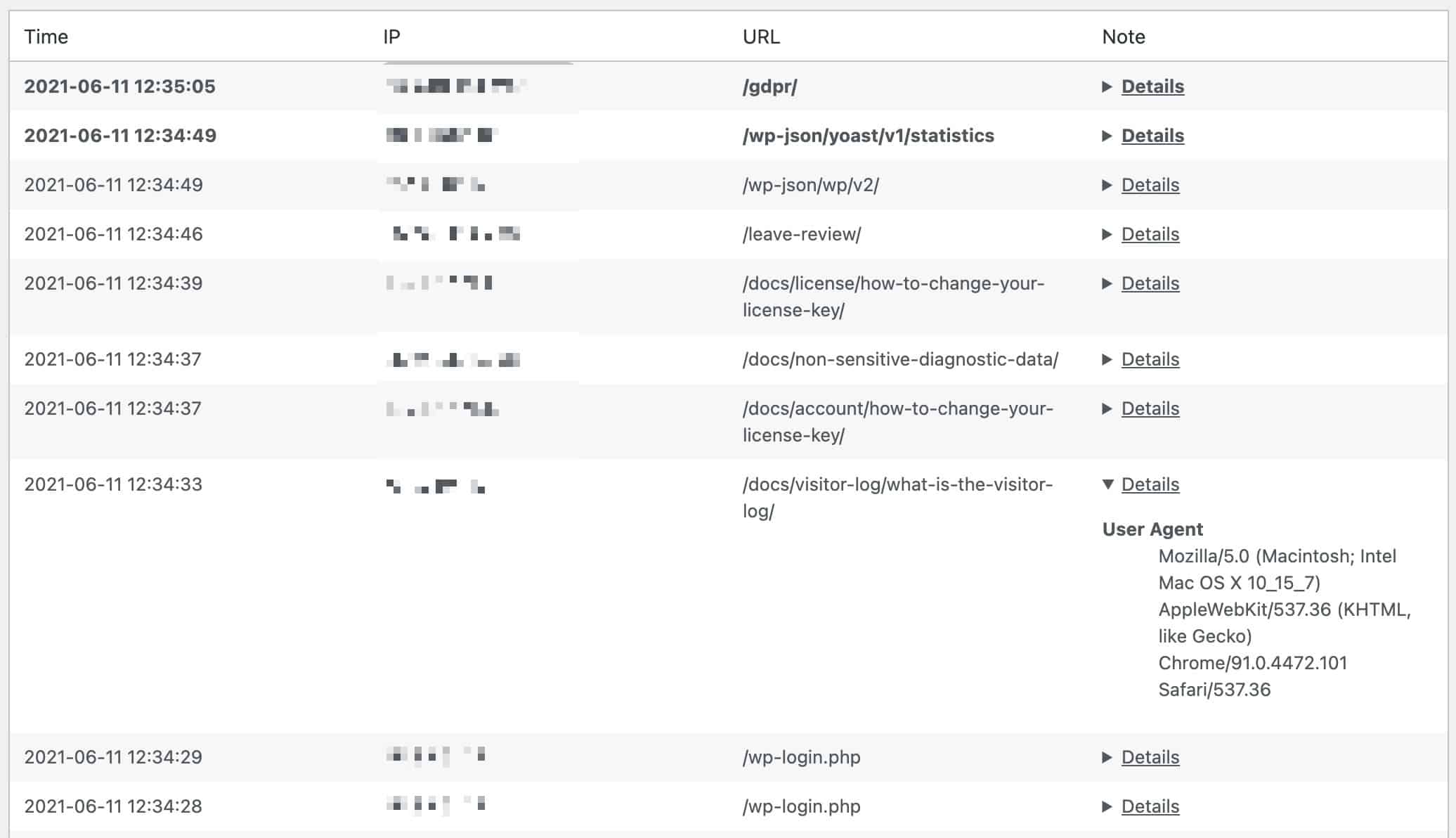
If you've opened access logs and seen hundreds of hits to /backup.zip or random .php files you never had, that's not traffic. That's a scanner mapping your site. Analytics stay flat. Your host may still email you about CPU.
- ✓ Junk paths, old plugin URLs, fake admin files
- ✓ Same IP, lots of 404s, almost no real page views
- ✓ Error logs fill up while the site feels fine
Count the misses. Block repeat offenders.
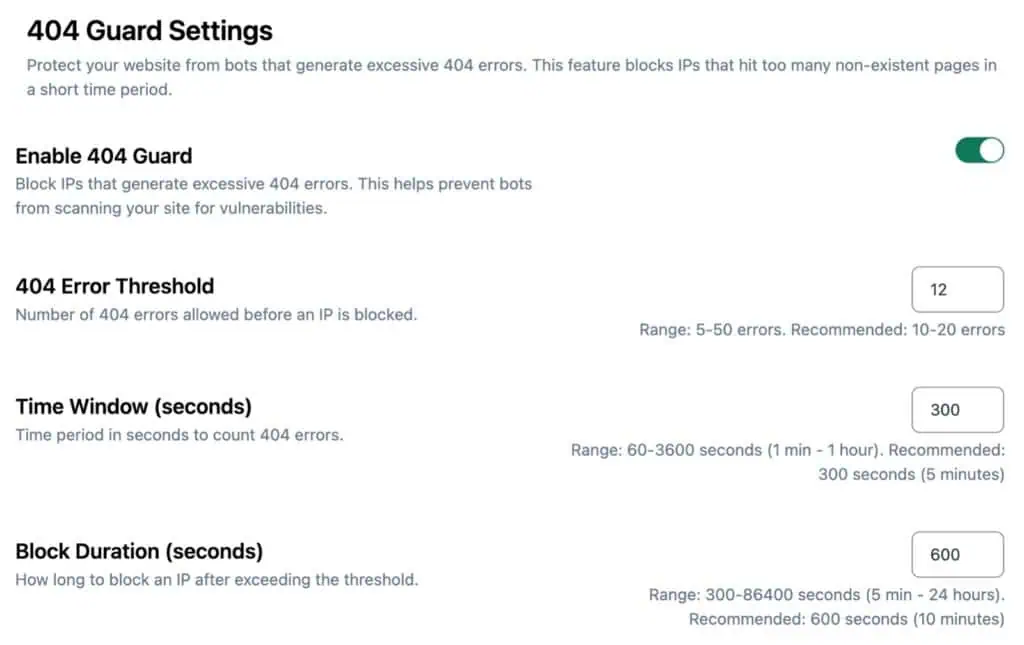
One person typing a wrong URL? Fine. Same IP hitting ten missing pages in five minutes? That's probing. 404 Guard counts 404s per IP, then blocks temporarily. Out of the box: 10 missing URLs in 5 minutes triggers a 10-minute block. Tune threshold, window, and block time later if a site gets noisy.
- ✓ Default: 10 misses in 5 minutes, then a 10-minute block
- ✓ Threshold 5 to 50, window 1 minute to 1 hour
- ✓ Warnings log before a block lands
Turn it on once. The defaults handle most sites.
You shouldn't babysit firewall rules. Known search crawlers pass through. Uptime monitors and your manual whitelist pass through. Blocks expire on their own. If something looks wrong, check the visitor log or lift the ban from IP management.
- ✓ Crawlers and whitelisted services are skipped
- ✓ Blocks are temporary, not permanent bans
- ✓ See who got blocked in Events Logger and Visitor log
One piece of the firewall, not a separate plugin
404 Guard lives inside Cloud Firewall with bad-IP blocking, country rules, and login protection. The install wizard turns it on with sane defaults. Running many sites? Lift a 404 Guard ban from MainWP without logging into each dashboard.
- ✓ Same Firewall screen as the rest of Pro
- ✓ Wizard enables it on new setups
- ✓ MainWP support for remote unblocks
Customer reviews
4.9 / 5 from 262 reviews
Very helpful
“Security Ninja is part of my arsenal that I offer to my clients. It helps make sure their websites are security and scans them for malware.”
No WordPress plugin should be your entire security stack, but this one is a solid choice to be a key part of it.
“I've been a web host and sysadmin for 15 years. I'm skeptical when it comes to security tools, and many of them out there are either bogged down bloatware, don't do enough, or try…”
Fast security audit with one-click fixes, but use judgment
“I installed WP Security Ninja on my own WordPress website, ran a scan, and fixed several real issues in under an hour.”
Great offering
“My Wordpress site had recently been compromised even when I had a scanning plugin that was supposed to detect malware.”
Frequently asked questions
Is 404 Guard free? +
No. It is part of Security Ninja Pro, inside Cloud Firewall.
Will it block Google? +
No. Known search crawlers are allowed. This is for IPs hammering fake paths, not for indexing your site.
Is this the same as fixing broken links? +
No. Broken links are a content job. 404 Guard stops bots that blast hundreds of wrong URLs looking for holes.
What if I block someone by mistake? +
Blocks expire automatically. You can also lift one from IP management, or from MainWP on connected sites.
Do I need to configure it on day one? +
Not really. Setup turns it on with conservative defaults. Tweak it later under Firewall → 404 Guard if a site gets noisy.
Will it slow my site down? +
It only runs when enabled. Its job is to stop the same IP from loading WordPress again and again on fake URLs.
Stop repeat requests to fake URLs
404 Guard plus Cloud Firewall, malware scanning, and login protection. One plugin, not five.
Get Pro