WP Security Ninja and WordPress 7 AI connectors
How the AI Security Advisor uses WordPress 7 AI connectors to turn real Security Ninja scan data into plain-language reports, on Free and Pro.
Topics Hardening & checklists

Updated Published
How the AI Security Advisor uses WordPress 7 AI connectors to turn real Security Ninja scan data into plain-language reports, on Free and Pro.
Topics Hardening & checklists
Updated Published
WordPress 7 introduces a connector-based path for AI in wp-admin. WP Security Ninja’s AI Security Advisor is built to use that path instead of inventing a separate API-key island inside the plugin.
On supported WordPress 7 setups you can generate a structured security audit from real Security Ninja data. The core flow is available on Free and Pro. Pro can add depth to recommendations and related improvement links; it does not hide the advisor behind a paywall.
You configure providers under Settings → Connectors in WordPress. Security Ninja then lets you pick a configured connector from Security Ninja → Security Advisor.
Providers recognized in the product docs include OpenAI, Google (Gemini), and Anthropic. If WordPress AI support is missing, the plugin shows a WordPress 7 required screen instead of the full advisor UI.
Setup guide: How to enable AI Security Advisor.
The job is narrow on purpose: turn Security Ninja findings into a readable report you can act on.
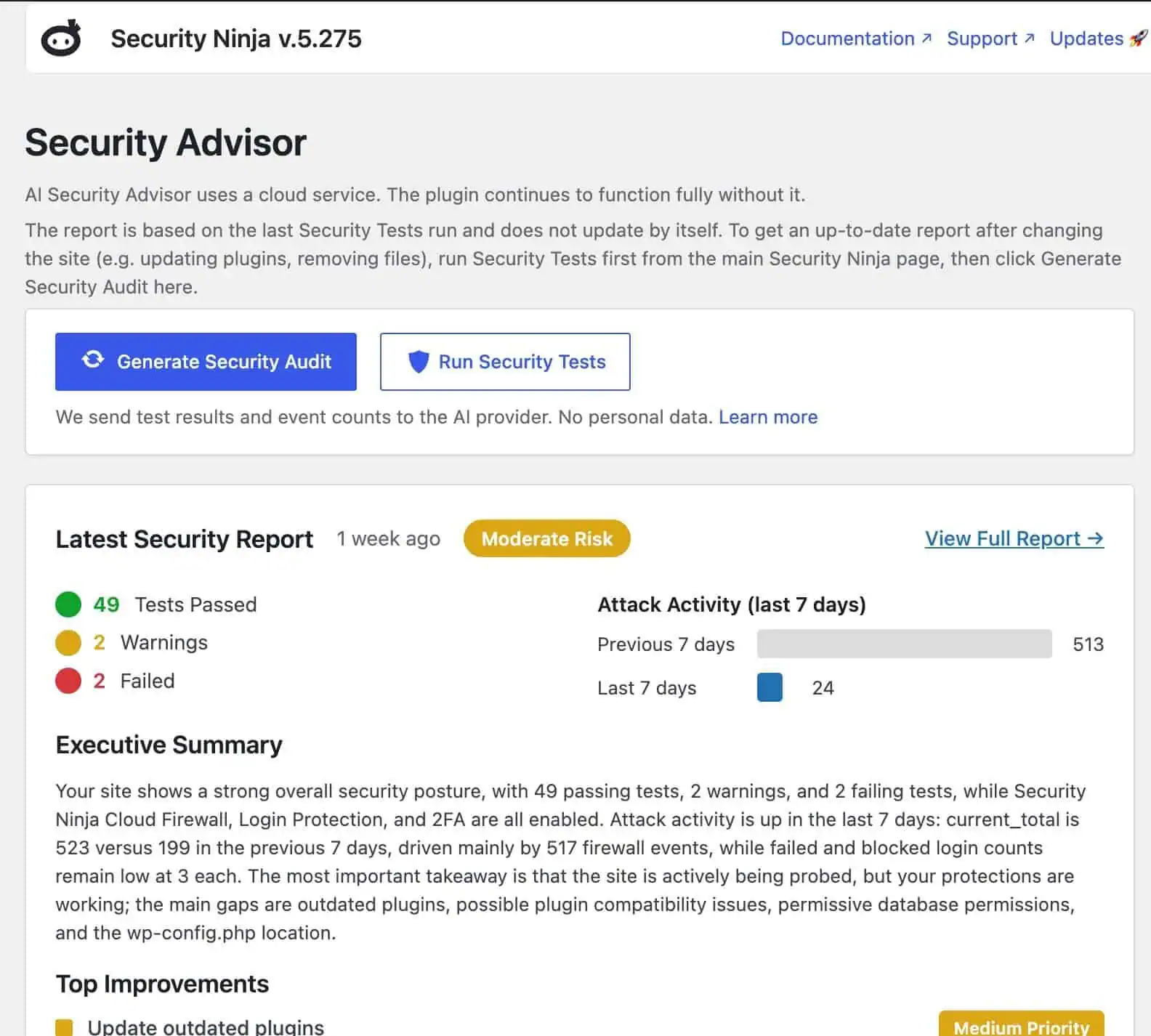
When you generate a report, the plugin builds a privacy-safe summary from data already on the site (test results, feature flags, aggregated event counts, and related signals). On Pro, malware findings can inform the report too. That context goes to the selected AI provider through WordPress’s AI client path. The response is rendered as a structured report in wp-admin, not a raw dump.
Typical sections include an executive summary, overview, prioritized improvements, and recent activity interpretation. Follow-up questions after the first report can keep it useful as a working reference.
Workflow docs: How to get your first security report.
Before generating, you can preview the context that will be sent. That matters when the payload is security-related.
Per our docs, the summary is designed so domains, URLs, IPs, usernames, and emails are not included. Reports are stored locally on your site so you can reopen them later. Details: What happens when you generate a report.
Both Free and Pro expose Security Advisor when the module loads on supported WordPress 7 setups. Pro expands what the model may recommend and deepens some in-plugin improvement links. The main generate-and-review flow is not Pro-only.
More product framing: Why we built the AI Security Advisor.
Clear boundaries help more than hype:
WordPress 7 is still early for many hosts. Testing a real admin workflow (connectors → security data → structured report) is more useful than waiting for a marketing slide. If AI is going to live in wp-admin, it should help you understand your own security status with less guesswork.
Found this useful? Share it.
