25 websites
$299 / year
Save $300 vs standard Pro
Standard Pro is $599 a year for 25 sites.
About $12 per site
- 25 site licenses
- MainWP addon included
- White label included
Protect 25 to 500 client sites with full Pro, your own branding, and the MainWP addon. The 25-site pack is $299 a year and gives you one place to manage security across the portfolio.
25 sites
$299 a year
100 sites
$759.99 a year
500 sites
$2,099.99 a year
As featured on













Deploy the license, add your branding, and send alerts to the tools your team already uses.
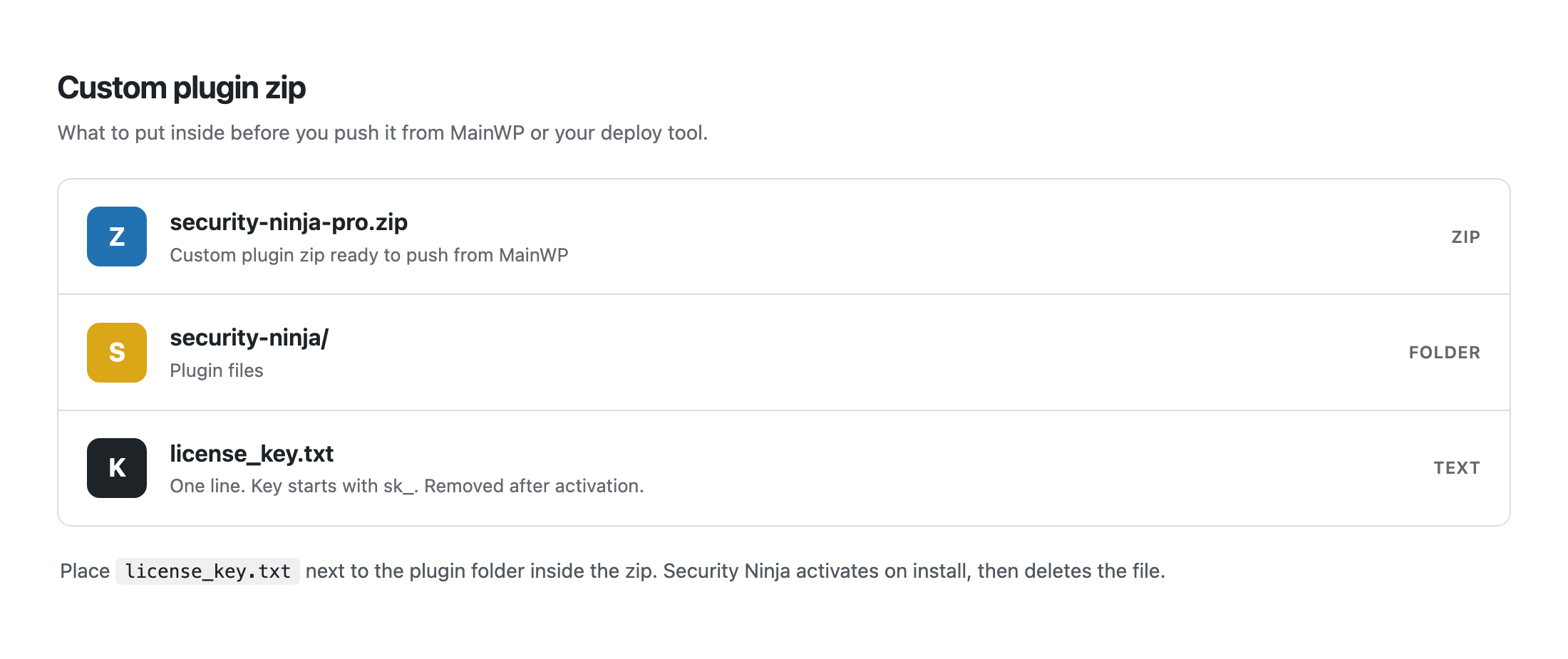
Put a license_key.txt file in the plugin zip so Security Ninja activates on deploy. MainWP, your host tool, or a script all work.
Rename the plugin and swap icons. Clients see your security product in wp-admin, not ours.
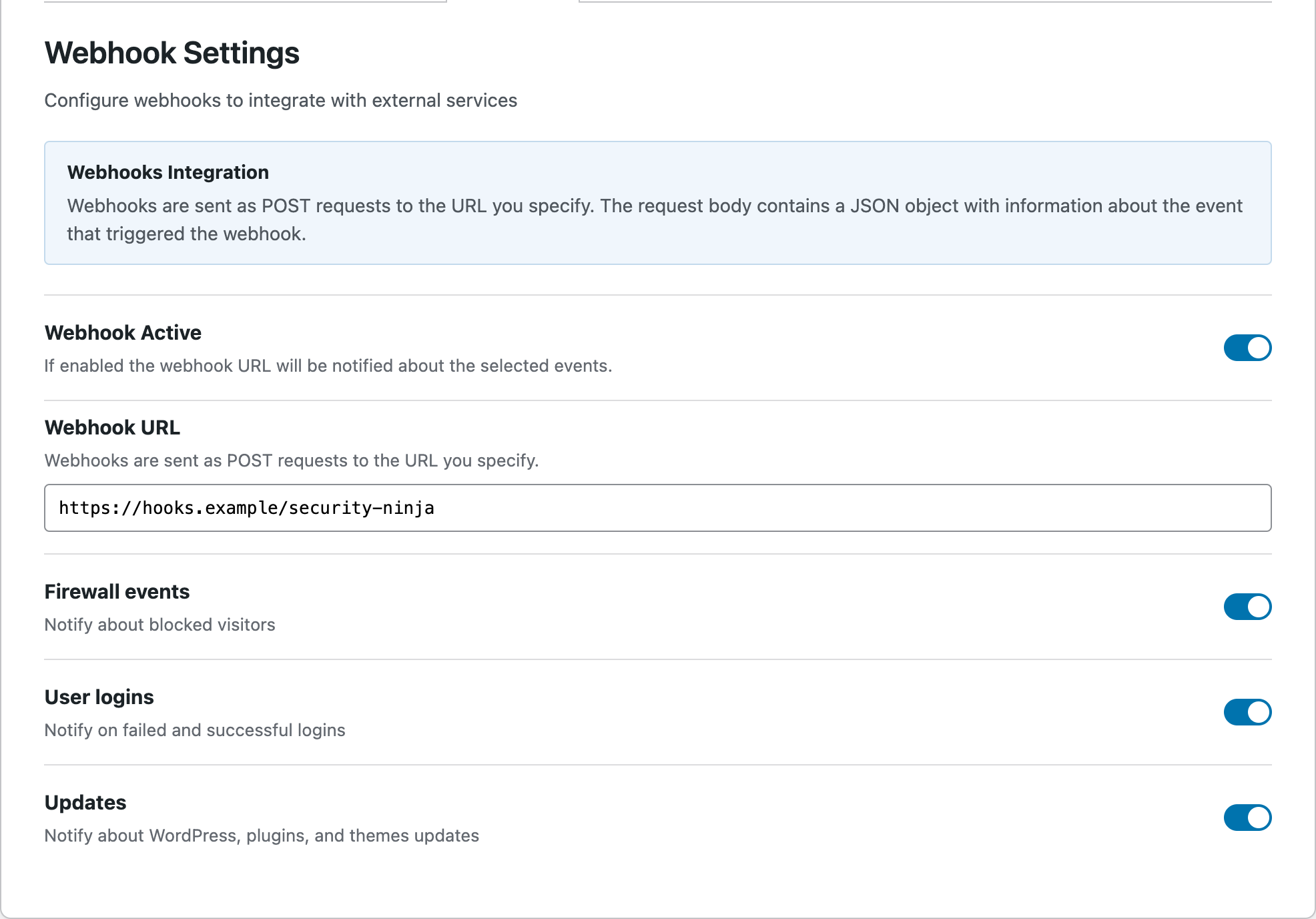
Webhooks send failed logins, blocks, and other events to Slack, Discord, Zapier, or any HTTPS URL.
Install the included addon on the MainWP Dashboard for fleet scans, combined events, a daily digest, and remote white label.
Agency packs are billed annually. You get the same Pro product as standard licensing, plus the MainWP addon, at a lower price for 25, 100, or 500 sites.
$299 / year
Save $300 vs standard Pro
Standard Pro is $599 a year for 25 sites.
About $12 per site
$759.99 / year
Save $939 vs standard Pro
Standard Pro is $1,699 a year for 100 sites.
About $7.60 per site
$2,099.99 / year
Save $2,899 vs standard Pro
Standard Pro is $4,999 a year for 500 sites.
About $4.20 per site
Agency packs cost less than the matching standard Pro license and include the MainWP addon. White label is included with both options at 25 sites and up.
| What you compare | Standard Pro | Agency pack |
|---|---|---|
| 25 sites, billed yearly | $599 | $299 |
| 100 sites, billed yearly | $1,699 | $759.99 |
| 500 sites, billed yearly | $4,999 | $2,099.99 |
| White label | Included at 25 sites and up | Included |
| MainWP addon | Not in the standard Pro checkout | Included. Download it from your account after purchase. |
| Pro security tools | Same Pro product | Same Pro product |
Need 1, 5, or 10 sites? Standard Pro is on the pricing page. You can move to an agency pack later when the portfolio grows.
30-day money-back guarantee. Annual billing, charged once.
One stack for the portfolio. Clients get a branded dashboard. You get alerts without hopping every wp-admin.
Scan, check vulnerabilities, and review combined logs across child sites from one dashboard.
Swap our name and icon for yours so clients see your security product.
Webhook endpoints push security events into Slack, Discord, Zapier, or your own URL.
The MainWP addon is included with every agency pack. Install it on your MainWP Dashboard to manage client sites from one screen.
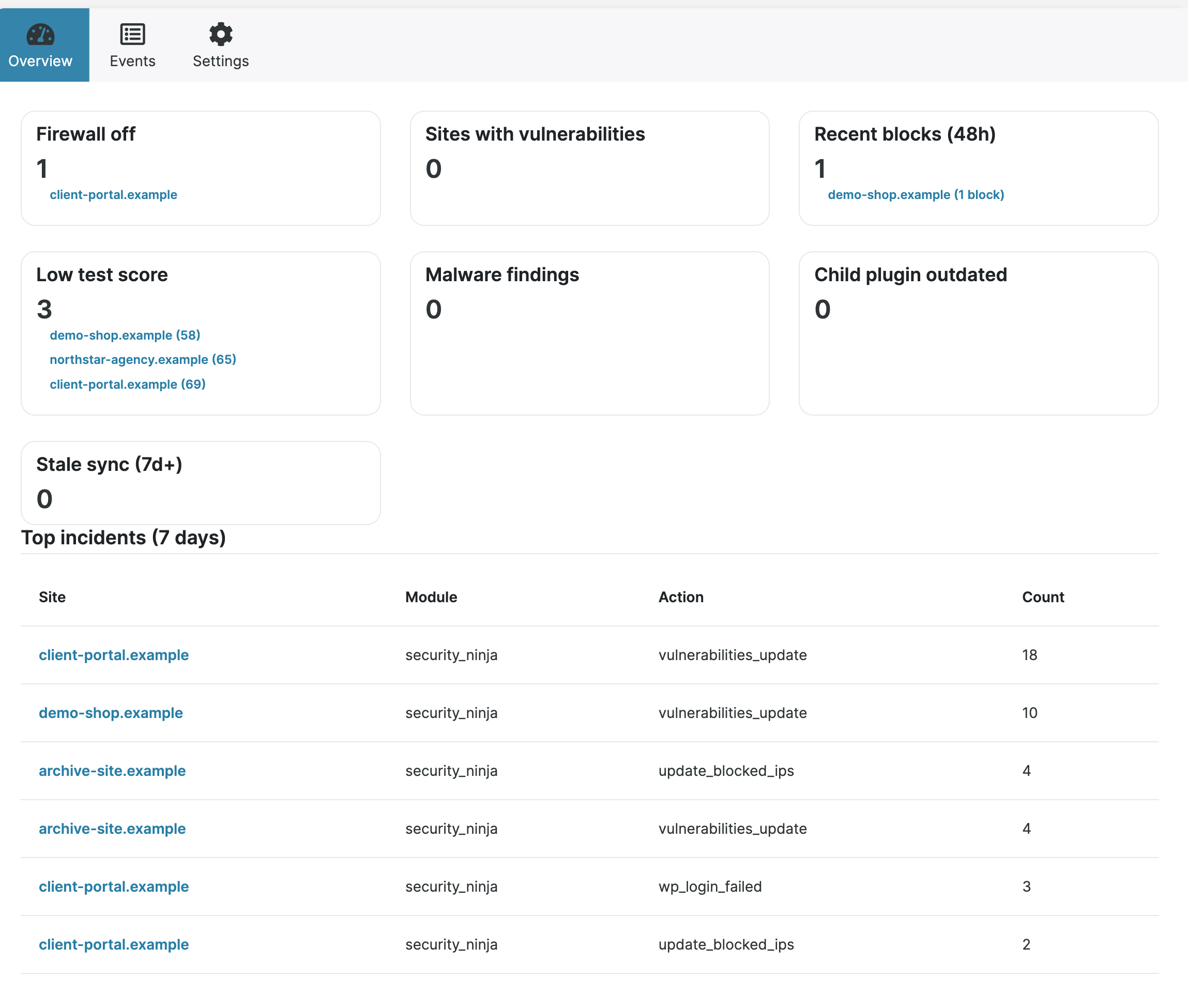
After Sync, weak sites and incidents show up without opening every wp-admin.
Test score and vulnerability count sit in the MainWP Sites table next to updates and backups.
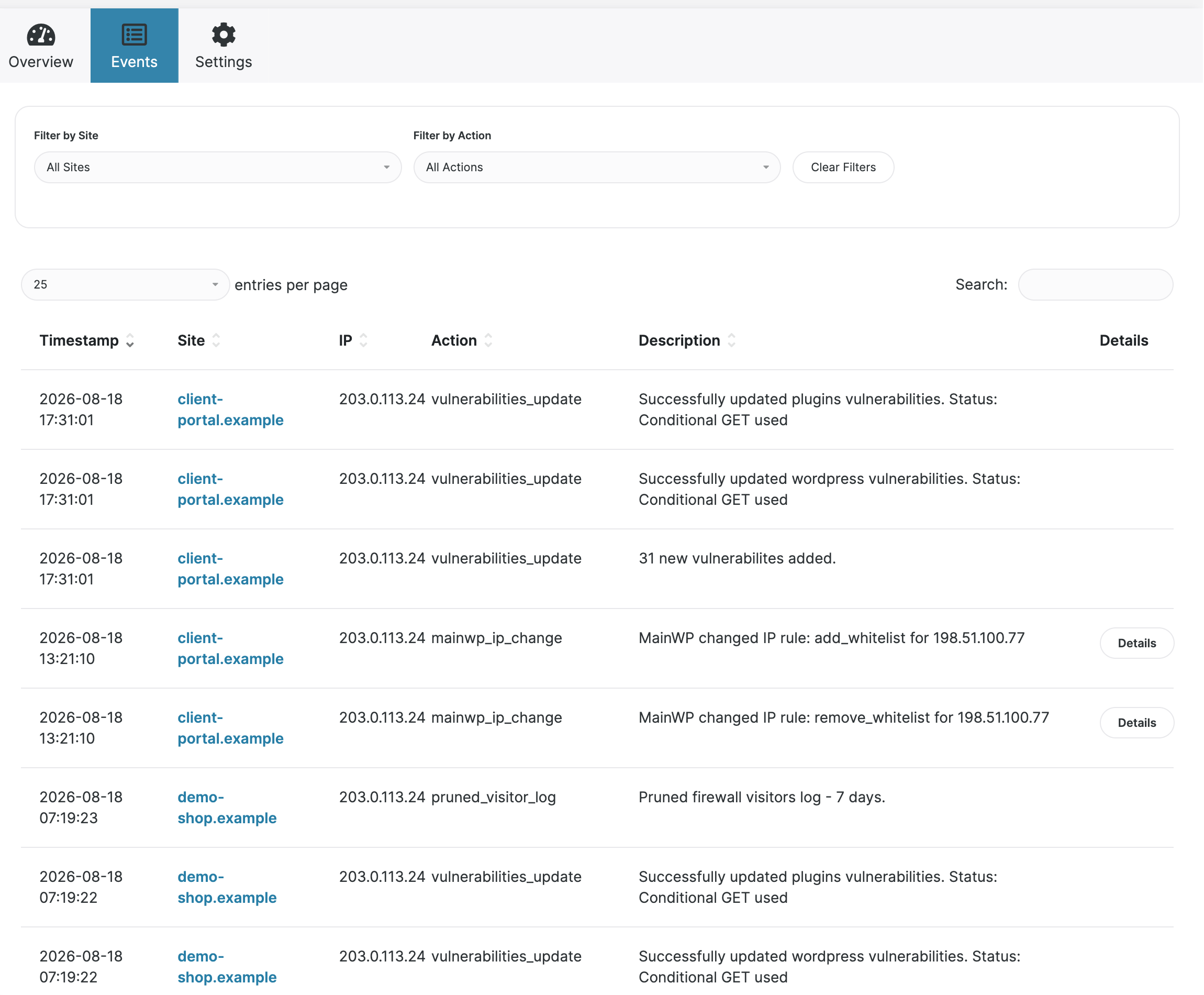
Learn moreSearch failed logins, blocks, and other events across Pro children from one table.
Learn moreAttention cards and top incidents on the extension Overview, so you start with what needs a look.
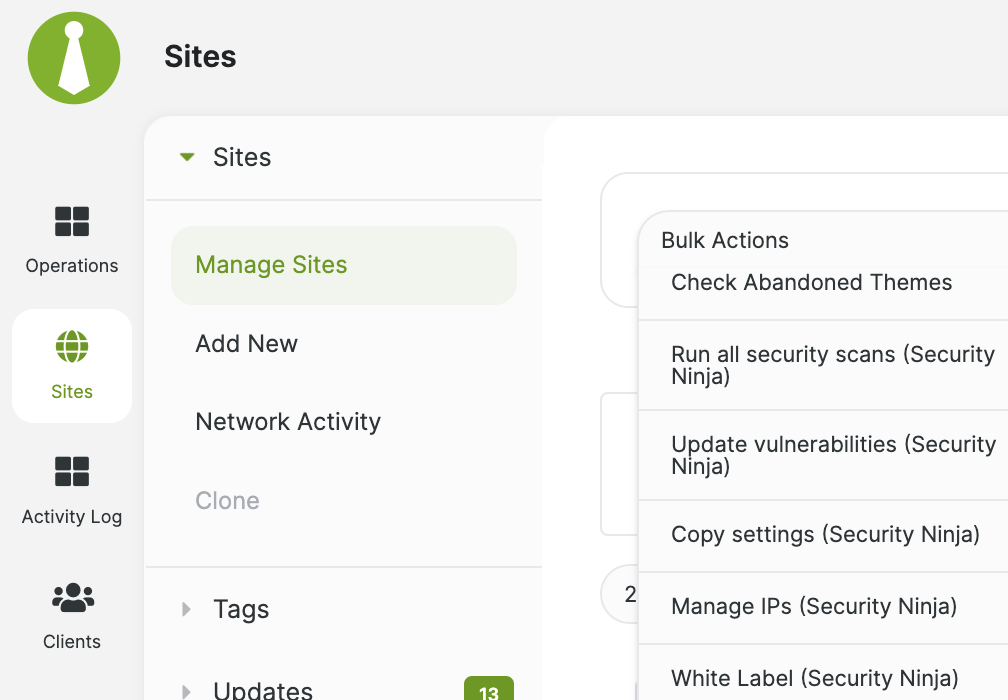
Learn moreSelect sites, run the action, then Sync so the Dashboard matches the children.
Start Security Tests, Core Scanner, and malware (on Pro children) from MainWP Bulk Actions.
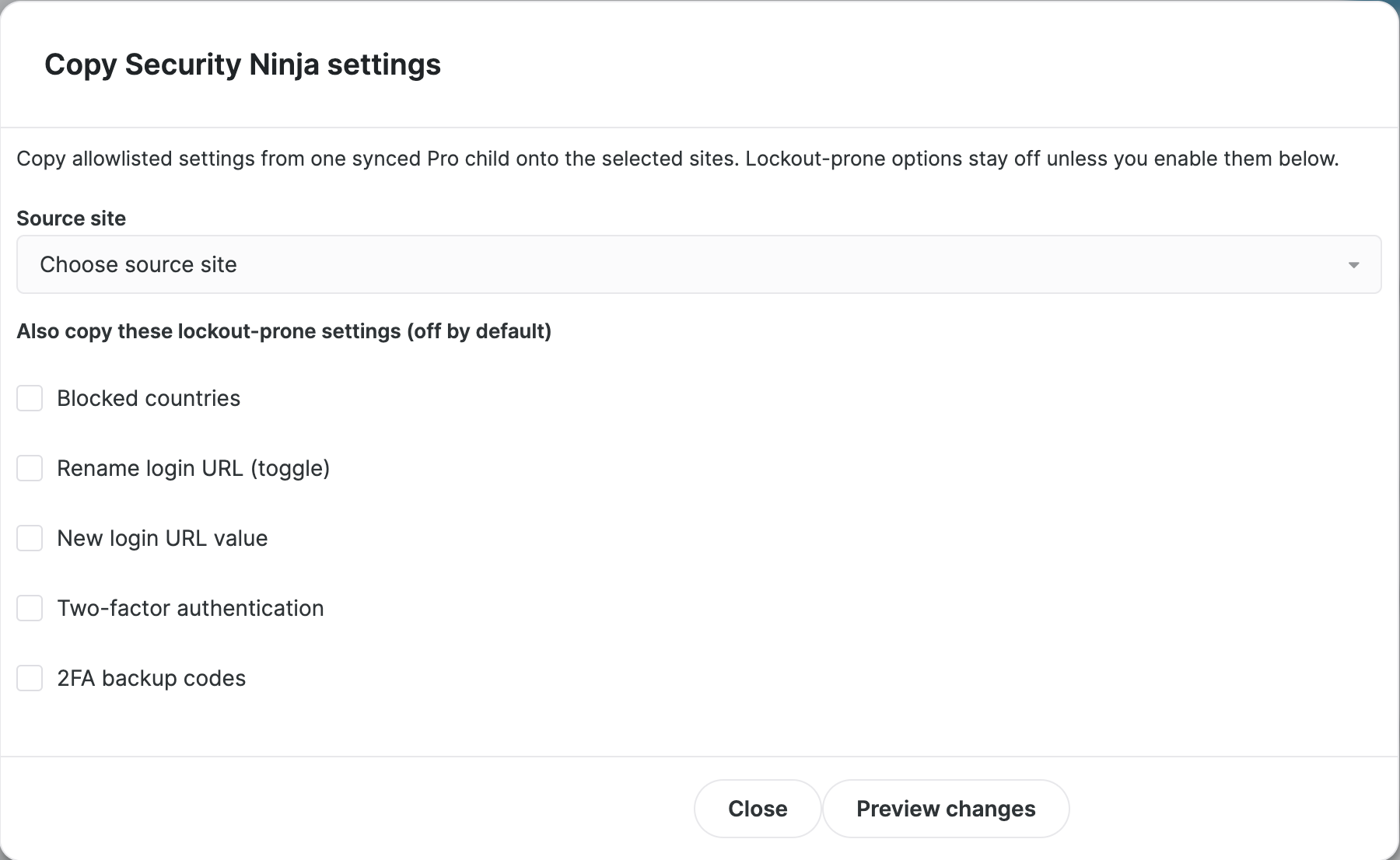
Learn moreClone a proven Security Ninja setup onto many sites, with a per-site preview. Lockout-prone keys stay off unless you turn them on.
Learn moreAdd or lift IP rules, and turn white label on or off, without logging into each child.
Learn moreTeam channel for the day. Client report at the end of the month.
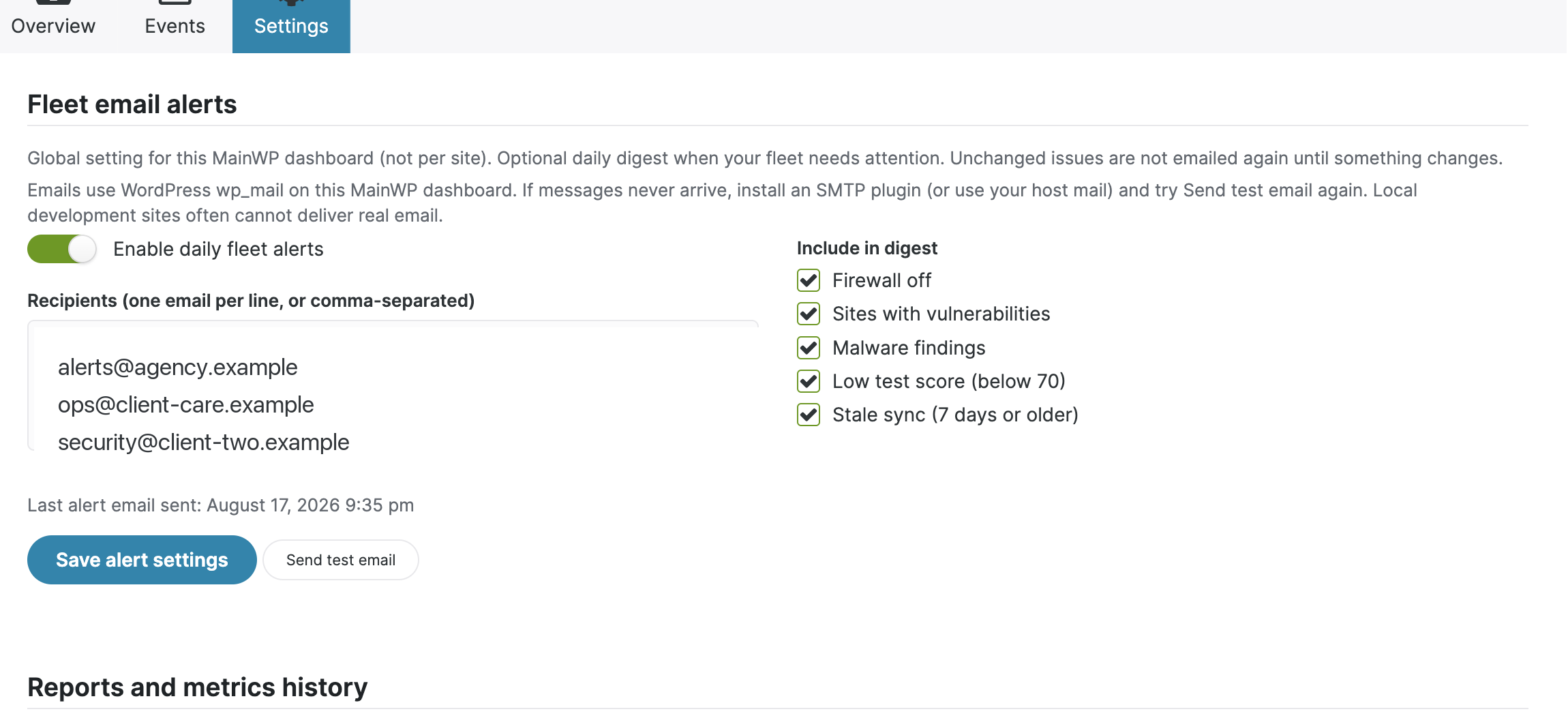
Optional daily email from the Dashboard when firewall is off, vulns appear, malware hits, scores drop, or sync goes stale.
Learn moreTokens for scores, vulnerabilities, events, and month.summary so care-plan reports include security progress.
Learn moreEach Pro child can still push live events to Slack, Discord, or Zapier. That is separate from the fleet digest.
Learn moreSee how agencies white-label WP Security Ninja for client sites.
White label WordPress security for agencies
The Events tab puts synchronized Security Ninja events from Pro child sites into one table. Filter by site or action, then open details without jumping between wp-admin screens.
Pick a synced Pro child as the source, preview the changes for each site, then apply the settings you selected. Pair it with the license ZIP so new sites come up branded and configured.
Premium fleet alerts run on the MainWP Dashboard. Choose recipients and conditions, then get a digest when fleet state changes. Per-site webhooks stay on each child for Slack and Discord during the workday.
Rename the plugin and swap icons on each Pro child, or turn branding on or off from MainWP Bulk Actions. Clients see your product in wp-admin. Auto-updates still work after a rename.
Ship a custom ZIP with a license_key.txt file. Security Ninja auto-activates, removes the key file, and is ready. Push from MainWP or your deployment tool.
Each Security Ninja Pro child can send failed logins, firewall blocks, and other events to your team channel. These per-site webhooks complement the MainWP fleet email digest.
Agency packs start at 25 sites. Standard Pro covers 1, 3, 5, 10, and other counts. White label unlocks on standard Pro at 25 sites. The agency pack is the better buy once you want that many licenses plus MainWP in one checkout.
Start on the pricing page. Same Pro tools. Upgrade or switch to a pack when site count and MainWP belong in one purchase.
Network-activate once and protect every sub-site under the license.
Cloud Firewall, malware, 2FA, webhooks, scheduled scans. See the Features hub for the full list.
4.9 / 5 from 262 reviews
One of my best purchases
“So I end up purchasing quite a few accounts here. Most are just sitting on the shelf, hoping that someday they will mature enough to be worth it.”
Excellent Plugin
“Security Ninja has everything and more of what you’d want in a security plugin. Some examples are the firewall, limited login attempts, malware scanner, logs, and alerts.”
So Glad to Find This
“WP Security Ninja Review I've been using WP Security Ninja for several weeks now, and I must say, it has exceeded all my expectations.”
Works well as a base security plugin
“WP Security Ninja stands out with a balanced and clear mix of features. It works well as an all-in-one solution but remains simple enough to combine with tools like Patchstack with…”
Site licenses at the size you choose, all Security Ninja Pro features, white label, and the MainWP addon. After purchase, download the MainWP addon from your account and install it on the MainWP Dashboard only, not on child sites. Child sites get Security Ninja itself.
Same Pro plugin. Agency packs cost less at 25, 100, and 500 sites, and they include the MainWP addon. Standard Pro at 25 sites already includes white label. If you do not need MainWP and you only want a few sites, use the pricing page.
No. You can run white label, import/export, and webhooks without it. MainWP is optional for centralized scans and, with the premium addon, combined logs, remote white label, and Pro Report tokens.
Not in wp-admin if you turn white label on. Replace the plugin name and icon. Some automated emails, for example vulnerability alerts, may still mention WP Security Ninja. The white label page covers what branding includes today.
Yes. Renaming the plugin should not block WordPress auto-updates. Keep Security Ninja current. If an update seems stuck after a rename, update to the latest release or contact support.
Use white label in the client dashboard and webhook alerts for your team. With MainWP, Security Ninja tokens in MainWP Pro Reports can include scores, vulnerabilities, and recent events. See the MainWP Pro Report tokens docs for the token list.
Yes. Packs are billed once per year. We offer a full refund within 30 days of purchase. Contact support through your account or the help desk.
Yes. Standard Pro starts at one site on the pricing page. Agency packs are for 25 sites and up. Building a care-plan offer? The WordPress care plan guide has packaging ideas that pair with bulk licenses and white label.
Choose a pack, white-label the plugin, and run security across every client site.
Choose an agency pack