Pro · Stores
WP Security Ninja
Protect checkout, coupons, and store logins
WooCommerce stores handle money and customer data. Security Ninja Pro adds rate limits, coupon abuse protection, and the same firewall, malware, and 2FA tools that protect the rest of WordPress.
- ✓ Coupon abuse limits
- ✓ Checkout, cart & order limits
- ✓ Login & 2FA
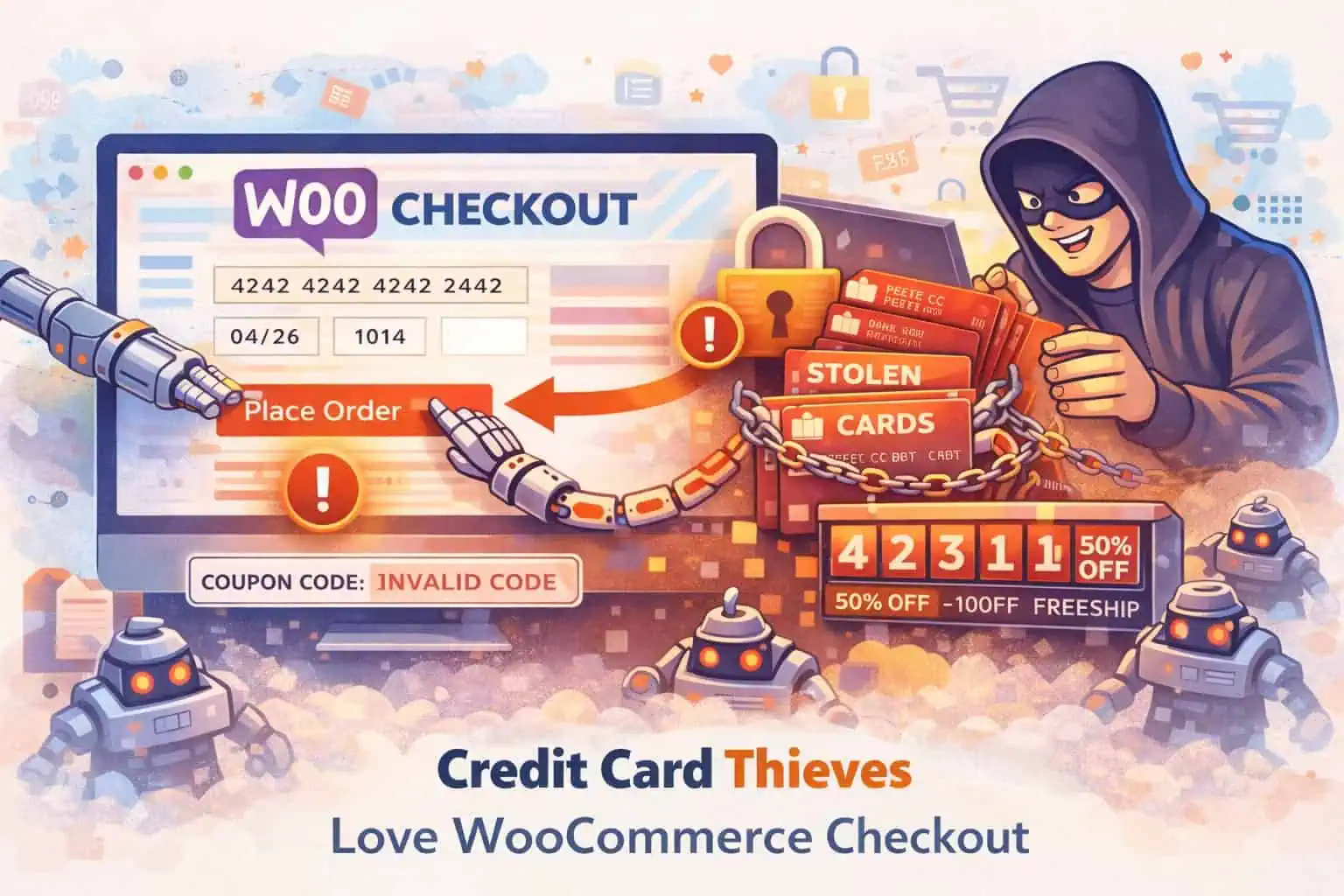
Stop coupon and checkout abuse
Bots guess coupon codes and spam storefront endpoints. Pro WooCommerce protection rate-limits checkout, add-to-cart, and order placement separately, and stops coupon code guessing across classic forms, AJAX, and WooCommerce Blocks.
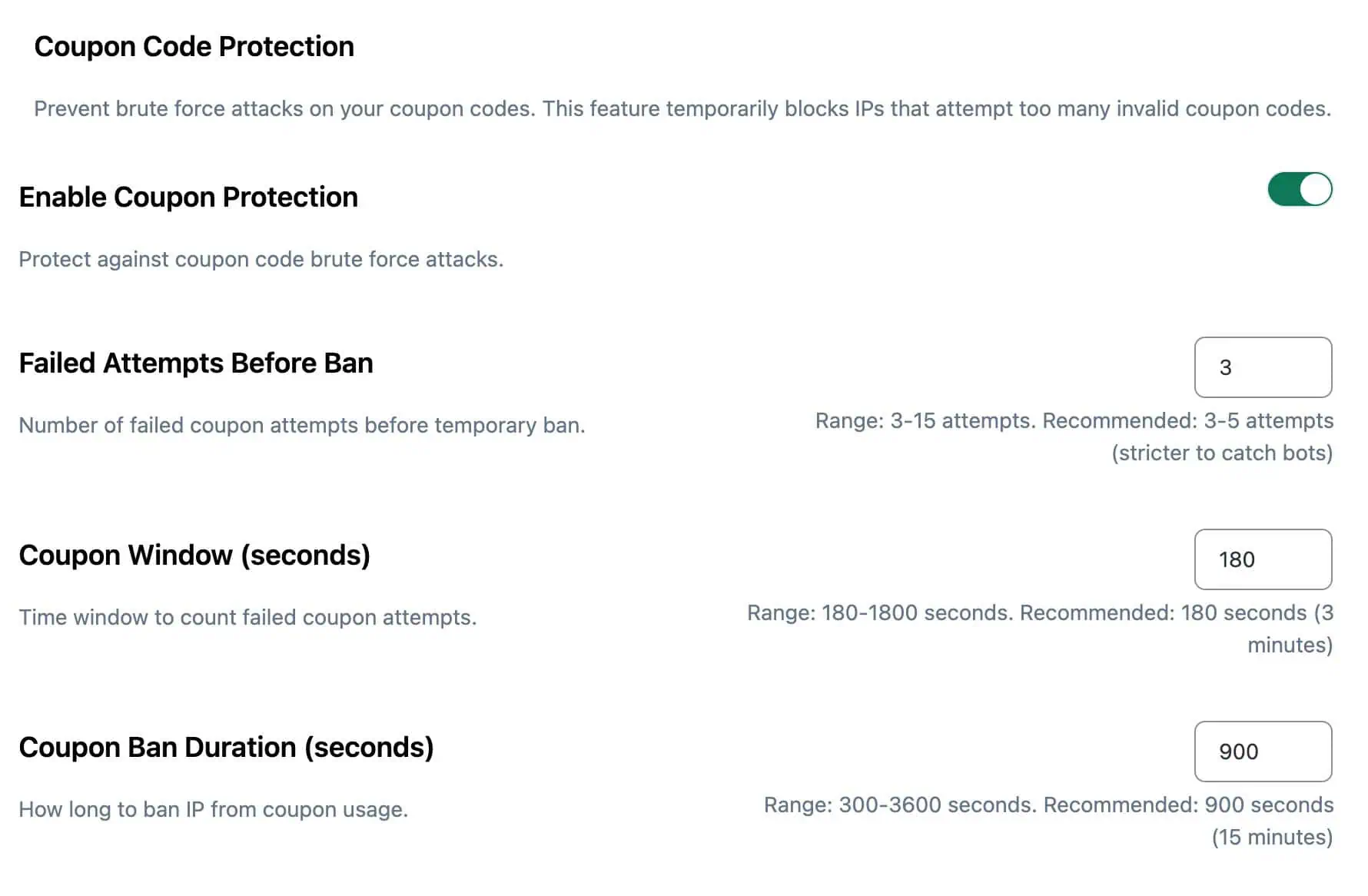
- ✓ Coupon brute-force protection with temporary IP bans
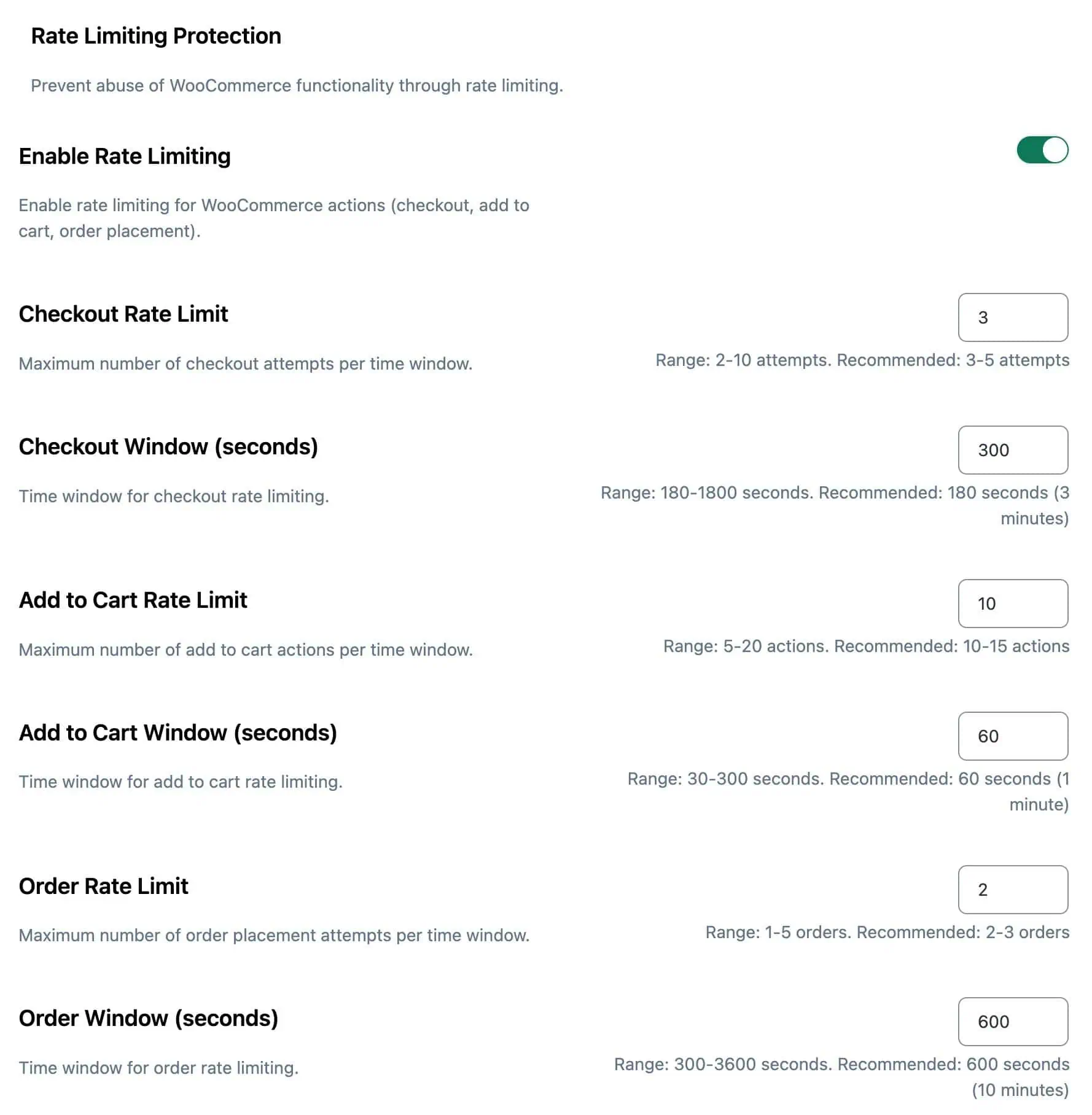
- ✓ Separate limits for checkout, add-to-cart, and orders
- ✓ Enable via Install Wizard when WooCommerce is active
Keep malware away from payment pages
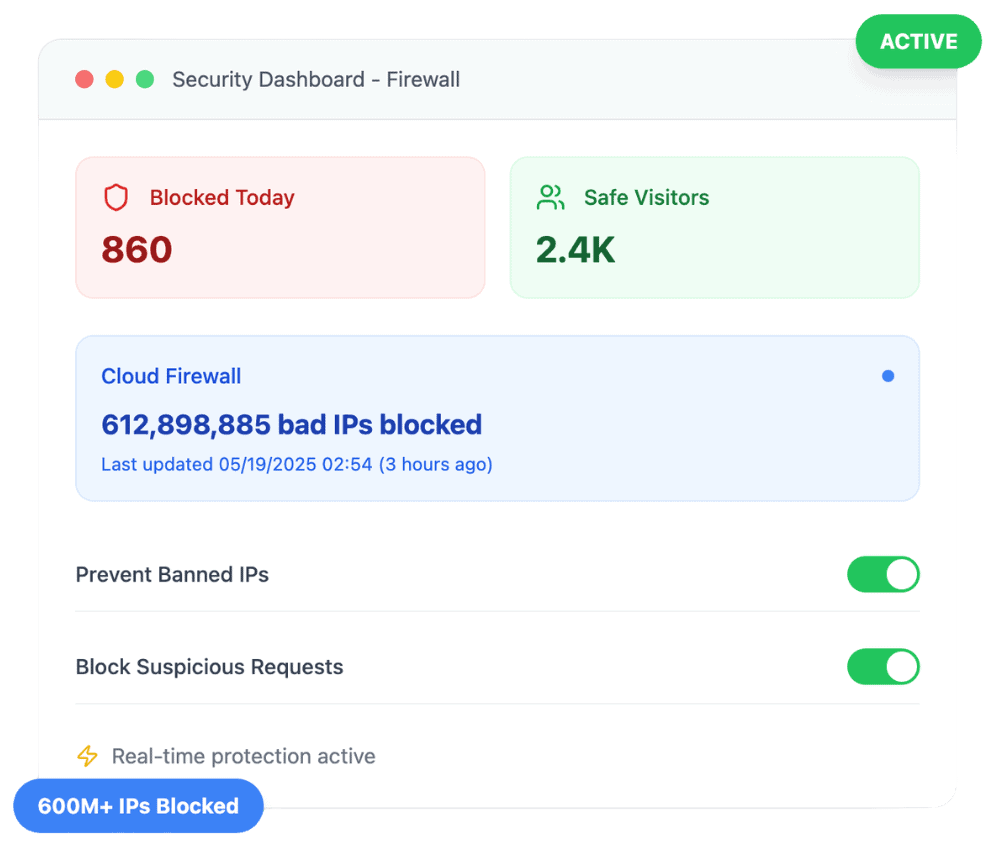
Compromised stores are high-value targets. Pair WooCommerce protection with Pro malware scanning, vulnerability checks, and Cloud Firewall to reduce that risk.
- ✓ Malware scanner for suspicious code
- ✓ Vulnerability warnings for risky plugins
- ✓ Core integrity checks
Harden how staff and customers sign in
Failed-login limits and 2FA protect WordPress accounts used for wp-admin and store access. When Cloud Firewall country blocking is set to apply to login forms only, it also covers WooCommerce login and registration.
- ✓ Login protection for WordPress accounts
- ✓ Two-factor authentication
- ✓ Country rules for Woo login/registration (when login-only blocking is on)
Block coupon guessing and checkout floods
Pro limits the storefront actions bots abuse most and adds the firewall, malware, and login tools that protect the rest of WordPress.
Coupon code guessing
Failed coupon attempts are tracked per IP across forms, AJAX, and Blocks. Repeated failures can temporarily ban that IP from trying more codes, with a countdown until the ban ends.
Checkout, cart, and order floods
Separate rate limits cover checkout, add-to-cart, and order placement. Published defaults are 3 checkouts per 5 minutes, 10 add-to-cart actions per minute, and 2 orders per 10 minutes, all adjustable.
Repeated login and registration attempts
With login-only country blocking enabled in Cloud Firewall, banned countries are blocked from WooCommerce login and registration. Pro login protection and 2FA harden WordPress account access.
Customer reviews
4.9 / 5 from 262 reviews
No WordPress plugin should be your entire security stack, but this one is a solid choice to be a key part of it.
“I've been a web host and sysadmin for 15 years. I'm skeptical when it comes to security tools, and many of them out there are either bogged down bloatware, don't do enough, or try…”
Fast security audit with one-click fixes, but use judgment
“I installed WP Security Ninja on my own WordPress website, ran a scan, and fixed several real issues in under an hour.”
Great offering
“My Wordpress site had recently been compromised even when I had a scanning plugin that was supposed to detect malware.”
“Security Ninja has improved massively over the last year. The plugin keeps getting better and more powerful, and it has become an important part of how I manage WordPress security…”
Frequently asked questions
Is WooCommerce protection free? +
No. Store-specific rate limiting and coupon abuse protection are Pro features. The free plugin still includes vulnerability scanning, 50+ security tests, and basic firewall rules.
What does WooCommerce protection cover? +
Pro can rate-limit checkout, add-to-cart, and order placement, and stop coupon code guessing across forms, AJAX, and WooCommerce Blocks. When country blocking is set to apply to login forms only, it also covers WooCommerce login and registration. Blocked attempts are logged in Events.
Will rate limiting block real shoppers? +
Defaults target abusive bursts, not normal shopping. The starting limits are 3 checkout attempts per 5 minutes, 10 add-to-cart actions per minute, and 2 orders per 10 minutes. If a real shopper gets blocked, check WooCommerce entries in Events and raise the limits under Firewall, then WooCommerce.
How does coupon abuse protection work? +
It tracks failed coupon attempts per IP across classic forms, AJAX, and WooCommerce Blocks. After repeated failures in a short window, that IP is temporarily banned from trying more codes (ban length is configurable; the default ban is 15 minutes). Ban messages can include a countdown. A valid coupon resets the counter.
Do I need WooCommerce installed? +
Yes for the store module. The module only loads when WooCommerce is active, and the Install Wizard can surface WooCommerce protection steps when it detects the plugin.
Where do I turn WooCommerce protection on? +
Use the Install Wizard when WooCommerce is detected. You can also open Security Ninja in wp-admin, choose Firewall, then WooCommerce, and adjust the protection there.
Does this replace payment gateway or PCI security? +
No. Payment processors and hosting still handle card data and compliance scope. Security Ninja hardens WordPress and the storefront against bots, coupon abuse, and weak logins.
Protect your store with Pro
WooCommerce rate limits and coupon protection, plus Cloud Firewall, malware scanning, and 2FA.
Get Pro