7 Signs a WordPress Site Is Hacked
How to tell if a WordPress site is hacked: unknown admins, lockouts, redirects, spam, Search Console warnings. Several signs together, not one glitch.
Topics Malware & cleanup

Updated Published
How to tell if a WordPress site is hacked: unknown admins, lockouts, redirects, spam, Search Console warnings. Several signs together, not one glitch.
Topics Malware & cleanup
Updated Published
Look for several signs together, not one odd glitch: unknown admins, lockouts, redirects or spam you did not add, Search Console security warnings, and pages you never published. That is how to tell if a WordPress site is hacked. A broken plugin update can look scary too. If two or more of those show up, treat it as a compromise.
A homepage that looks fine while you are logged in is not proof the site is clean. Open it logged out in a private window, then run the security tests, vulnerability scanner, and Core Scanner. Add the malware scanner if files look wrong or visitors already see redirects. The events log is the place to check odd logins and file changes after that.
Once you are sure: what to do if your site is hacked.
You need evidence that someone else controls or abuses the install. One odd glitch is not enough. Several of these together is:
A homepage that looks fine while you are logged in is not a clean bill of health. If two or more show up, read the seven signs below, then WordPress malware removal or hire cleanup if you are stuck.
Do this before a deep dive:
site:yourdomain.com for pages or titles you never published.wp-content via hosting file manager or SFTP.If two or more of those light up, keep reading and then jump to recovery.

A sharp analytics drop can mean redirects, Safe Browsing warnings, or SEO spam changing titles and content Google sees.
Verify: Search Console coverage and security issues; compare homepage HTML logged out vs logged in; check rankings for branded queries.
False positives: tracking code broken, consent banner blocking analytics, seasonal traffic, or a DNS / CDN cutover.
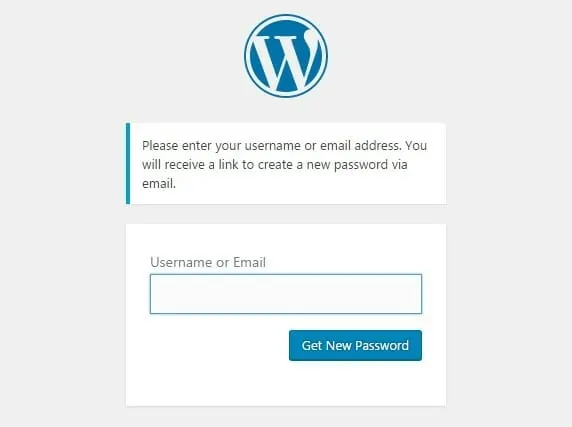
Password resets fail, the login loops, or your admin user is gone. Attackers often change credentials, add their own admin, or lock you out on purpose.
Verify: Try hosting panel or SFTP. Inspect the users table or wp_users if you have database access. Confirm you are not hitting a renamed login URL you forgot.
False positives: exhausted rate limits, lost 2FA device, wrong site on a multisite network, host-level IP block.
If wp-admin is dead, use hosting panel or SFTP. Do not keep spraying password resets into a hijacked inbox.
Unexpected administrator accounts are a classic leftover after a compromise. So are odd “customer” or “subscriber” floods if open registration is on. Prefix patterns from public exploit kits show up here too (unknown admins with odd usernames or throwaway emails).
Verify: Export or screenshot the Users list. Compare to a known-good backup. Check admin email addresses on accounts you thought you owned.
False positives: a teammate added help, a membership plugin creating roles, or a migration that recreated users.
Review Users regularly. Remove what you did not create. Prefer least privilege for real teammates.
Malware, spam bots, crypto miners, and brute-force noise can hammer the server. Slow alone is not proof of a hack, but combined with other signs it is worth a malware scan and host check.
Verify: Host resource graphs, error logs, and a malware scan. Rule out a heavy security scan or stacked plugins: do security plugins slow WordPress down?.
False positives: traffic spike, bad caching, oversized images, a runaway cron job, or a host incident.
Some infections hide when you are logged in as admin and only hit regular visitors. Redirect malware often keys off referrer, device, or country so your own checks look clean.
Verify: Incognito, another device, and a friend on mobile. View source for injected scripts. Compare with a clean backup of header.php, footer.php, and must-use plugins.
False positives: affiliate or ads plugins you forgot, a tag manager container, or a compromised third-party script on an otherwise clean WordPress install.

Infected sites often start blasting spam email, injecting spam links, or serving cloaked content to Googlebot. Check comments, mail logs, and random posts for injected HTML. Search site:yourdomain.com for pages you never published.
Verify: Host mail logs, SMTP plugin logs, and unexpected posts or pages in trash. Look for .ico or odd PHP under uploads.
False positives: a comment spam wave without file infection, or a newsletter tool misconfigured to look “spammy” to providers.
Chrome/Google warnings and Search Console security emails are late signals, but they are clear. Clean the site, then request a review so rankings can recover. Phishing kits on your domain can trigger the same alarms even when the homepage looks fine to you.
Verify: Search Console message details and the URLs Google lists. Fetch those URLs logged out.
False positives: rare false flags after you already cleaned; still treat the report as a to-do until Google clears it.
Logged-in admins often see a clean site while customers get redirects or spam. Always check as a logged-out visitor, on mobile, and via Search Console. Also check for backdoors and scheduled reinjection if symptoms return after a “cleanup”: malware that kept coming back.
Step-by-step: WordPress site hacked recovery. To remove WordPress malware, prefer a clean restore when you have one. Scan again with the malware scanner and Core Scanner before you call it done.
After you are back online, turn on login protection and 2FA, and put exploit traffic behind Cloud Firewall. If you are locked out or the infection keeps returning, hire cleanup.
Found this useful? Share it.
Look for several signs together: odd admins, lockouts, redirects or spam you did not add, Search Console security warnings, and pages you never published. One weird glitch is not enough. A logged-out homepage check plus Users and Search Console is a fast first pass.
Open the site logged out in a private window, review Users for unknown administrators, run the security tests, vulnerability scanner, and Core Scanner, then add a malware scan if files look wrong. Check Search Console for security issues, and search site:yourdomain.com for junk pages. Compare file dates and recently modified plugins if you have hosting or SFTP access.
Yes. Cloaked redirects, SEO spam, and backdoors often hide from logged-in admins and only hit regular visitors, mobile users, or Googlebot. Always check as a logged-out visitor and in Search Console.
No. Hosting limits, bad caching, and heavy plugins can slow a site. Combine slowness with other signs (unknown admins, redirects, spam) before you assume compromise.
Contain damage, regain clean access, restore or clean carefully, rotate credentials, close the entry point, then harden. Follow the full recovery guide or hire cleanup if you are locked out or the infection returns.
