Security advisorywp2shell Monday check: confirm 6.8.6, 6.9.5, 7.0.2. Patched is not clean.

Read the advisory

Firewall & login

WooCommerce rate limits and coupon protection

How to secure your WooCommerce store with advanced protection: block suspicious countries, limit checkout abuse, and stop coupon code attacks

WooCommerce Protection is a Security Ninja module that shields your WooCommerce store from attacks and abuse. It adds rate limiting, coupon brute force protection, and integrates with your existing firewall for country-based blocking. all with minimal setup and low performance impact.

Key Protections

  • Rate Limiting: Prevents rapid-fire checkout, add-to-cart, and order attempts from bots or abusers.
  • Coupon Abuse: Blocks automated coupon code guessing and brute force attacks.
  • Bot Activity: Detects and blocks suspicious automated behavior.
  • Geographic Blocking: Uses your firewall’s country blocking for WooCommerce login and registration forms.

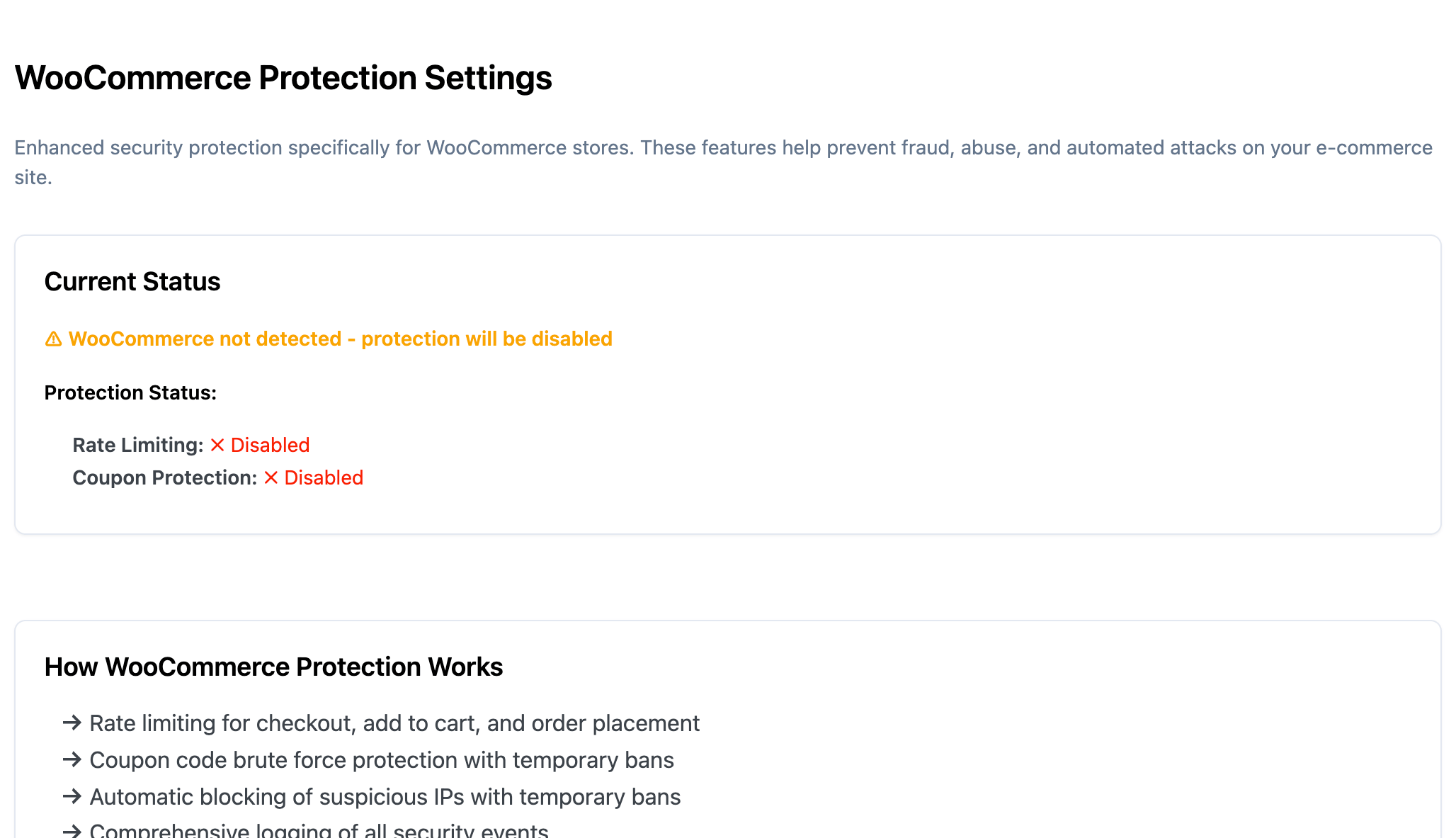
WooCommerce Protection settings under Firewall

Settings are located under Security Ninja → Firewall → WooCommerce.

Firewall Integration

  • Country Blocking: Leverages your existing firewall country blocking settings. When “Apply country blocking to login forms only” is enabled, it also covers WooCommerce login and registration forms.
  • Event Logging: All blocked attempts are logged for review and analysis.

Rate Limiting Protection

  • Checkout: Default: 3 attempts per 5 minutes. Exceeding this redirects to cart with an error message.
  • Add to Cart: Default: 10 actions per minute. Exceeding this removes the item and shows an error.
  • Order Placement: Default: 2 orders per 10 minutes. Exceeding this blocks order completion and shows an error.

Coupon Brute Force Protection

Coupon abuse protection settings

  • Multi-Method Coverage: Works with forms, AJAX, and WooCommerce blocks.
  • Automatic Banning: 5 failed attempts per 5 minutes triggers a 15-minute ban for that IP.
  • Smart Reset: Counter resets when a valid coupon is applied.
  • User Experience: Clear ban messages with countdown; normal use resumes automatically after ban.

Configuration

All settings are in Security Ninja → Firewall → WooCommerce. Adjust limits and ban durations to fit your store’s needs.

Example Use Cases

Automated Checkout Attack

A bot tries to rapidly submit checkout forms to exploit your payment system.

  • After 3 failed attempts in 5 minutes, the bot is blocked from further checkouts for 5 minutes.
  • The event is logged in Security Ninja Events Logger.
  • Legitimate customers are not affected.

Coupon Code Guessing

An attacker uses automated tools to guess valid coupon codes by trying many combinations.

  • System tracks failed coupon attempts per IP.
  • After 5 failed attempts in 5 minutes, the IP is banned from using coupons for 15 minutes.
  • Valid coupon use resets the counter; user-friendly ban messages show remaining time.
  • All attempts are logged for analysis.

Troubleshooting & Logs

  • All protection events are logged in Security Ninja → Events. Search for “woo_” to see WooCommerce-related events.
  • If legitimate users are blocked, review your rate limits and event logs, and adjust settings as needed.

Performance & Integration

  • Lightweight: Only loads when WooCommerce is active; uses efficient storage and caching.
  • Seamless Integration: Works with all other Security Ninja features, including firewall and event logging.

WooCommerce Protection gives your store essential, flexible security. without sacrificing user experience or performance.

Still stuck? Get help or contact us.