Free · WordPress 7

WP Security Ninja

Know what to fix first on your WordPress site

AI Security Advisor turns your Security Ninja tests, vulnerabilities, core findings, and recent activity into a saved audit with ranked next steps and guided follow-up questions.

  • ✓ Uses your scan data
  • ✓ Guided follow-ups
  • ✓ Your AI connectors
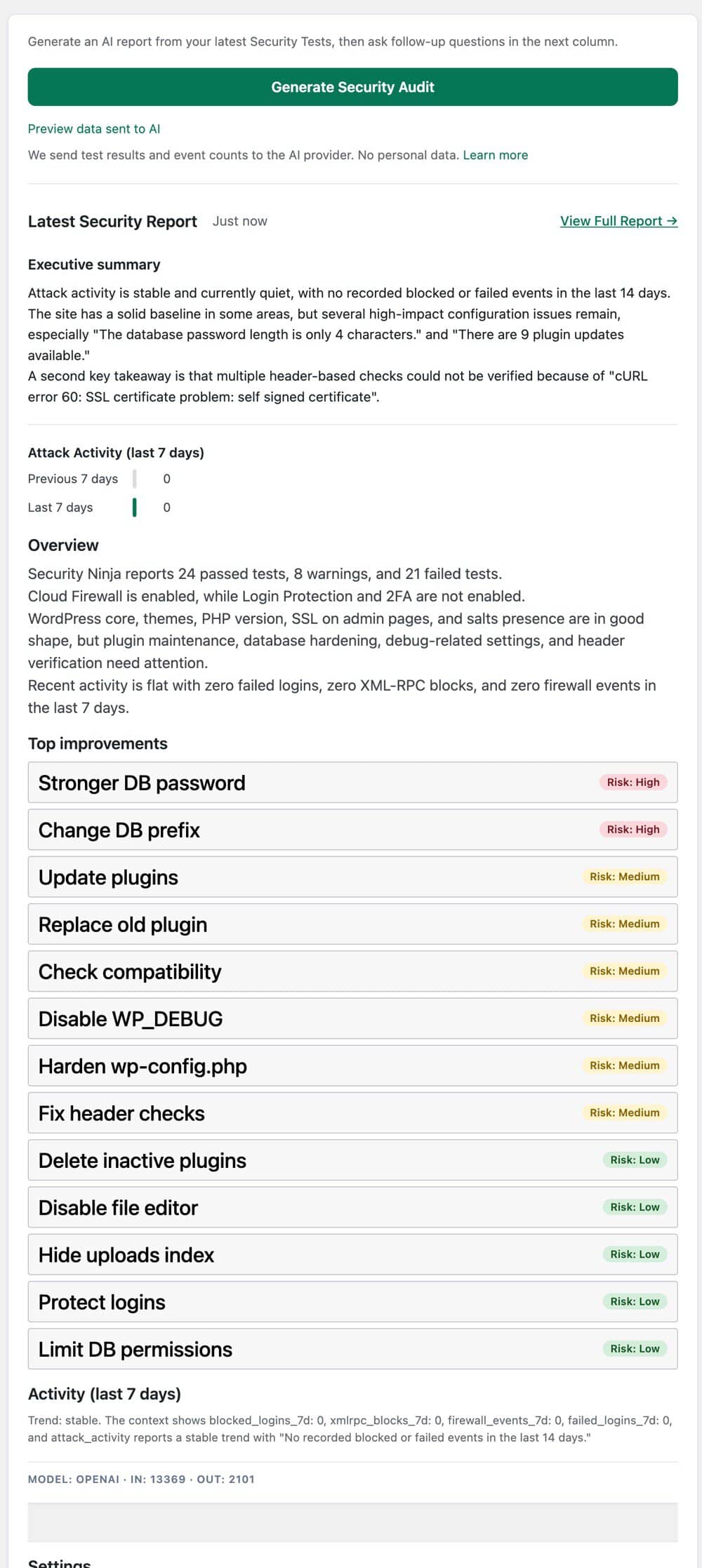
AI Security Advisor report with executive summary, attack activity, and risk-ranked top improvements

How it works

From scan results to a clear action list

You already ran the scans. The Advisor explains what changed, what matters, and what to fix first, using the AI provider you connect in WordPress.

  1. Connect an AI provider

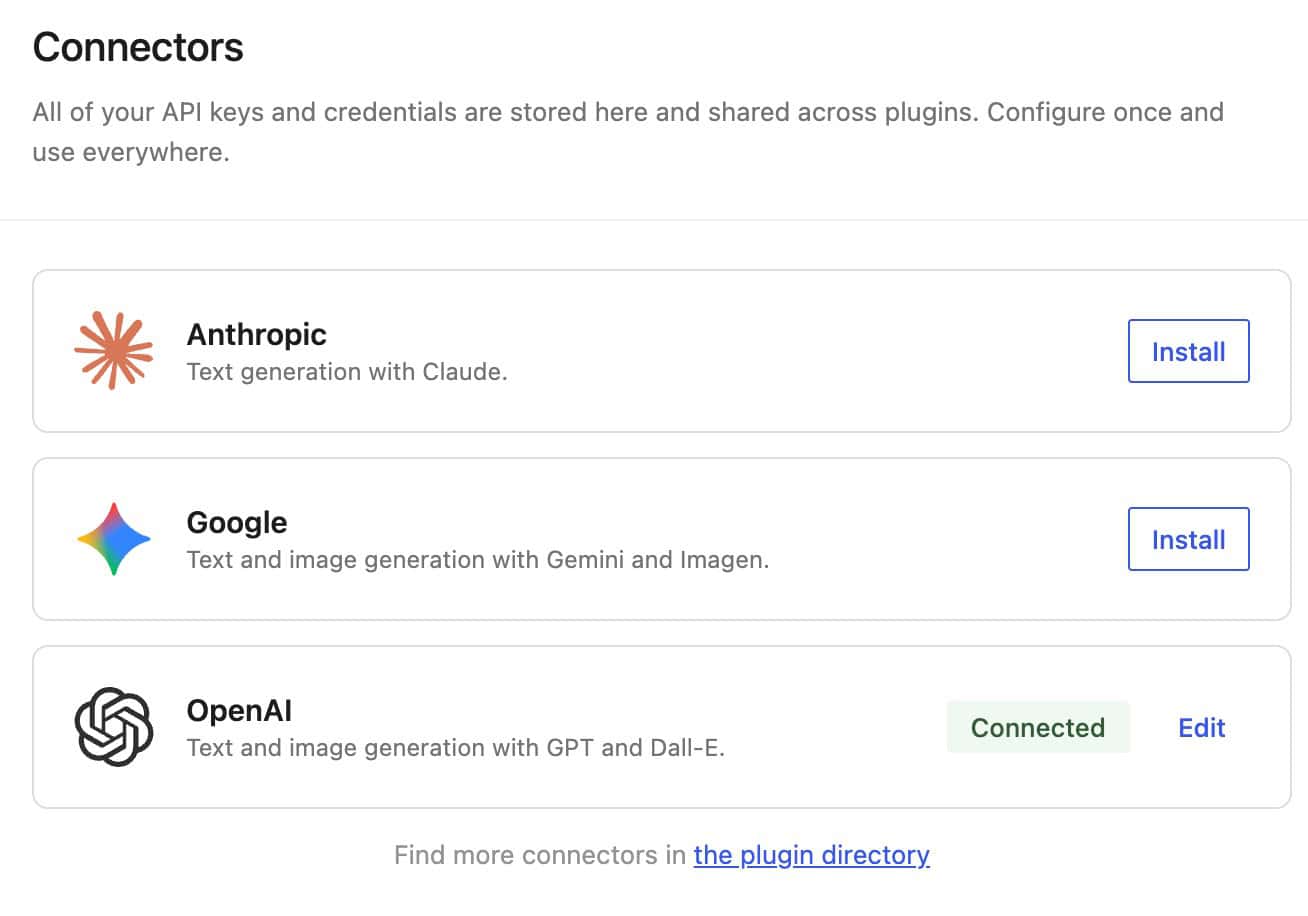
    Under Settings → Connectors, connect OpenAI, Google, Anthropic, or another provider WordPress supports. Security Ninja does not store your API keys.

  2. Generate a security audit

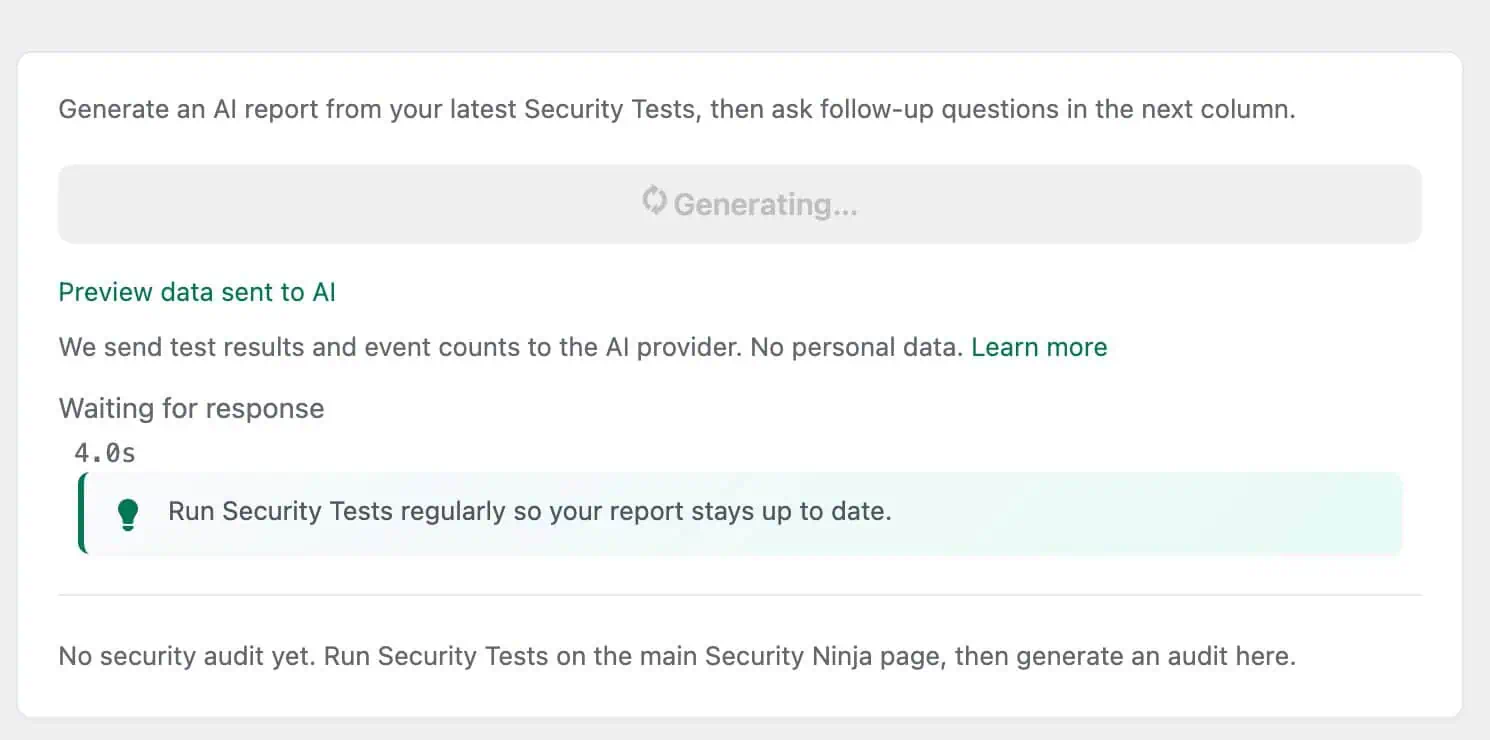
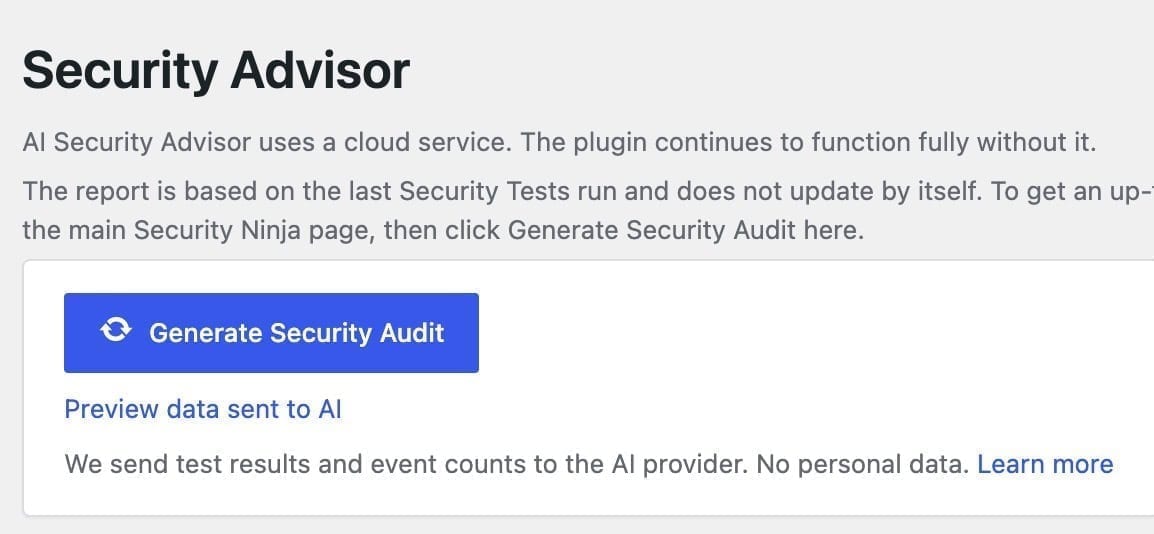
    Preview the redacted scan data first, then generate. You get an executive summary, overview, attack trend, and risk-ranked improvements.

  3. Use guided follow-ups

    Ask fixed questions like what to fix first, what can wait, a 30-minute plan, or an explanation you can send a client. Not a free-form chatbot.

Built on real Security Ninja data

  • Security tests
  • Vulnerabilities
  • Core scanner
  • Events context

A ranked list, not another wall of findings

Each audit saves an executive summary and top improvements with high, medium, or low risk, plus deep links back into Security Ninja so you can act without hunting menus.

  • ✓ Executive summary in plain language
  • ✓ Attack activity for the last 7 days vs the week before
  • ✓ Links into the screens where you fix things
What gets sent
Top improvements list with high, medium, and low risk labels from an AI security audit

From raw findings to next steps

Security tools help only when you know what to do next. The Advisor summarizes Security Tests, vulnerability findings, core scanner results, and recent login or firewall activity into practical actions.

  • ✓ Pulls from tests, vulns, core scans, and event counts
  • ✓ On Pro, malware findings can inform the report too
  • ✓ Preview data before anything is sent to your AI provider
How reports work
Generate Security Audit button with preview data and privacy note in AI Security Advisor

Guided questions, not an open chat

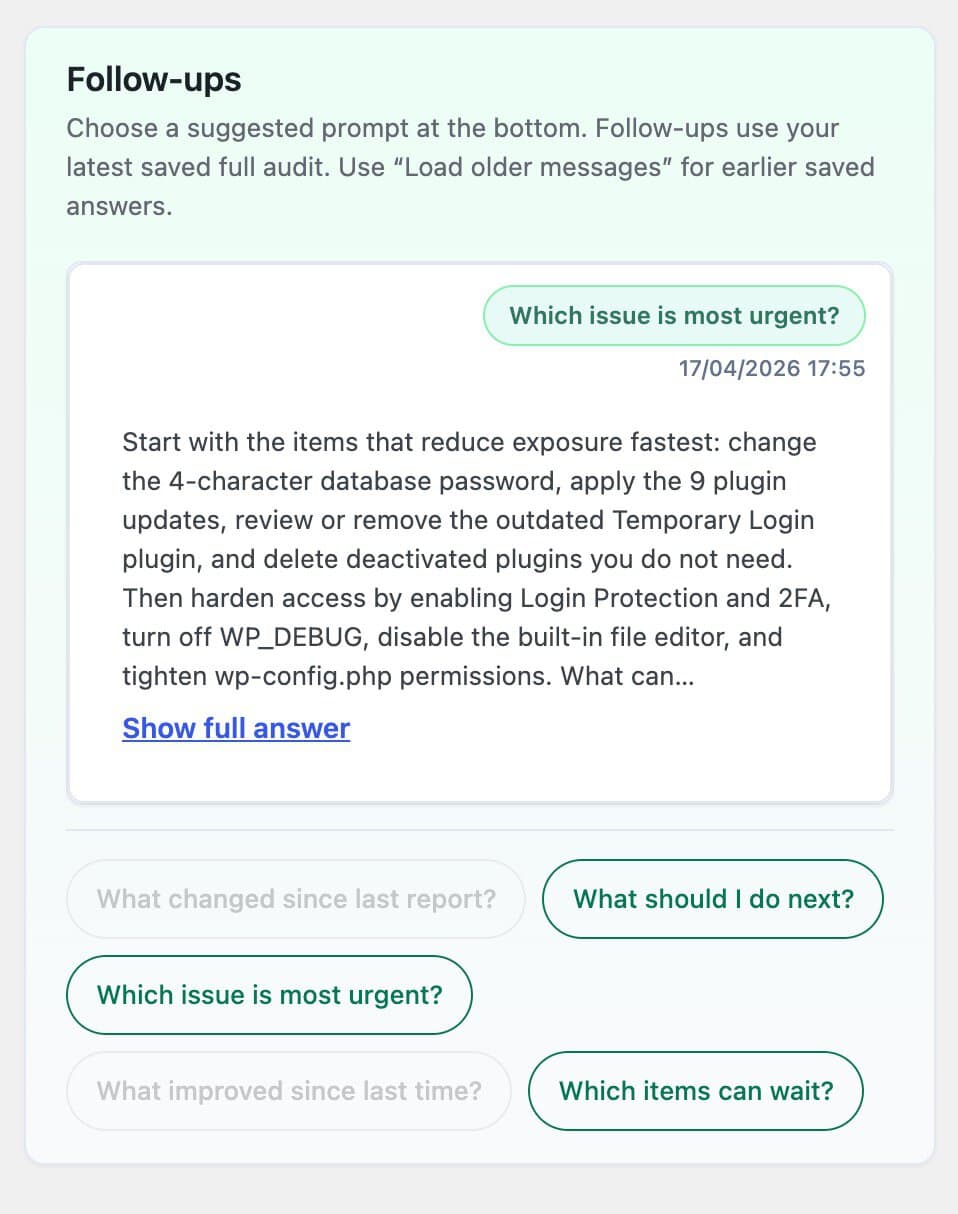
Follow-ups are a fixed set of prompts tied to your latest audit. That keeps answers on your scan results and recent security activity, which is useful when you need a client-ready explanation or a short action plan.

  • ✓ What should I fix first, and what can wait
  • ✓ 30-minute action plan and what to monitor this week
  • ✓ Explain this for a client, plus what changed since last report
Follow-up docs
AI Security Advisor follow-up chips such as which issue is most urgent and what should I do next

Your connectors, your control

The Advisor runs through WordPress AI Connectors on WordPress 7. You choose the provider. Only redacted scan results, event counts, and security summaries are sent. No personal data by design.

  • ✓ Free on supported WordPress 7 setups
  • ✓ Complements scanners and firewall, does not replace them
  • ✓ Preview every payload before you generate a report
Enable the Advisor
WordPress AI connector credentials screen for configuring an LLM provider

Better with the full Pro toolkit

Guidance is most useful when the rest of your protection is strong. Pro adds malware context to Advisor reports, plus Cloud Firewall, malware cleanup, login protection, 2FA, and webhooks.

  • ✓ Block threats with Cloud Firewall and login protection
  • ✓ Clean malware when something is found
  • ✓ Malware findings can shape Pro Advisor recommendations
Compare Free vs Pro
Security Advisor generate audit controls with privacy note about scan data sent to your AI provider

Free vs Pro

Full Advisor on Free. Pro adds malware context and active protection.

The AI Security Advisor page ships in the free plugin on WordPress 7. Upgrade when you want malware in the report context and tools that block or clean threats.

Forever free

Free

Generate audits and guided follow-ups from tests, vulnerabilities, core findings, and events.

  • Full AI Security Advisor on WordPress 7
  • Structured audit with ranked improvements
  • Guided follow-up chips after your first report
  • Uses your WordPress AI Connectors
Download Free

Active protection

Pro

Everything in Free, plus malware context for the Advisor and the tools that stop and clean threats.

  • Everything in Free
  • Malware findings included in Advisor context
  • Cloud Firewall, malware scanner, and cleanup
  • Login protection, 2FA, and webhooks
See Pro pricing

Customer reviews

4.9 / 5 from 254 reviews

Leave a review

★★★★★

Very helpful

“Security Ninja is part of my arsenal that I offer to my clients. It helps make sure their websites are security and scans them for malware.”

Chaz B.

★★★★★

No WordPress plugin should be your entire security stack, but this one is a solid choice to be a key part of it.

“I've been a web host and sysadmin for 15 years. I'm skeptical when it comes to security tools, and many of them out there are either bogged down bloatware, don't do enough, or try…”

apooley

★★★★★

Fast security audit with one-click fixes, but use judgment

“I installed WP Security Ninja on my own WordPress website, ran a scan, and fixed several real issues in under an hour.”

davenelson

★★★★★

Great offering

“My Wordpress site had recently been compromised even when I had a scanning plugin that was supposed to detect malware.”

coachcharlescain

See all 254 reviews

Frequently asked questions

Is the AI Security Advisor free?+

Yes. It is included in the free plugin on supported WordPress 7 setups once you configure AI Connectors under Settings → Connectors.

Do I need WordPress 7?+

Yes. The Advisor needs WordPress AI Connectors (the wp_ai_client_prompt APIs). On older WordPress versions the rest of Security Ninja still works; the Advisor page explains the requirement.

Is this a chatbot?+

No. You generate a structured security audit, then choose from guided follow-up questions. There is no free-form chat box for arbitrary prompts.

Does it replace malware scanning or a firewall?+

No. It explains and prioritizes findings from Security Ninja data. Blocking traffic and cleaning malware are separate Pro capabilities.

What data is sent to the AI provider?+

Redacted scan results, event counts, and security summaries from Security Ninja. Paths and personal details are stripped. You can preview the payload before generate. See the docs for the full flow.

What does Pro change for the Advisor?+

On Pro, malware scanner findings can be included in the report context, and recommendations can point at Pro screens. The Advisor page itself is free either way.

Where can I learn setup details?+

Start with how to enable AI Security Advisor, then read the security report and what happens when you generate a report docs.

Generate your first audit, then lock the site down

Start free with the AI Security Advisor on WordPress 7, or go Pro for Cloud Firewall, malware cleanup, 2FA, and webhooks.

Try Free
