Sites column
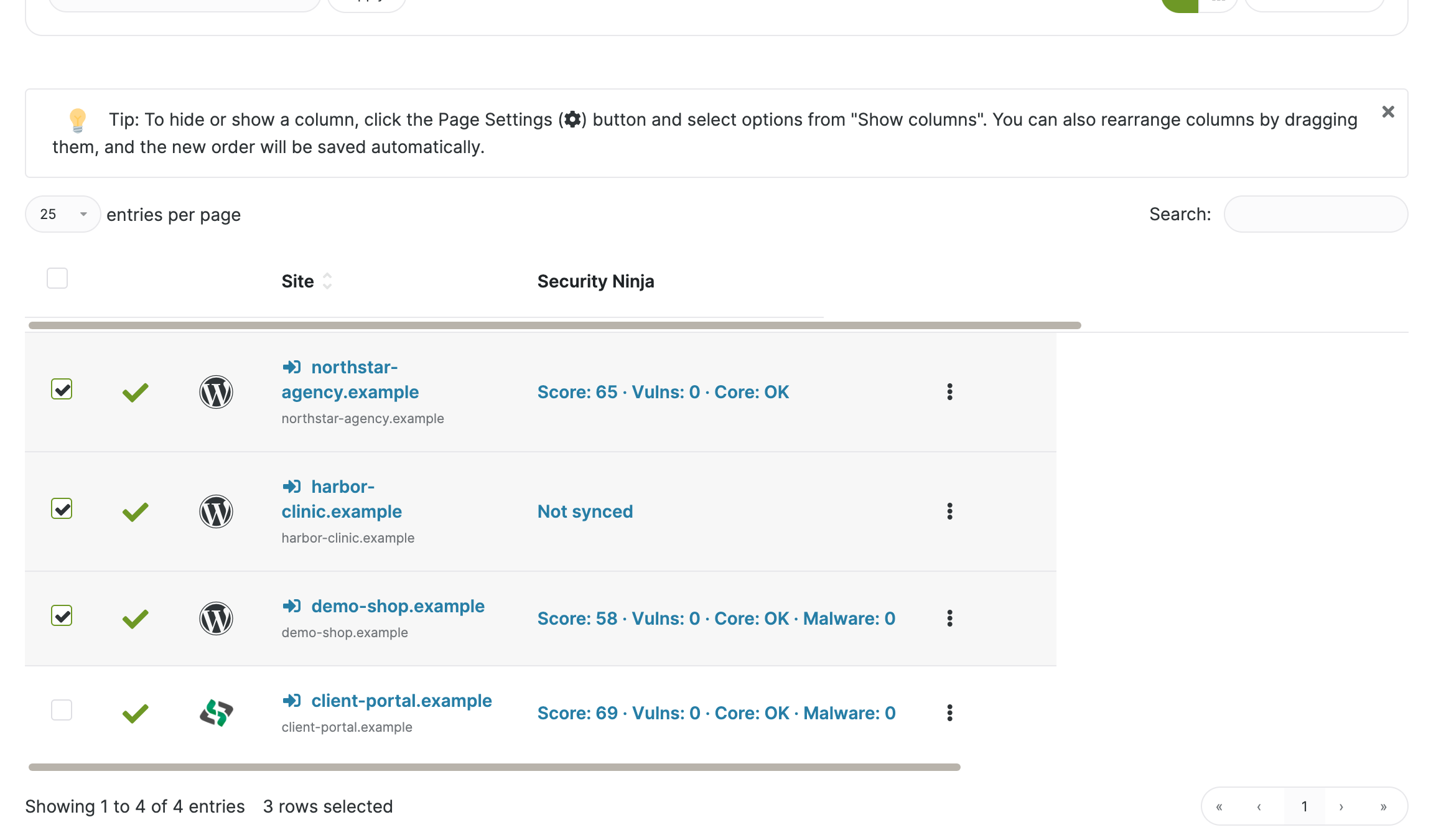
Free + ProTest score and vulnerability count on the MainWP Sites table, so weak sites stand out in the list you already use.
MainWP Dashboard
See scores and vulnerabilities, run remote scans, and find client sites that need attention without opening every dashboard. Premium adds combined events, fleet email, report history, remote settings, and IP tools.
How it works
Install Security Ninja and the MainWP addon only on the Dashboard site. Child sites run Security Ninja itself, free or Pro. Sync after you connect sites and after remote work.
Activate Security Ninja (free or Premium) and Security Ninja for MainWP on the Dashboard. Premium customers should use the zip from their account, not the WordPress.org build.
Connect sites in MainWP and install Security Ninja on each child. Do not install the MainWP addon on child sites.
Use MainWP Sync so scores, vulnerabilities, and other data fill the overview and Sites column. Sync again after remote scans, settings, or IP changes.
What you can do
Free covers visibility and remote scans. Premium adds events, settings, and IP tools. Security Ninja Pro on each child unlocks malware file lists, full events, remote settings, and IP management for that site.
After Sync, the Dashboard shows what each child already reports.
Test score and vulnerability count on the MainWP Sites table, so weak sites stand out in the list you already use.
Open a child from the extension to see Security Tests, Core Scanner summary, and vulnerability details without leaving MainWP.
Last run and finding count appear when the child runs Security Ninja Pro. The full file list is Premium addon plus Pro on the child.
Kick off work on one site or a selection, then Sync so the Dashboard catches up.
Start Security Tests and Core Scanner remotely. Malware Scanner is included in run-all when the child has Security Ninja Pro.
Refresh the vulnerability database across compatible child sites without waiting for the next automatic update.
Bulk actions queue work on the children. Use MainWP Sync on the same selection so scores, events, and lists refresh.
These tools need the premium MainWP zip and Security Ninja Pro on the child sites you manage.
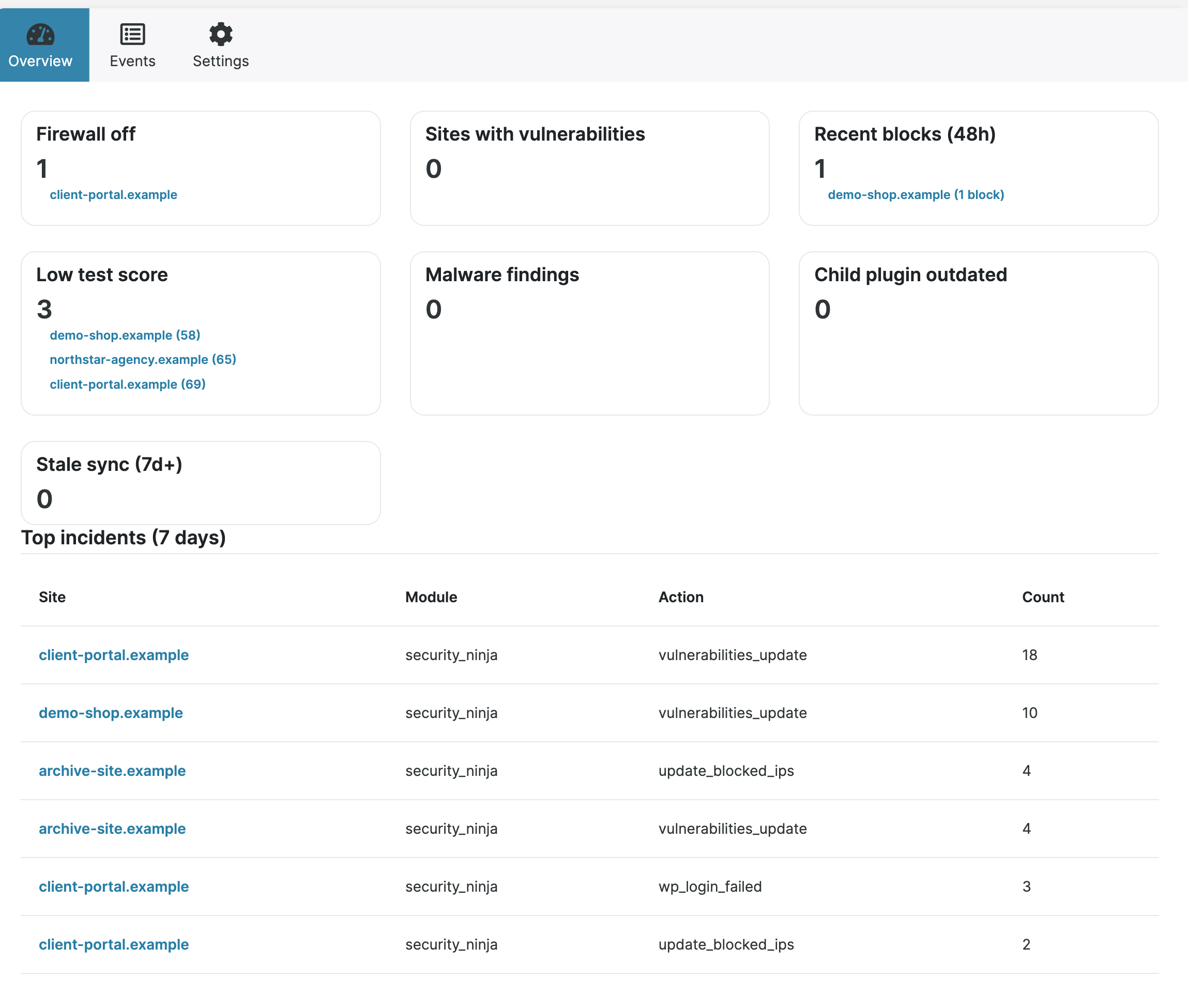
Search and filter events across connected Pro children. Open an event for details. Summary cards and top incidents sit on the overview. AI Security Advisor summaries sync when the child has them.
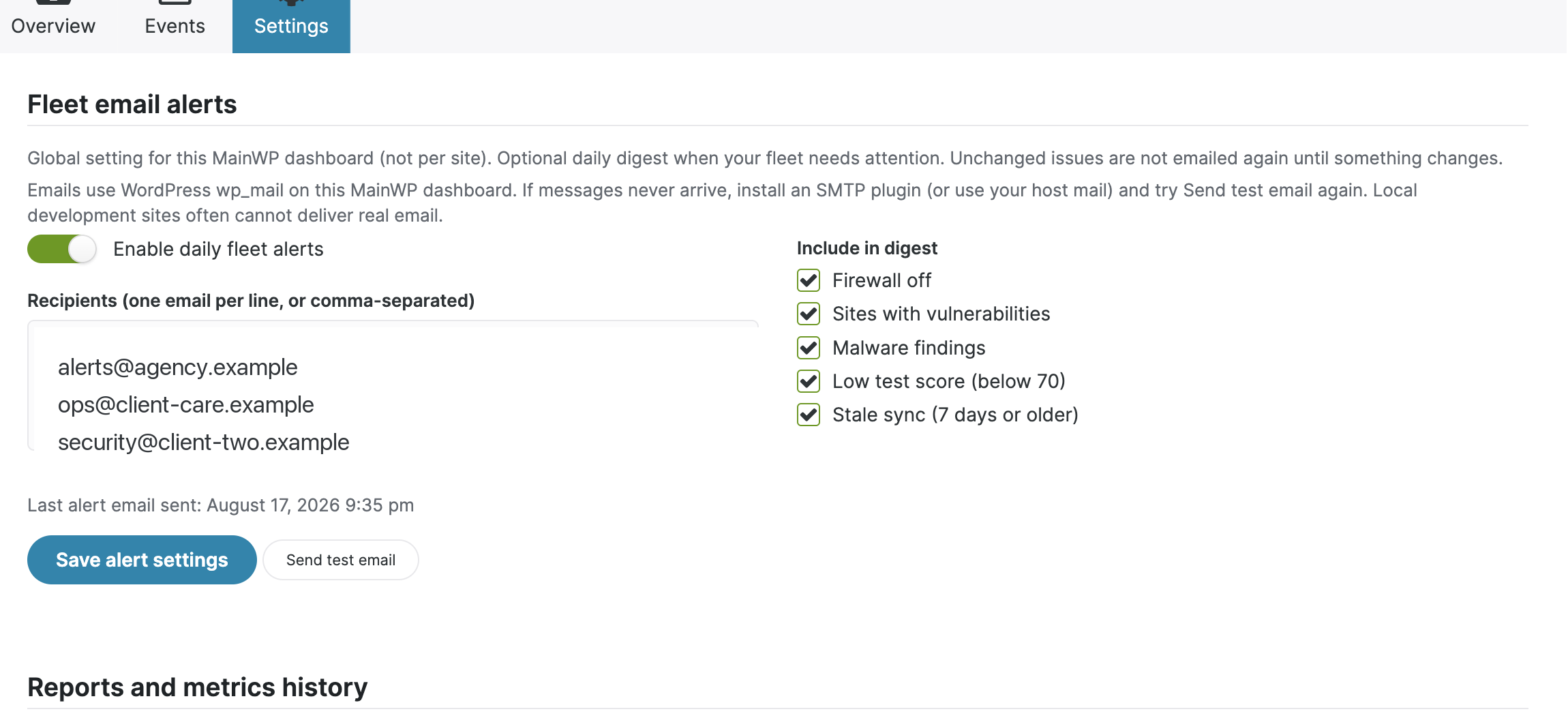
Send an optional daily digest when selected fleet conditions change: firewall off, vulnerabilities, malware, low scores, or stale sync.
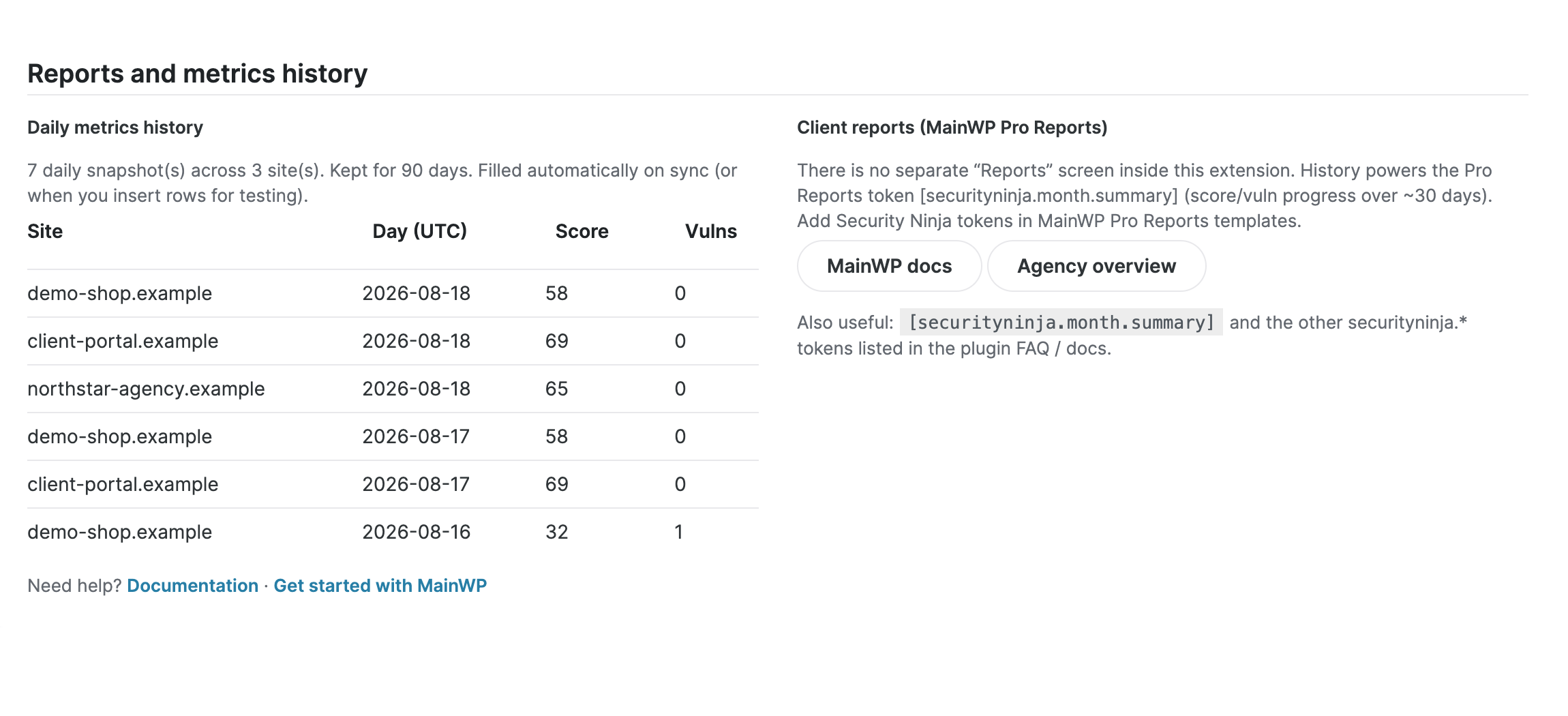
Keep up to 90 days of score and vulnerability history during sync. The month.summary token turns that history into client-facing progress.
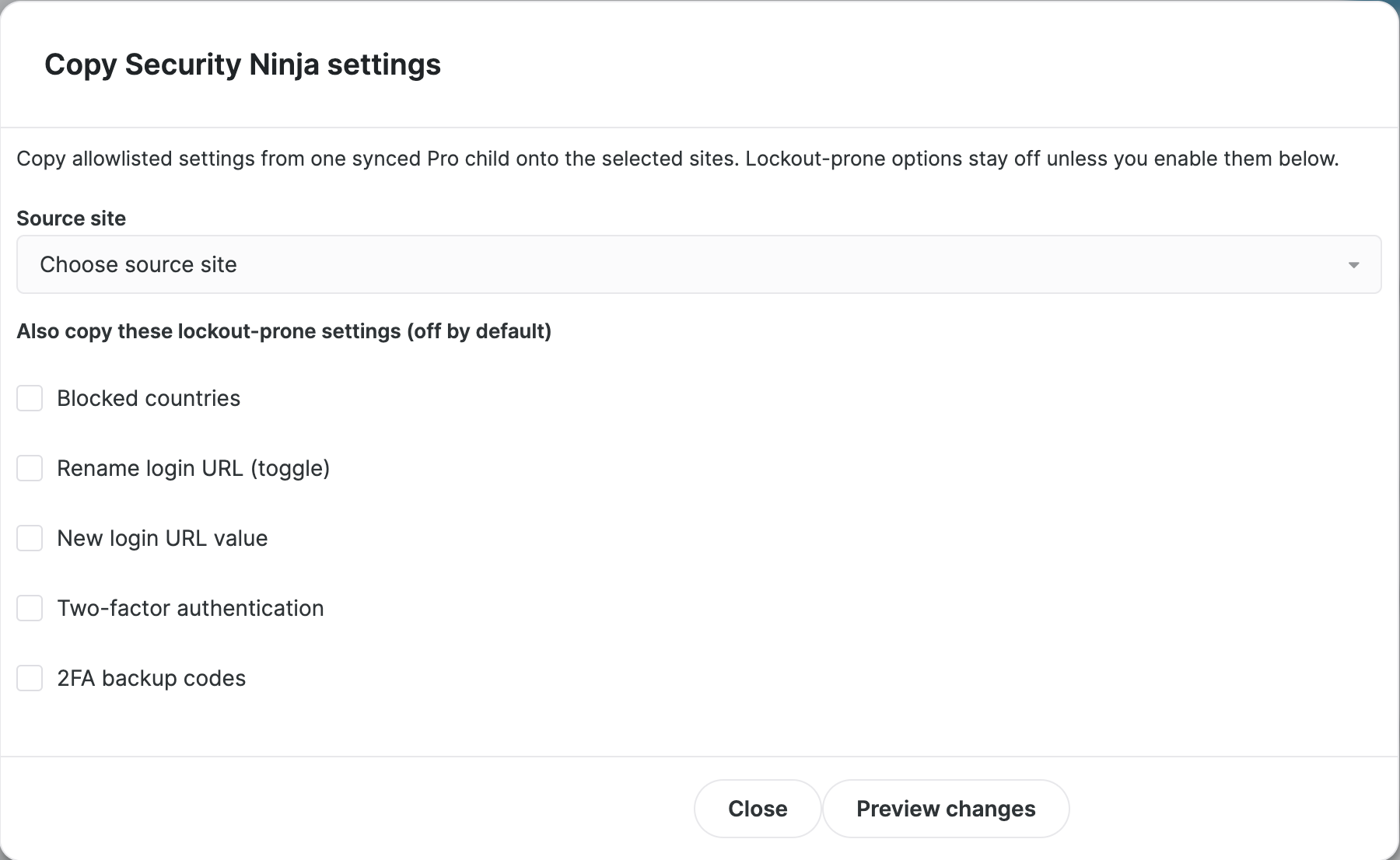
Change approved settings on one site, or copy a setup from a synced Pro site to many others. Preview the changes first. Settings that could lock you out stay off unless you enable them.
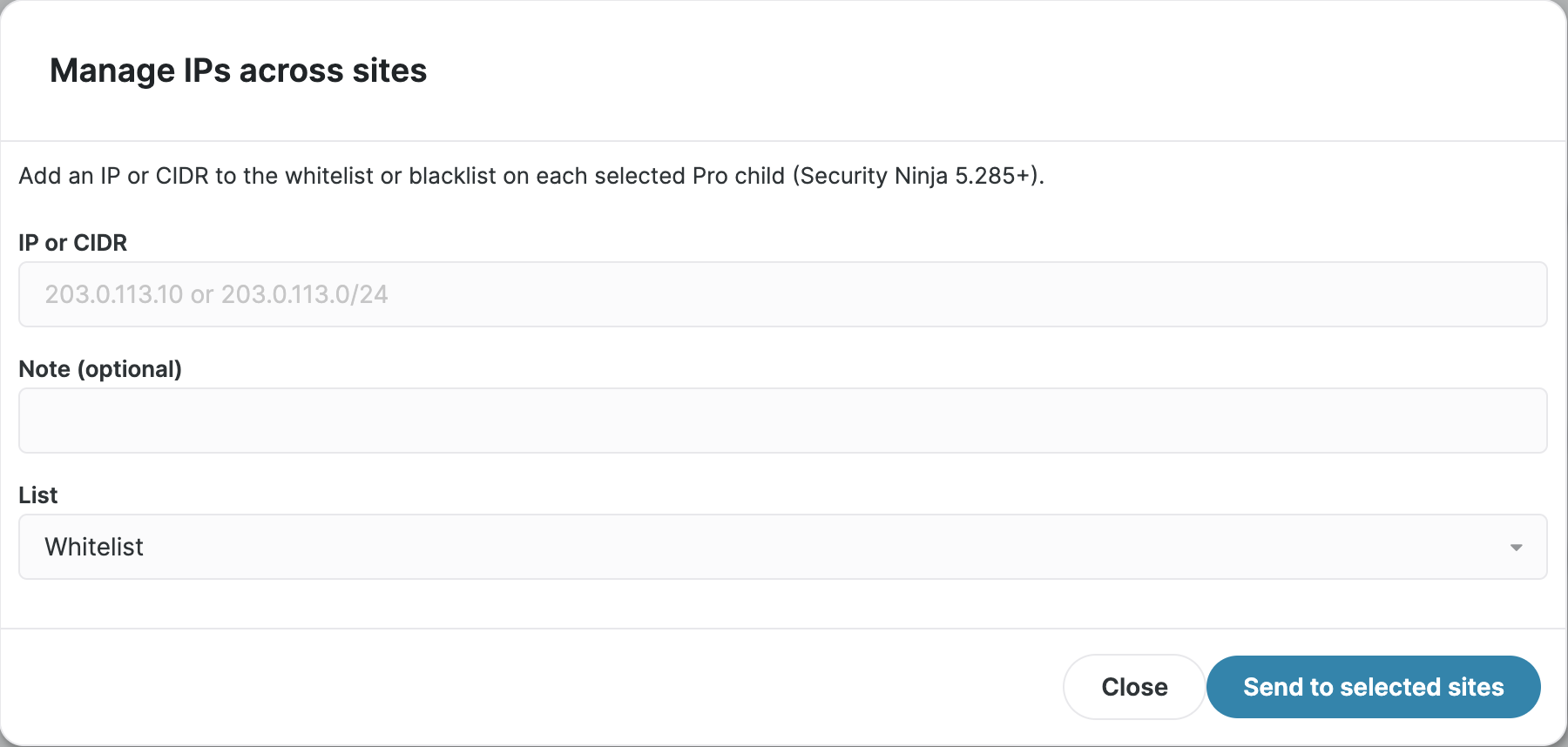
Add, note, or remove IPs and CIDR ranges on one site or many at once. You can also lift active bans from MainWP.
Turn White Label on or off for Pro children from MainWP, and use MainWP Pro Reports tokens for Security Ninja data in client reports.
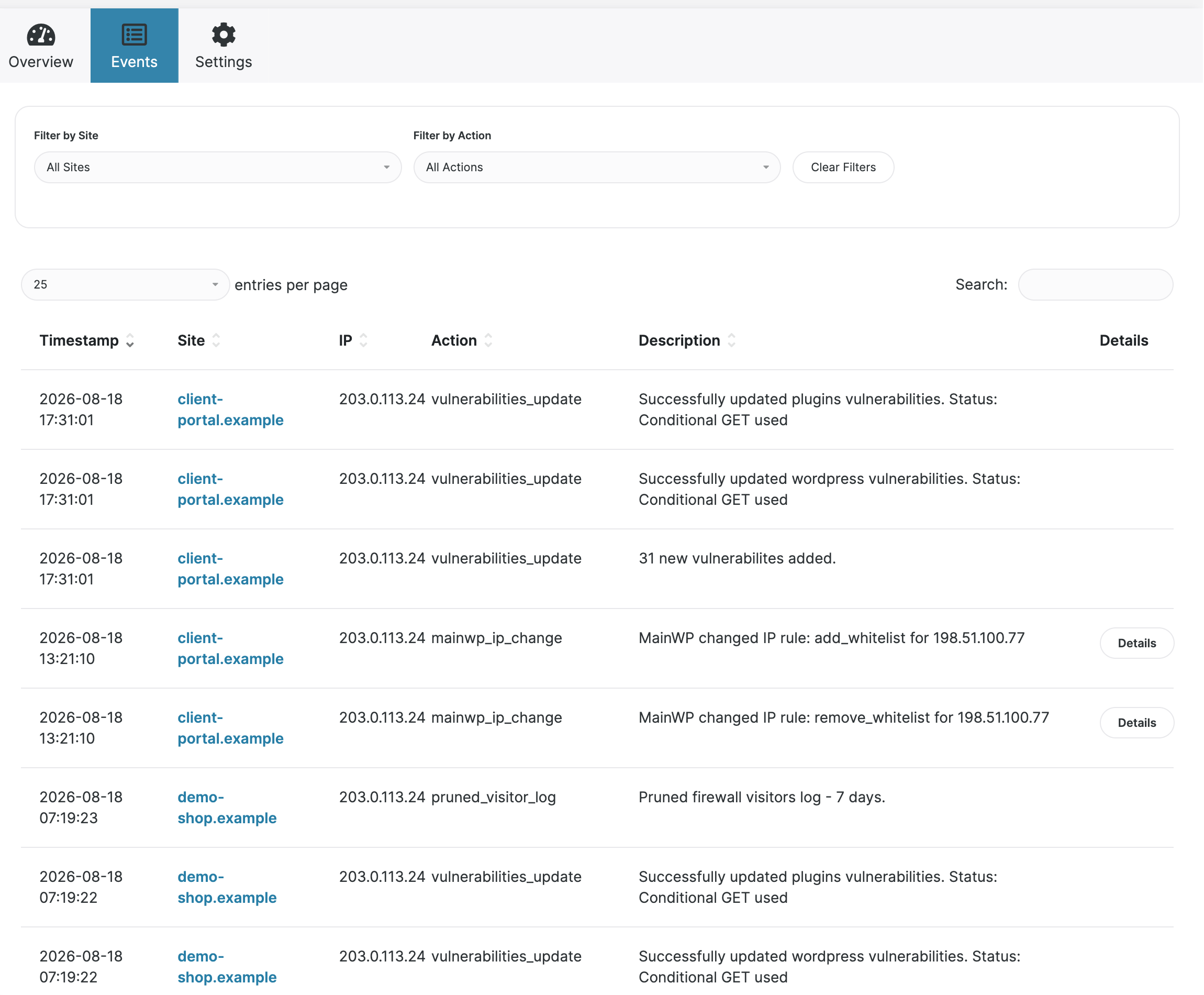
The Events tab puts synchronized Security Ninja events from Pro child sites into one table. Filter by site or action, search descriptions, and open details without jumping between wp-admin screens.
The Security Ninja column sits next to the rest of your MainWP site list. Score and vulnerability count update after Sync, so you can spot a problem without opening the extension first.
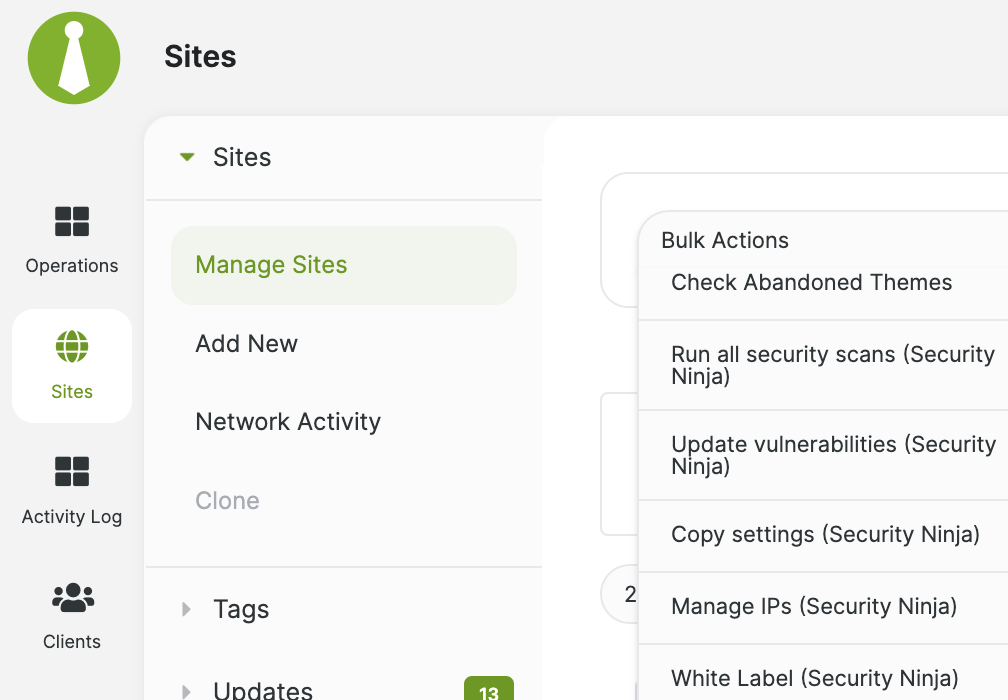
Select children in the MainWP Sites table, then use Bulk Actions to start Security Ninja scans, refresh vulnerabilities, copy settings, manage IPs, or control white label without opening each wp-admin.
Premium fleet alerts run on the MainWP Dashboard. Choose recipients and conditions, then receive a digest when relevant fleet state changes. Per-site webhooks remain separate on each child.
Daily score and vulnerability snapshots build during sync. MainWP Pro Reports can use month.summary for a client-facing monthly overview alongside the other Security Ninja tokens.
Pick a synced Security Ninja Pro child as the source, preview the changes for each target, then apply. Sites running older plugin versions are skipped with a clear notice.
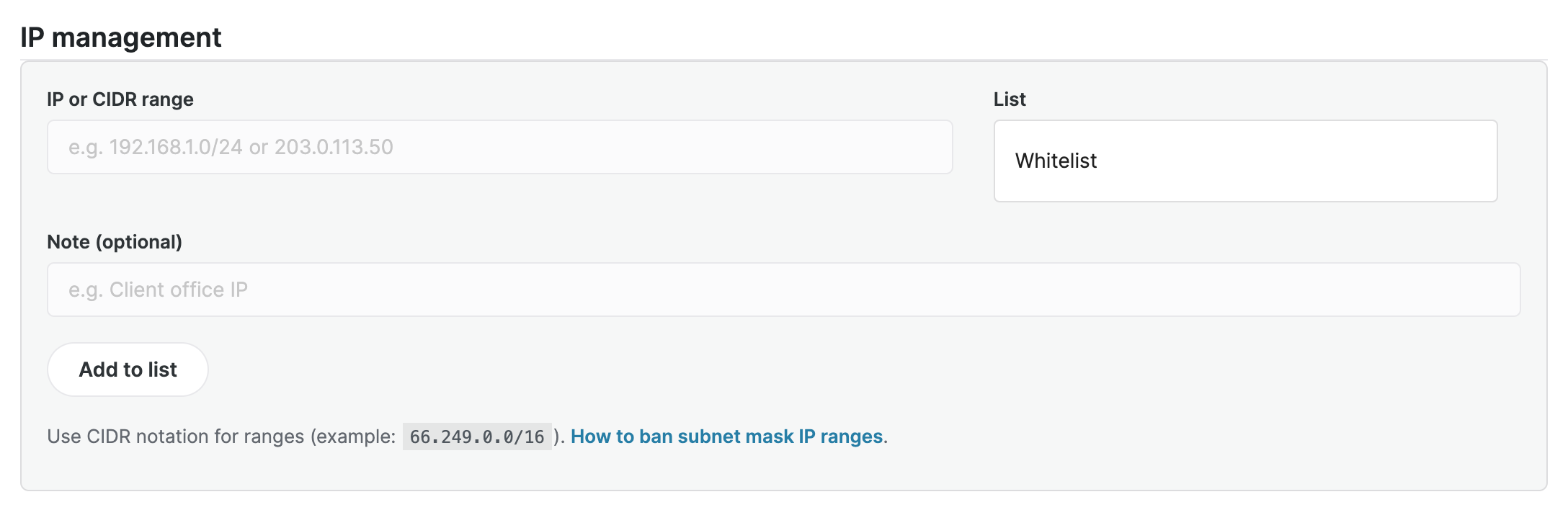
Add an IP or CIDR to the whitelist or blacklist on many Pro children at once, with an optional note. Use the same bulk tool to clean up rules you no longer need.
Open a child to add or remove whitelist and blacklist entries, see synced notes, and lift a ban without logging into that site's wp-admin.
Free vs Premium
The free WordPress.org build covers everyday oversight. The premium zip adds events, remote configuration, and IP control. Malware file lists and those Premium tools still need Security Ninja Pro on the child.
WordPress.org
Read Security Ninja data from child sites, run scans, and refresh vulnerabilities across compatible sites.
Recommended
Everything in free, plus combined events, fleet alerts, report history, settings, IP management, White Label, and Pro Reports tokens on Pro children.
Release notes for the Dashboard extension: Security Ninja for MainWP changelog.
4.9 / 5 from 263 reviews
Works well as a base security plugin
“WP Security Ninja stands out with a balanced and clear mix of features. It works well as an all-in-one solution but remains simple enough to combine with tools like Patchstack with…”
Amazingly user-friendly security plugin
“Thank you, Security Ninja! Your plugin is easy to use, provides clear reports of activity, and includes built-in tools that make security a lightweight task.”
“I love the WP Security Ninja product. As a startup agency, it has made my entry into the market and my ability to stand out in my offerings much easier. Keep up the good work.”
“I've tried most of the security plugins out there. Some are good but Security Ninja beats them all!”
No. MainWP is optional for managing many sites from one Dashboard. Single sites use Security Ninja directly.
The free addon shows scores, vulnerabilities, Scan results, and remote Security Tests plus Core Scanner. It can refresh vulnerabilities on children running 5.297+. The premium addon adds combined events, remote settings, IP management, White Label, Pro Reports tokens, and the full malware file list. Those extra tools need Security Ninja Pro on the child. Premium customers should use the zip from their account, not the WordPress.org build.
Only on your MainWP Dashboard site. Also install Security Ninja (free or Premium) on that Dashboard. Child sites need Security Ninja itself, not the MainWP addon.
Yes. The free addon still shows what each child reports, including a malware last-run summary on Pro children. Combined events, settings, IP management, and the malware file list need the premium addon as well as Pro on the child.
That is normal when MainWP has no connected child sites yet, or Security Ninja is not active on those children. Add sites, install Security Ninja on each child, then Sync.
The key does not always open a popup. On the Plugins page, use the license link under Security Ninja for MainWP, or open the extension Account area and enter the key from your account.
Remote settings and IP management need Security Ninja 5.285+ on the child. Blocked countries and path lists need 5.297+. Bulk Update vulnerabilities also needs 5.297+. Older children are skipped with an upgrade message and still show the data they can sync.
The action ran on the child sites. Use MainWP Sync on the same selection so scores, events, settings, and IP lists refresh in the Dashboard.
Fleet email alerts are an optional premium digest configured on the MainWP Dashboard. They email selected recipients when fleet state changes. Webhooks are configured on individual Security Ninja Pro child sites and send site events to Slack, Discord, Zapier, or another HTTPS endpoint.
The current summary works after the child has synced. Progress lines need daily score and vulnerability history, which builds over time whenever MainWP syncs the site.
Agency packs can include MainWP addon value with bulk Pro licenses. This page is about the Dashboard integration. See the agencies page if you are comparing packs.
Follow the setup guide to install the addon on your Dashboard, put Security Ninja on each child, and Sync.
Open the setup guide