404 Guard (Pro) watches for IPs that request many missing pages. When an IP exceeds your threshold inside the time window, Security Ninja blocks it for a set duration. That cuts scanners probing for weak plugins and themes without slowing normal visitors.
404 Guard runs as part of Cloud Firewall. The Cloud Firewall master switch must be on for it to enforce blocks. Settings live under Security Ninja → Firewall → 404 Guard.
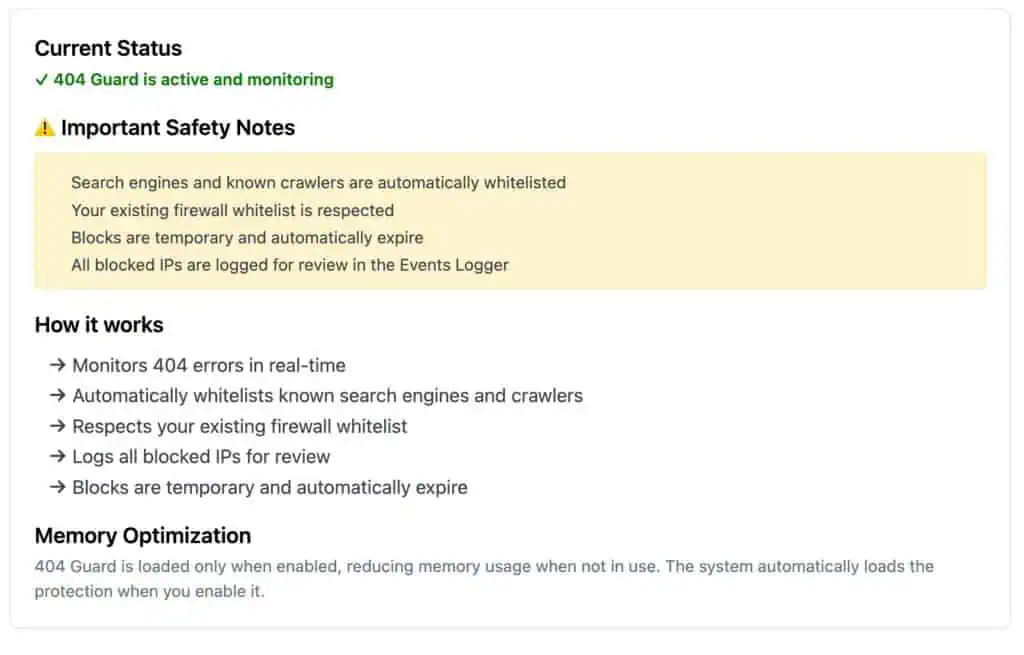
How it works
- Each 404 from an IP increments a short-lived counter for that IP.
- When the count reaches your 404 Error Threshold inside the Time Window, the IP is banned for the Block Duration.
- Known search engines and validated crawlers are allowed through. Manual whitelist rules are respected.
- Block and warning events are written to the Events Logger.
Logging starts from the second 404 onward for an IP, so a single mistyped URL does not fill the log.
Settings
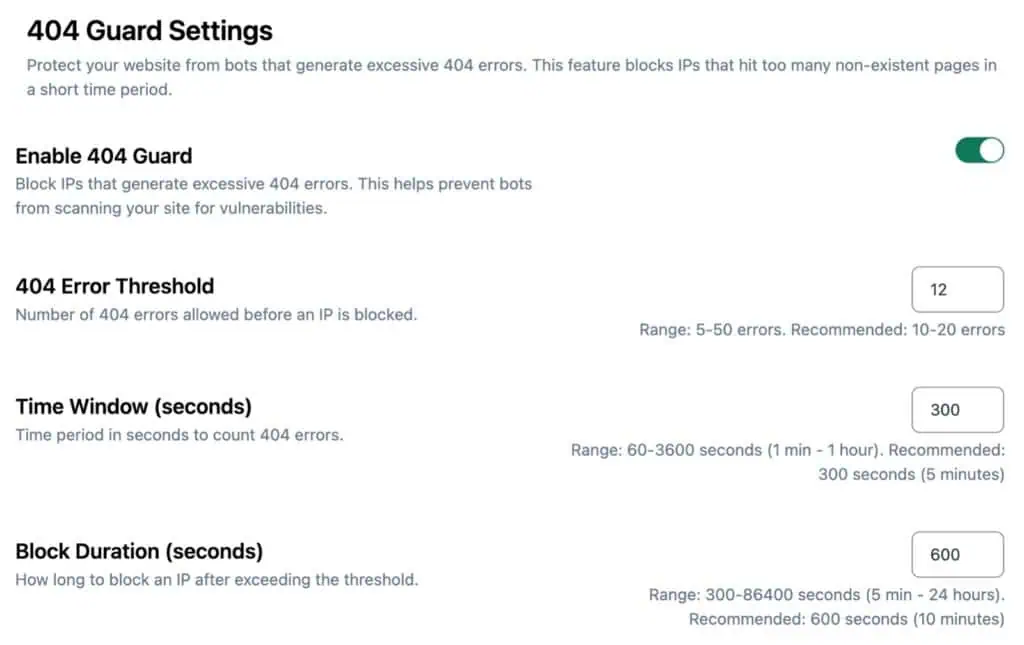
| Setting | Default | Range |
|---|---|---|
| Enable 404 Guard | On | On / Off |
| 404 Error Threshold | 10 | 5 to 50 |
| Time Window (seconds) | 300 (5 minutes) | 60 to 3600 |
| Block Duration (seconds) | 600 (10 minutes) | 300 to 86400 |
Recommended starting point: threshold 10 to 20, window 300, block 600.
Safety notes
- Blocks expire automatically. They are not permanent bans.
- Your firewall whitelist is not overridden.
- If a real visitor is blocked after hitting many broken links, raise the threshold or whitelist their IP.
- Review activity under Security Ninja → Events.
