Forever free
Free
Optional MCP access to tests, vulnerabilities, and core findings from the latest saved scan.
- Connected AI tools switch under Overview
- Failed and warning tests
- Open vulnerabilities and core findings
- Off by default, read only
Free · WordPress 6.9+
WP Security Ninja
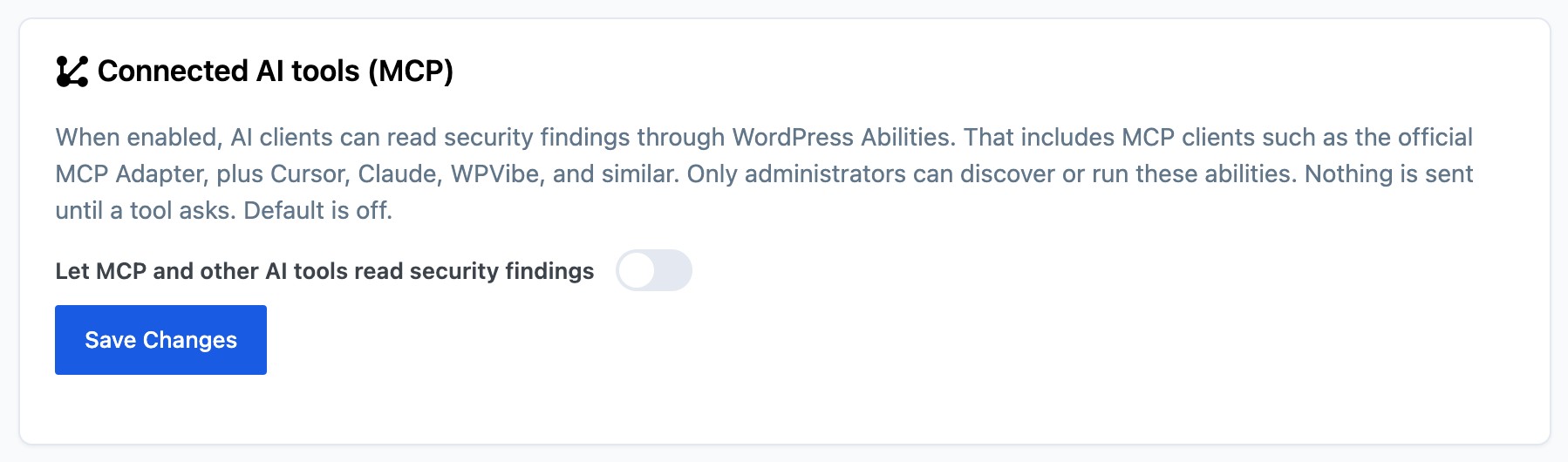
Turn on Connected AI tools under Overview and an MCP client can ask which tests failed, which vulnerabilities are open, and which core files look wrong. Off until you save. Read only.
How it works
Security Ninja registers read-only WordPress Abilities so an MCP client can discover them. Nothing leaves the site until a logged-in administrator asks through a connected tool.
Security Tests, Vulnerability Scanner, and Core Scanner already save results in the dashboard. Connected AI tools only reads what is already there.
Open Security Ninja → Overview, enable Connected AI tools (MCP), and click Save. The default is off.
Activate the official MCP Adapter plugin, create an Application Password for an administrator, then point Cursor, Claude, WPVibe, or a similar client at the site MCP endpoint. You do not paste an API key into Security Ninja.
Answers come from real Security Ninja data
The abilities ship inside Security Ninja. Your AI app still needs a path to the site. You do not add a second plugin only to translate Security Ninja into MCP.
With the switch on, a connected tool can read failed and warning security tests, open plugin, theme, and WordPress vulnerabilities, and core files that are modified, missing, or unknown. Each answer uses the latest saved scan and lists up to 50 items.
Pro also shares malware findings (file path and a short label), which protections are on, and firewall blocks plus blocked logins for the last 24 hours, 7 days, and 30 days.
Asking does not start a scan, change a setting, ban an IP, or delete a file. A scan that has never run returns data_status never_run. A clean finished scan returns ready with an empty list.
Free vs Pro
Connected AI tools is included in the free plugin on WordPress 6.9 or newer. Upgrade when you want malware, protection status, and attack counts in the answers.
Forever free
Optional MCP access to tests, vulnerabilities, and core findings from the latest saved scan.
More context
Everything in Free, plus malware findings, protection status, and attack counts, with the tools that block and clean threats.
4.9 / 5 from 263 reviews
Very helpful
“Security Ninja is part of my arsenal that I offer to my clients. It helps make sure their websites are security and scans them for malware.”
No WordPress plugin should be your entire security stack, but this one is a solid choice to be a key part of it.
“I've been a web host and sysadmin for 15 years. I'm skeptical when it comes to security tools, and many of them out there are either bogged down bloatware, don't do enough, or try…”
Fast security audit with one-click fixes, but use judgment
“I installed WP Security Ninja on my own WordPress website, ran a scan, and fixed several real issues in under an hour.”
Great offering
“My Wordpress site had recently been compromised even when I had a scanning plugin that was supposed to detect malware.”
Yes. The switch is in the free plugin on WordPress 6.9 or newer. Pro shares extra findings when the same switch is on.
Yes. Connected AI tools uses WordPress Abilities, which need WordPress 6.9 or newer. On older WordPress versions the rest of Security Ninja still works.
No. Security Ninja registers read-only abilities. An MCP client such as the official MCP Adapter, or a tool that already talks to WordPress, discovers and calls them.
No. There is no Security Ninja connector and no API key field for this feature. You connect the AI tool you already use to the site.
No. Answers come from the latest saved results. If that scan has not run yet, the answer is empty.
On Pro, the same switch can also return malware findings, which protections are on, and firewall blocks plus blocked logins for 24 hours, 7 days, and 30 days.
Connected AI tools ships in Security Ninja 5.311. Older sites keep working as they are until you update.
Start free with Connected AI tools on WordPress 6.9 or newer, or go Pro for Cloud Firewall, malware cleanup, 2FA, and webhooks.
Try Free