Connected AI tools lets a linked AI client read security findings that Security Ninja already saved. The switch sits under Overview. It stays off until you turn it on and click Save.
You need WordPress 6.9 or newer. Security Ninja registers read-only WordPress Abilities. It is not an MCP server. A client such as the official MCP Adapter, WPVibe, Cursor, or Claude discovers those abilities on the site. You do not install a Security Ninja connector and you do not paste an API key into the plugin.
Turn it on
- Open Security Ninja → Overview.
- Find Connected AI tools (MCP).
- Enable Let MCP and other AI tools read security findings.
- Click Save Changes.
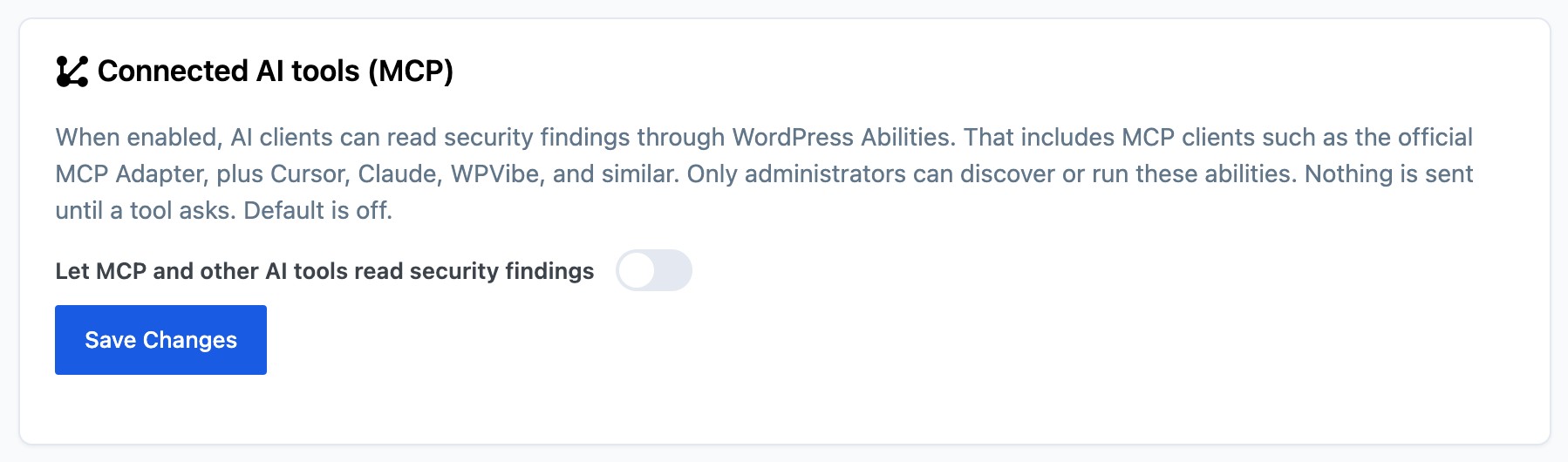
Only a logged-in administrator can see or run these abilities.
Connect an MCP client
Security Ninja only registers abilities. You still need a path from the AI app to WordPress.
Prerequisites
- WordPress 6.9 or newer
- Security Ninja with Connected AI tools turned on
- The official MCP Adapter plugin installed and active
- An Application Password for an administrator (Users → Profile)
The MCP endpoint is:
https://your-site.example/wp-json/mcp/mcp-adapter-default-server
Use your real site URL from Settings → General.
Cursor or Claude Desktop
Most desktop clients use @automattic/mcp-wordpress-remote. Add a server like this (replace the username and Application Password):
{
  "mcpServers": {
    "my-wordpress-site": {
      "command": "npx",
      "args": ["-y", "@automattic/mcp-wordpress-remote@latest"],
      "env": {
        "WP_API_URL": "https://your-site.example/wp-json/mcp/mcp-adapter-default-server",
        "WP_API_USERNAME": "your-admin-username",
        "WP_API_PASSWORD": "xxxx xxxx xxxx xxxx xxxx xxxx"
      }
    }
  }
}
On a local site with a self-signed certificate you may also need "NODE_TLS_REJECT_UNAUTHORIZED": "0" in that env block. Do not use that setting on a public site.
Save the config and reload the MCP servers in the client. Ask something like “which Security Ninja tests failed?” The client should discover security-ninja/get-failed-tests and related abilities.
WPVibe and other cloud clients
Cloud MCP clients must reach a public HTTPS site. A local .local install is not reachable from those services unless you use a tunnel. Prefer Cursor or Claude Desktop against local sites.
What Free returns
Answers use the latest saved scan. Each list stops at 50 items. Asking does not start a scan.
- Failed and warning Security Tests, with a short explanation
- Open vulnerabilities from the Vulnerability Scanner
- Core files that are modified, missing, or unknown
Each answer includes:
data_status:never_runif that scan has not finished yet, orreadywhen there is saved data (including a clean result)last_run: Unix timestamp when available, otherwise nulltruncated: true when more than 50 items matchedreturned: how many items were included in this answer
What Pro adds
With the same switch on, Pro can also return:
- Malware findings (file path and a short label)
- Whether the firewall, country blocking, 404 guard, login protection, two-factor authentication, and scheduled scans are on
- Firewall blocks and blocked logins for the last 24 hours, 7 days, and 30 days
What a call never does
A call does not change settings, ban an IP, delete a file, or send findings to an outside AI service on its own. If that scan has not run yet, data_status is never_run and the list is empty. That is different from a clean scan, which is ready with zero items.
Import, export, and MainWP
The switch is included in Tools import and export. An older file that does not mention it leaves the value already on the site. On Pro, MainWP can set the same switch on a child site running Security Ninja 5.311 or newer.
Version
Connected AI tools ships in Security Ninja 5.311. The older Security Advisor screen and its scheduled AI reports are gone.