Fleet email alerts help an agency notice sites that need attention without opening the MainWP Dashboard every day.
Requirements
- Security Ninja for MainWP Pro on the MainWP Dashboard
- Security Ninja installed on connected child sites
- A working WordPress mail setup on the MainWP Dashboard
- Regular MainWP Sync so the digest has current data
Configure the digest
- Open Security Ninja in the MainWP menu.
- Select the Settings tab.
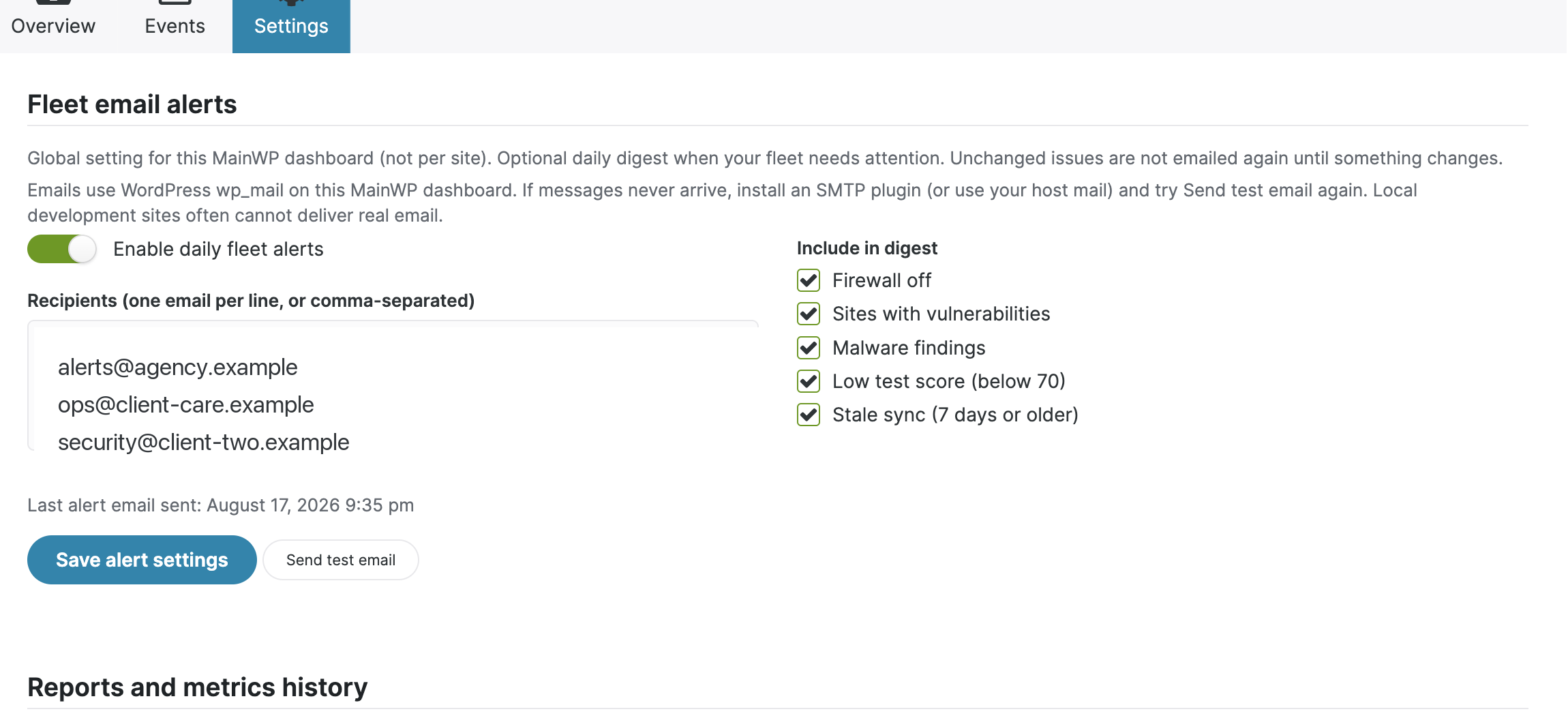
- Enable daily fleet alerts.
- Add one or more recipient addresses. Use one address per line or separate them with commas.
- Choose which conditions belong in the digest:
- Firewall off
- Sites with vulnerabilities
- Malware findings
- Low test score, below 70
- Stale sync, seven days or older
- Click Save alert settings.
- Use Send test email to check delivery.
The Settings tab shows the last successful send and the latest mail error when one is available.
When an email is sent
The extension checks the selected rules on a daily WordPress cron event. It creates a fingerprint of the current fleet state. If nothing relevant changed since the previous digest, it does not send the same warning again.
A later change can trigger a new digest. For example, a new vulnerable site, a lower score, or a site becoming stale changes the fingerprint.
This is a fleet summary. It is not an email for every event.
Fleet alerts vs child-site webhooks
Use fleet email alerts for a daily view across the MainWP Dashboard.
Use Security Ninja webhooks when an individual child site should send events to Slack, Discord, Zapier, or another HTTPS endpoint. Webhooks are configured on each child site and are separate from the MainWP digest.
Troubleshooting
- The test email does not arrive: Confirm that
wp_mailworks on the MainWP Dashboard. Install an SMTP plugin or use the host mail service if needed. - Local development sends nothing: Local WordPress sites often have no mail transport. That does not mean the alert rules failed.
- No daily digest arrives: Confirm the feature is enabled, at least one recipient is valid, and WP-Cron runs on the Dashboard.
- The same issue is not emailed again: Expected while the fleet fingerprint is unchanged.
- Data looks old: Run MainWP Sync and check the stale-sync rule.
