Pro only. Use Copy settings (Security Ninja) on the MainWP Sites table to push allowlisted Security Ninja options from one synced Pro child onto selected targets.
Requirements
- Security Ninja for MainWP Pro on the Dashboard
- Security Ninja Pro on the source child and on each target
- Child sites at Security Ninja 5.285 or newer for remote settings apply
- 5.297 or newer on a child for array settings such as blocked countries, malware whitelist paths, or Core Scanner ignore paths
- 5.303 or newer on a child for Visitor IP detection (
ip_source), Trusted proxy CIDRs, Events Log REST API errors, WooCommerce rate-limit numbers, 2FA grace period and login copy, and satellite/ASN soft-mode lists - 5.308 or newer on a child for Remember this browser (days). Older children skip that key
- Source site must already be synced so MainWP has its settings cache
Children below 5.285 are skipped with a per-site message. On children between 5.285 and 5.296, array-typed keys are omitted so the rest of the allowlisted settings can still apply. Visitor IP detection and the other 5.303 keys apply only when the child is on 5.303+.
Remote apply on 5.303+ also reschedules the Scheduled Scanner cron when schedule settings change, and runs the same wp-config side effects as the Fixes page (file editor, disable debug, secure cookies) when those keys are included.
How to run it
- Sync the source site (and ideally the targets) in MainWP.
- Go to Sites → Manage Sites, select the target sites, and choose Copy settings (Security Ninja).
- Pick the synced Pro child that should be the settings source.
- Preview the per-site diffs. Only allowlisted keys that differ are applied.
- Optionally enable lockout-prone keys (see below). They stay unchecked by default.
- Confirm and apply.
- Run MainWP Sync on the same selection so the dashboard shows the new settings.
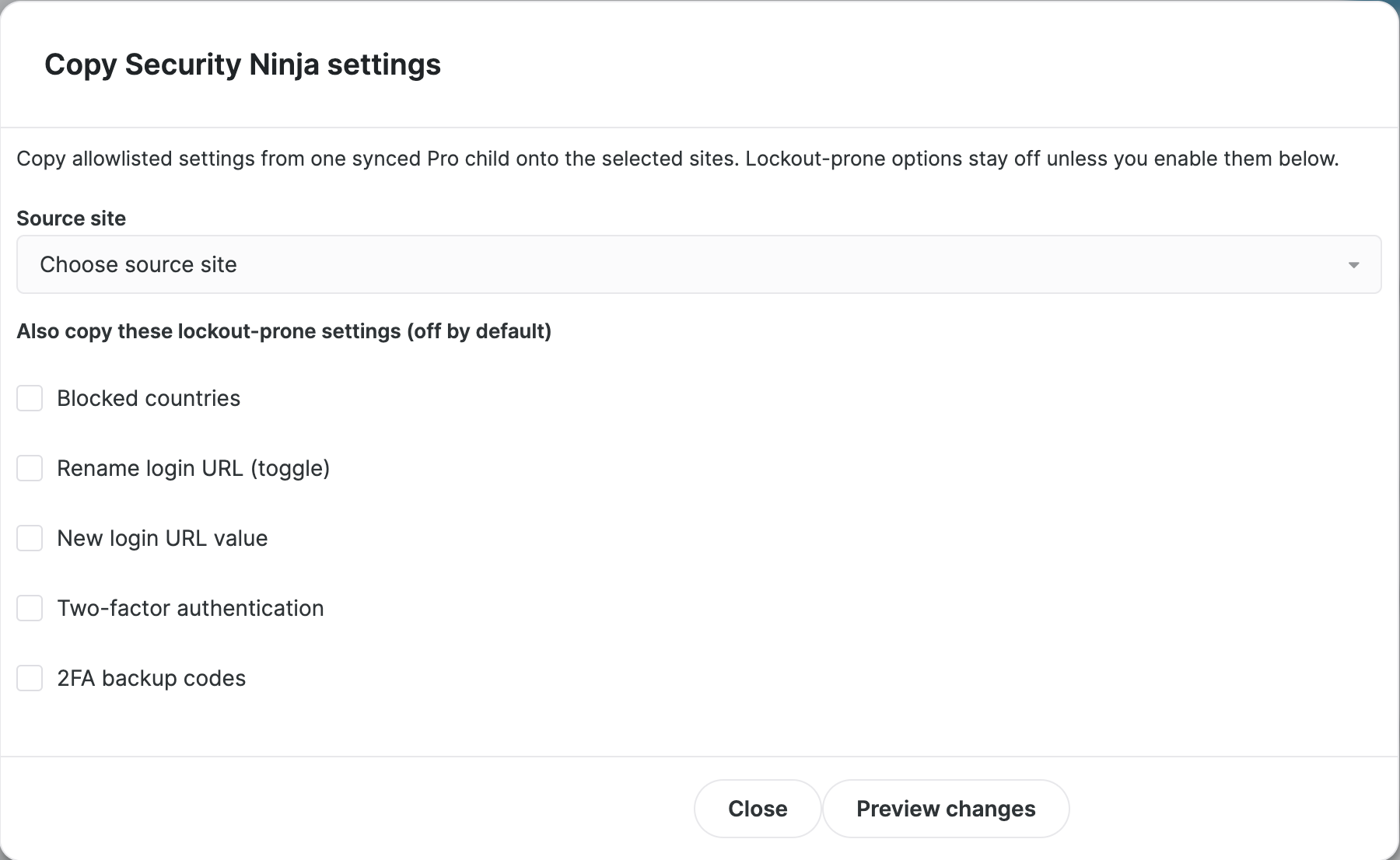
Lockout-prone settings
These stay off unless you explicitly check them in the dialog:
- Blocked countries
- Rename login URL (toggle)
- New login URL value
- Two-factor authentication
- 2FA backup codes
Leaving them off reduces the chance of locking yourself or clients out when you copy a hardened source.
Per-site Settings editor
You can also edit allowlisted options for a single child from that site’s Security Ninja tabs in MainWP (Settings). Preview changed keys, then apply. Blocked countries and path lists need 5.297+ on the child to apply remotely. Sync afterward, same as bulk copy.
The settings list scrolls inside its own panel. Use the search box to jump to a key, or scroll to later modules such as blocked countries. Remember this browser (days) needs Security Ninja 5.308 or newer on the child. Older children skip that key.
