Firewalls & scanners
Compare firewalls, scanners, and how layered protection actually works.
18 articles
A firewall and a scanner solve different problems. A firewall tries to stop bad traffic before it becomes a WordPress problem. A scanner looks at what is already on the site: suspicious files, unexpected changes, known vulnerability patterns. Relying on only one leaves a gap.
Plugin comparisons in this topic are meant to help you choose with clear eyes. Features overlap across products, and “best” depends on your site, your hosting, and how much you want to manage yourself. We would rather explain what each layer does than promise a single switch that ends risk forever.
Security Ninja Pro’s Cloud Firewall filters malicious requests, blocks a large shared list of known bad IPs, and supports country and custom IP rules. The free plugin still includes basic firewall rules, security tests, and vulnerability checks. The malware scanner covers the “what is on disk” side of the stack.
Articles in Firewalls & scanners
18 articles, newest first.
- Security Ninja vs MalCare Security Ninja vs MalCare: one in-dashboard stack versus malware cleanup plans, and when each fits.
- Security Ninja vs Patchstack Security Ninja vs Patchstack: one in-dashboard stack versus virtual patching for known vulnerabilities.
- WordPress WAF: Plugin Firewall vs Cloud WordPress WAF compared: plugin firewall vs cloud or edge WAF. Where each runs, what each blocks, when to use both, and why stacking three firewalls backfires.
- Ninja Firewall vs Security Ninja (Not the Same Plugin) Ninja Firewall is NinTechNet, not WP Security Ninja. Same ninja word, different companies. Firewall-only tool vs a Free-to-Pro stack.
- Security Ninja vs Solid Security Security Ninja vs Solid Security (formerly iThemes Security): hardening-first versus an all-in-one Free-to-Pro WordPress security stack.
- Security Ninja vs Sucuri Security Ninja vs Sucuri: in-dashboard Free-to-Pro toolkit versus a platform WAF and cleanup model, including DNS and proxy ops.
- Security Ninja vs Wordfence Fair Security Ninja vs Wordfence comparison: who each fits, job-by-job coverage, and when one stack is the better pick.
- Do security plugins slow down WordPress? Yes, some can, usually from heavy on-server scans, live logging, or stacked firewalls. How architecture and settings matter, and what Security Ninja does differently.
- Why 404s can spike your hosting bill (and how to calm bot noise) 404 hammering burns CPU even when pages do not exist. Confirm the pattern in logs, then cut junk earlier with firewall and rate limits.
- WordPress security plugin conflicts How to spot and fix WordPress security plugin conflicts: overlapping firewalls, login hardeners, and scanners that fight each other.
- WordPress backup and security plugins How to choose WordPress backup plugins vs security plugins: what each job covers, how to keep backups safe, and where Security Ninja fits.
- How to set up a WordPress security plugin Set up one WordPress security plugin: Free tests first, then firewall, malware, and login. Do not stack two suites.
- WordPress firewall plugins A WordPress firewall plugin filters bad HTTP before it hits wp-admin. Plugin vs cloud WAF, what it actually blocks, and how to pick one without stacking tools.
- WordPress security scanner comparison What a WordPress security scanner actually does: vulnerability checks, malware scans, and core integrity. How to pick one you will run, including Security Ninja.
- Free vs premium WordPress security plugins Free vs premium WordPress security plugins: what free usually covers, when Pro is worth it, and how Security Ninja Free and Pro map to real protection.
- Best WordPress security plugins Best WordPress security plugins by job: Security Ninja, Wordfence, Sucuri, MalCare, Patchstack, and Solid Security. What each is strong at, and how we choose.
- WordPress XSS Attacks: What They Are and How to Reduce Risk A practical WordPress XSS primer: stored vs reflected XSS, plugin and theme patterns, testing steps, sanitization habits, and how Security Ninja helps without competitor scoreboards.
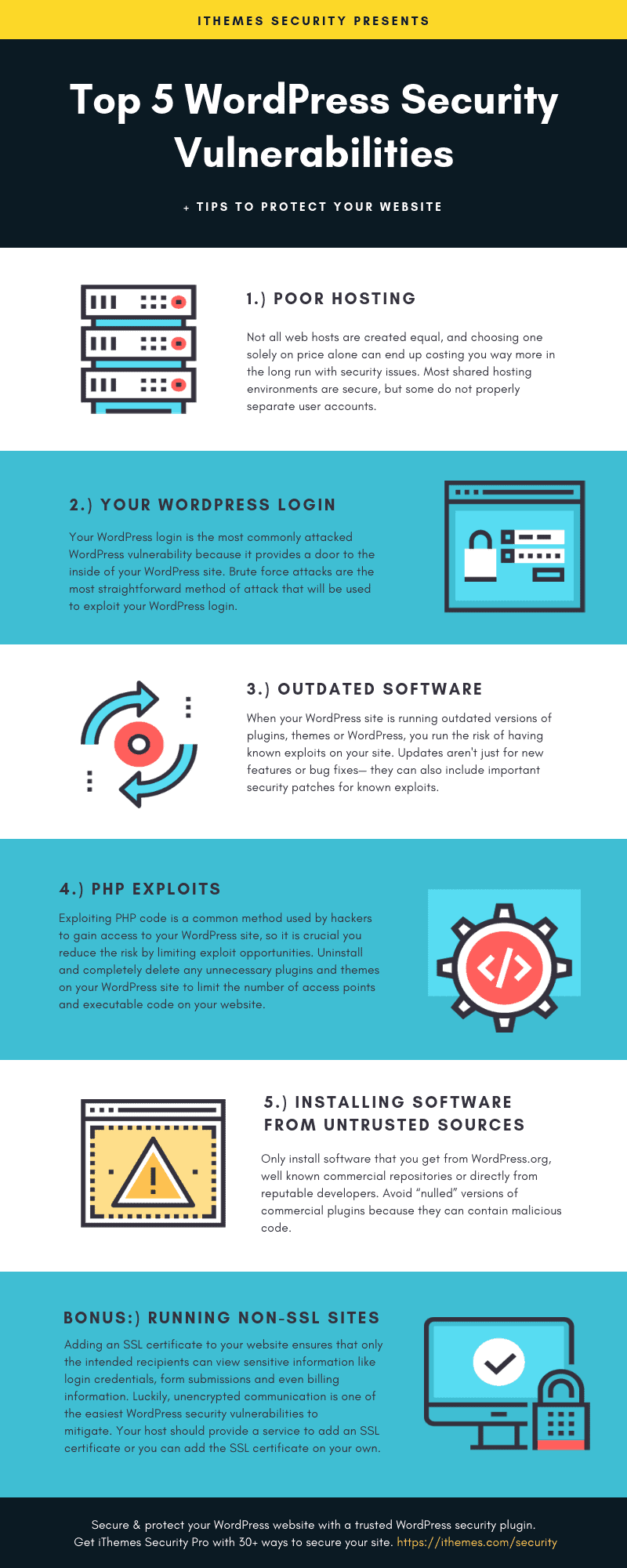
- WordPress security vulnerabilities: causes and practical fixes Why WordPress sites get compromised: outdated software, weak credentials, risky plugins, weak hosting, and supply-chain tricks, plus fixes that reduce real risk.









Whatever stack you use, keep updates current and watch the logs. A firewall that blocks noise is more useful when you can see what it stopped and adjust false positives without turning everything off.
If you are evaluating Security Ninja against other tools, read the guides here, then try the free plugin on a staging site. Pro features like Cloud Firewall and scheduled malware scans are easier to judge with real traffic than with marketing tables alone.
Next stops many readers need: Cloud Firewall, malware scanner, the firewall plugins guide, and Security Ninja vs NinjaFirewall if search mixed the names.
