How to secure a WordPress login
How to secure a WordPress login: unique passwords, 2FA for admins, failed-login limits, and fewer administrators.
Topics Hardening & checklists Login & access

Updated Published
How to secure a WordPress login: unique passwords, 2FA for admins, failed-login limits, and fewer administrators.
Topics Hardening & checklists Login & access
Updated Published
To secure a WordPress login, use a unique long password, require 2FA for administrators, and cap failed attempts. Most takeovers start on that form. Renaming the URL only cuts scanner noise.
When you are ready to turn the tools on: login protection and 2FA.
WordPress checks username/password, creates a session cookie, and grants capabilities based on role. Attackers try to break that chain with:
wp-login.phpYou will not make login “unhackable.” You can make automated attacks expensive and noisy, and make a WordPress login page secure enough that bots bounce before they matter.
Monthly forced rotation for everyone is usually worse than unique long secrets plus 2FA. Related: password tips.
Serve the login over HTTPS so passwords and cookies are not sent in clear text. Force HTTPS at the host or with a careful redirect. Mixed-content admin pages undermine the rest of this guide.
Require 2FA for administrators (and anyone who can install plugins). Authenticator apps are the practical default. Email codes work when you allow that method in Security Ninja. Step-by-step: how to enable 2FA on WordPress. Admins reset a lost phone from the user profile. The plugin does not print recovery codes.
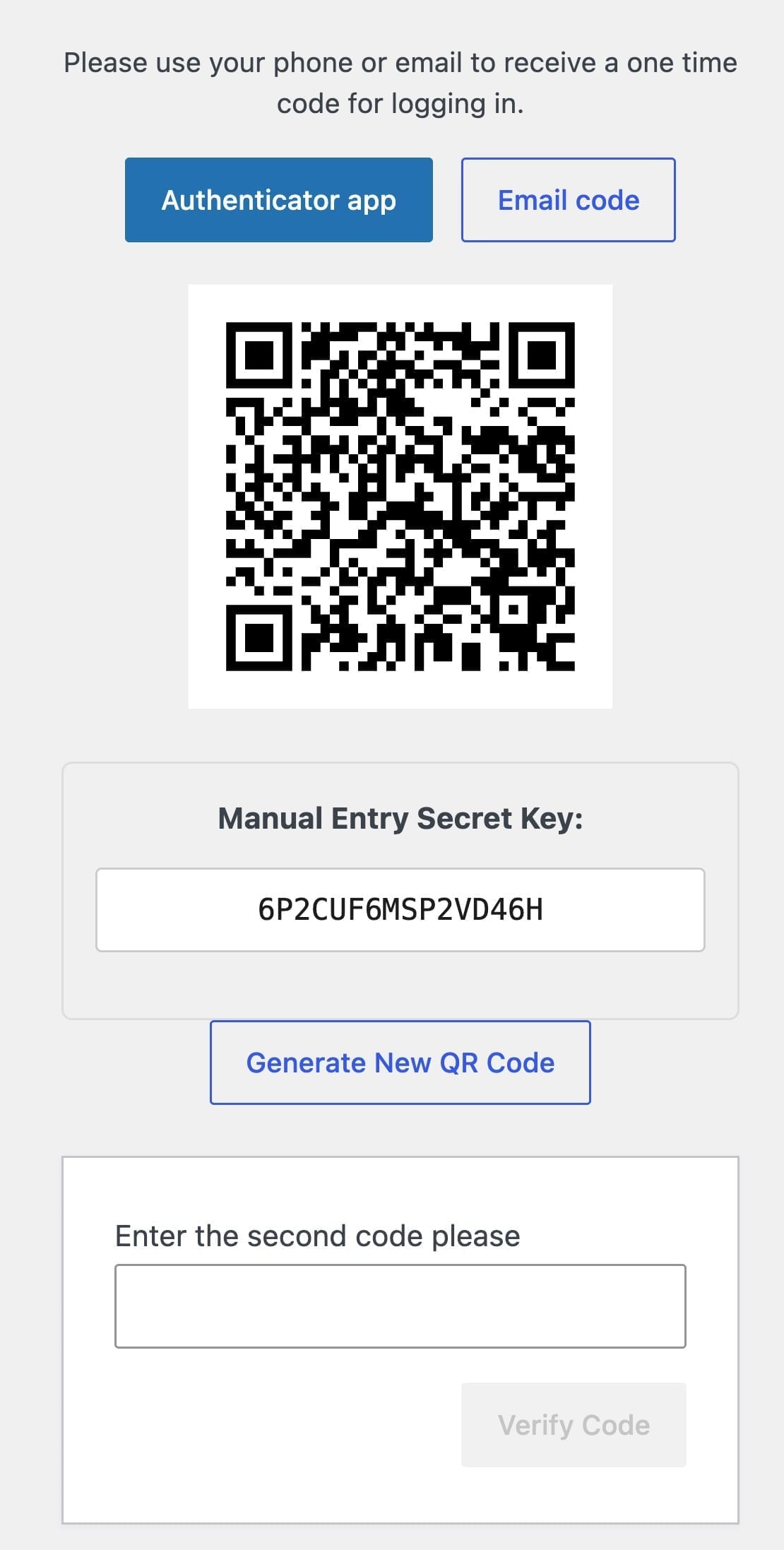
2FA stops a large number of “we got the password from somewhere else” incidents.
Bots will hammer the default login URL forever. Use login protection to:
Rename alone is obscurity. Pair it with rate limits and 2FA. Watch the walkthrough above for how this looks in Security Ninja.
Every admin is another phishing target.
Avoid the default username admin on new sites when you can.
Hardening without visibility still fails quietly.
Security Ninja’s events logger helps here after protection is on.
XML-RPC is a common brute-force path when enabled. Disable it only if nothing you use needs it (some mobile apps, Jetpack-related flows, remote publishing). Prefer firewall rate limits when you must keep it.
Also watch for:
Guides: signs of a hack, recovery steps, or hire cleanup.
Today
This week
Ongoing
Security Ninja Pro includes login protection, 2FA, firewall, and scanning in one plugin. Start with the free security tests if you are not ready to buy yet.
Watch how login protection stops brute-force attacks.
Found this useful? Share it.
Use unique long passwords, require two-factor authentication for admins, limit failed login attempts, keep the admin count low, and watch login events. Renaming the login URL helps against noisy bots only when you also use rate limits and 2FA.
Treat the login page as an attack surface: strong credentials, 2FA, failed-login caps, and optional rename of wp-login.php. Remove unused admin accounts and disable open registration if you do not need it. Product features for this live in Security Ninja Pro login protection.
Cap failed attempts per IP, temporarily block noisy sources, and add 2FA so stolen or guessed passwords are not enough. Optional login URL rename reduces casual scanner noise. XML-RPC brute force needs the same rate limits if you keep that endpoint enabled.
It reduces noisy default scans. Determined bots and targeted attacks still need rate limits and 2FA. Rename alone is obscurity.
Usually no. Prioritize administrators and anyone who can install plugins or edit code.
