Hardening WordPress means changing configuration so the usual doors are closed. This guide is the deeper “how to set it up” companion. For habits and monthly routines, use best practices. For a tickable list, use the security checklist.
What you are hardening
Think in layers:
- Core and config (
wp-config.php, updates, file edit locks)
- Plugins and themes (fewer, updated, trusted)
- People and logins (passwords, 2FA, roles, failed-login limits)
- Host and edge (HTTPS, quality host, firewall)
- Detection and recovery (scans, events, backups you can restore)
Most compromises still start with outdated plugins or weak admin access. Start there even if you never touch Apache configs.
1. Keep software current
- Update WordPress core promptly, especially security releases
- Update plugins and themes on a schedule
- Delete unused plugins and themes (deactivated is not deleted)
- Keep PHP on a supported version your host recommends
Use staging for fragile sites. Auto-update trusted plugins when you can. After bigger updates, re-run security tests and a vulnerability scan.
2. Harden wp-config.php
Generate fresh WordPress salts/keys after a compromise, or when you inherit a site.
On production:
define( 'WP_DEBUG', false );
define( 'WP_DEBUG_DISPLAY', false );
Stop theme/plugin file editing from wp-admin (worth doing on almost every live site):
define( 'DISALLOW_FILE_EDIT', true );
Only use DISALLOW_FILE_MODS if you intentionally manage updates outside wp-admin. It blocks plugin/theme installs and updates from the dashboard.
A custom table prefix helps a little against dumb automated scripts. It is not a substitute for updates and strong logins. Changing prefix on a live site needs care; do it on new installs when you can.
3. File permissions and wp-config protection
Exact values depend on the host, but a common baseline is:
- Directories:
755
- Files:
644
wp-config.php: tighter when possible (600 or 640)
Avoid 777. If the site breaks after tightening permissions, ask the host what their WordPress stack expects instead of opening everything up.
On Apache, you can also deny web access to wp-config.php in .htaccess. Change one rule at a time, test the homepage and /wp-admin/, and keep a backup of the file. Full snippets and rollback notes: .htaccess security guide.
Core Scanner helps spot unexpected changes to WordPress core files after hardening.
4. Strong passwords, limited logins, 2FA
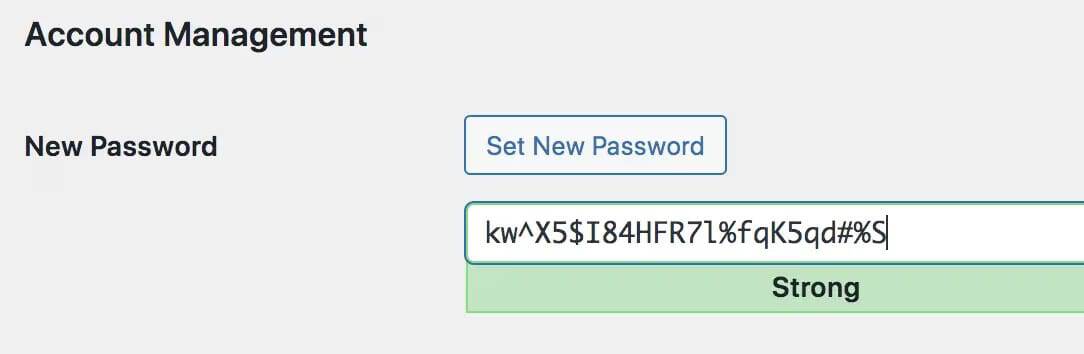
- Unique long passwords in a password manager (not dictionary words, not reused across sites)
- No shared “team admin” account
- Few administrators; everyone else gets the lowest role that works
- Two-factor authentication for admins
- Limit failed logins and consider renaming the login URL via login protection
Rename alone is not enough. Combine it with rate limiting and 2FA. More depth: login security guide.
5. Plugins, themes, and unused software
- Prefer WordPress.org or known commercial vendors
- Check last update date before install
- Never use nulled “premium” packages
- Remove abandoned plugins you cannot replace soon
- Delete unused themes too (default themes you do not need still count)
Scan installed software for known issues with the vulnerability scanner (included free). Deeper plugin hygiene: plugin security risks.
6. HTTPS, host, and edge protection
- Force HTTPS site-wide (most hosts include a free certificate; turn on the redirect)
- Pick a host with working backups, support, and a reputation for keeping the stack patched
- Put a WordPress firewall plugin or Cloud Firewall in front of WordPress to cut exploit and brute-force noise (Pro: 600M+ bad IPs, country/custom rules)
- Keep the server/PHP stack updated (your host usually owns this on managed plans)
Server deep-dives (custom TLS ciphers, DB privilege surgery, Apache module surgery) help when you control the VPS. On shared or managed WordPress hosting, spend your time on updates, logins, firewall, and backups first.
If your host or a security plugin can set headers, useful ones include:
Strict-Transport-Security (HSTS) after HTTPS is solidX-Content-Type-Options: nosniffReferrer-Policy with a sensible defaultContent-Security-Policy only if you can maintain it (easy to break the site)
Headers help browsers behave better. They do not replace patching plugins.
Database habits worth doing
- Strong unique DB password (host panel usually sets this)
- Do not share the DB user across unrelated apps
- Avoid granting exotic privileges the site does not need
- After a compromise, assume the DB may contain junk users, options, or injected content; restore or clean carefully
7. XML-RPC: caution, not a default kill switch
XML-RPC helps some mobile apps, Jetpack-related flows, and remote tools. It is also a common brute-force and pingback abuse path.
- If nothing you use needs it, blocking or disabling it is reasonable
- If something breaks after you block it, reverse the change
- Prefer firewall rate limits and strong auth over disabling features you still use
On Apache, add rules one at a time and test. Details and safer patterns: .htaccess guide.
8. Detect problems early
Hardening without monitoring still fails quietly.
- Run malware scans on a schedule (Pro)
- Watch the events log for odd logins, blocks, and changes
- Turn on alerts (email/webhooks) for things that matter
- Check Search Console if traffic or warnings look wrong
- Re-run security tests after bigger changes so regressions do not sit unnoticed
Scheduled scans matter because most site owners do not open the dashboard every day. Set the schedule, then check failures.
9. Backups you can restore
Hardening reduces risk. Backups limit damage.
- Automatic backups of files and database
- Off-site copies when possible
- Retention long enough to go back before an infection started
- One restore test so you know the process
Details: backup plan after an attack.
Store backup credentials outside the site. If malware can read your wp-admin, you do not want the only restore path living in the same compromise.
10. A security plugin that matches the job
A good security plugin should help you enforce and verify hardening, not replace updates and strong logins.
A WordPress security plugin like Security Ninja covers security tests, vulnerability checks, and core integrity free. Pro adds Cloud Firewall (600M+), malware scanner, scheduled scans, login protection, and 2FA. The install wizard turns on sensible defaults so you are not guessing which toggles matter first. Avoid stacking three overlapping security plugins; they fight each other. See plugin conflicts and best WordPress security plugins if you are still choosing.
A practical rollout order
Day 1
- Backups confirmed
- Update everything; delete unused plugins/themes
- Fix admin accounts, passwords, 2FA
- Enable login protection + firewall if you have Pro
This week
DISALLOW_FILE_EDIT, debug off on production- Permission check; protect
wp-config access if Apache allows it
- Vulnerability + malware scan; fix what you find
- Security tests / hardening checklist in Security Ninja
- Decide on XML-RPC only after you know what uses it
Ongoing
- Monthly update + admin review (habits live in best practices)
- Scheduled scans and backup success checks
Common hardening questions
Do I need to rename the wp-content folder?
Usually no. It breaks things, and bots already probe plenty of other paths. Focus on updates, logins, and scanning.
Should I disable XML-RPC?
Only if nothing you use needs it. Blindly disabling it can break integrations. Prefer firewall rate limits and strong auth when you still need the feature.
Is renaming the login URL enough?
No. It reduces noise. Pair it with failed-login limits and 2FA.
Can I harden once and forget it?
No. New plugin CVEs show up constantly. Hardening is a baseline plus a maintenance habit.
If the site is already compromised
Do not “harden” over active malware and call it done. If you are unsure, tell if your WordPress site has been hacked first. Remove WordPress malware or restore, then harden so they do not walk back in. Guide: WordPress site hacked. Need help? Hire cleanup or a review.

