The Visitor Log (Pro) shows recent traffic to your website. Open Security Ninja → Visitor Log to see the latest requests in a searchable list, newest first.
The menu item appears when Cloud Firewall visitor logging is enabled (Track visitors).
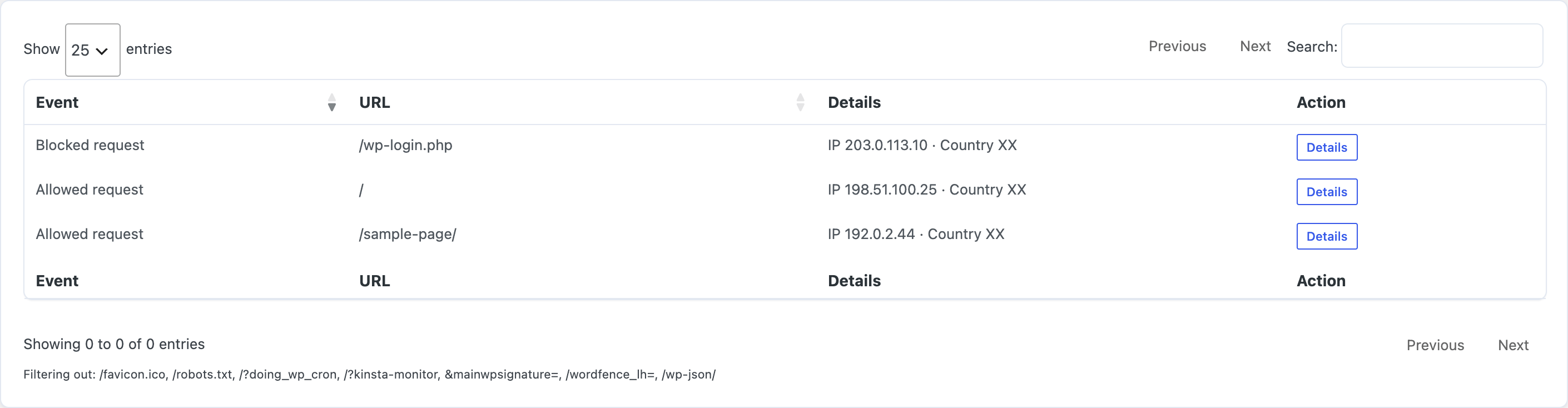
Each row shows the event type, URL, IP and country details, and a Details button for more information. Use the search box and Show entries control to narrow the list. You can ban an IP from a row when needed.
IPs and countries follow your Visitor IP detection setting. If they look wrong behind Cloudflare or a proxy, fix that on Firewall → Settings first.
Enable visitor logging
- Go to Security Ninja → Firewall.
- Open the Visitor Logging tab (or scroll to Visitor Logging on Firewall settings).
- Turn on Track visitors.
- Save settings.
New installs default Track visitors to off. Leave it off unless you need the log. Writing a row per page view grows the database on busy sites.
Refresh the list
The visitor log does not auto-refresh. Click Refresh in the Visitor Log header when you want an updated list.

Data loads when you open the page or click Refresh, not on a background timer in the browser.
