If you did not save the secret access URL and deleted the email, you can rebuild it from the database. You need MySQL access, usually through phpMyAdmin or a similar tool from your host.
Support cannot look up your unique ID. Ask your developer or host for help with this article if needed.
Steps
- Open phpMyAdmin (or another MySQL client) for the site database.
- Find the options table. It ends with
_options. The default name iswp_options. Your prefix may differ (for examplewpvbx_options). - Locate the option named
wf_sn_cf. That row stores Cloud Firewall settings as serialized PHP data. - Search the value for
unblock_url. The string in quotes after that key is the unique ID.
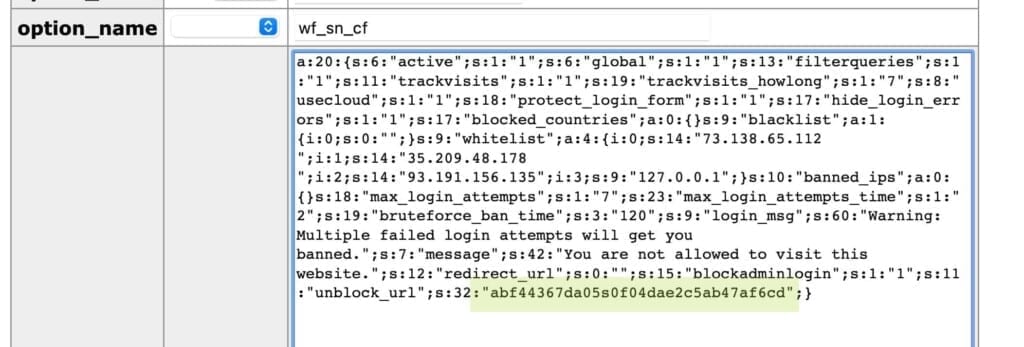
- Build the unlock URL:
https://yourwebsite.com/?snf= + the ID
Example:
https://yourwebsite.com/?snf=abf44367da05s0f04dae2c5ab47af6cd
- Open that URL in your browser. Your current IP is whitelisted and access is restored.
