The Events Logger can email you when someone becomes a WordPress administrator. That covers a new account created with the Administrator role, an existing user who is promoted, and accounts that appear to have been inserted outside the normal WordPress screens.
This is a Pro notification. It is independent of the master Enable events logging switch, so you can still get the email if logging is off.
What it watches
- A new user is created with the Administrator role.
- An existing user is given the Administrator role (promotion).
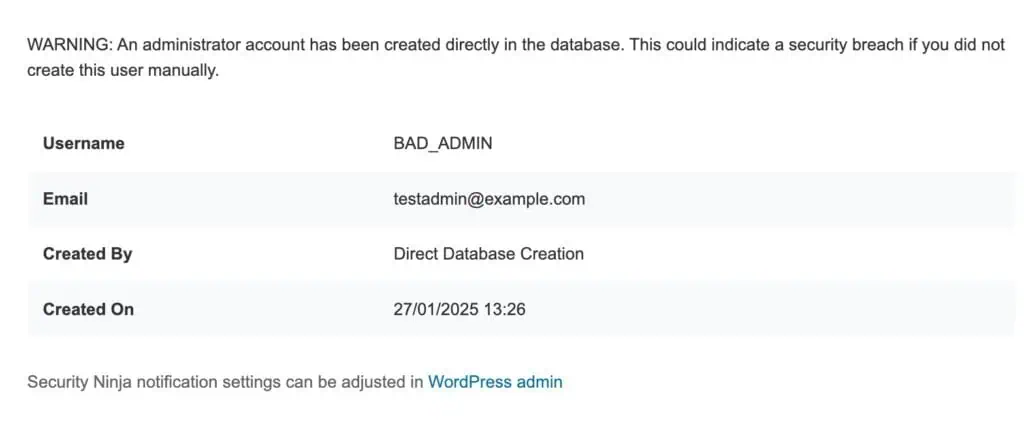
- An administrator appears in the database without going through the usual WordPress user screens (hourly check).
When you first turn notifications on, existing administrators are recorded as known. You are not emailed about people who already have access.
How to enable it
- Go to Security Ninja → Events.
- Open Notifications.
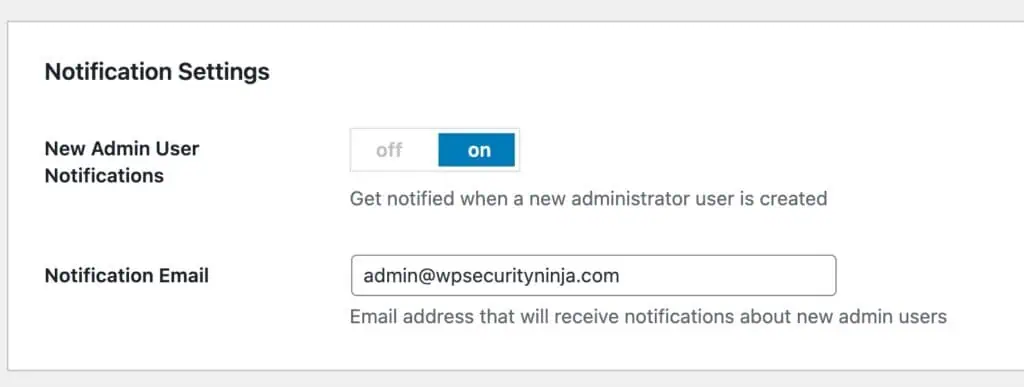
- Turn on New Admin User Notifications.
- Set Notification Email (defaults to the current admin email).
- Save.
You will get warning emails like this:
Role changes and new accounts are also written to the Events log when logging is enabled. See Event Logger settings.
