Open a connected child under Sites, then open its Security Ninja area. After MainWP Sync, you get up to four tabs for that site (IP management only when Pro requirements are met).
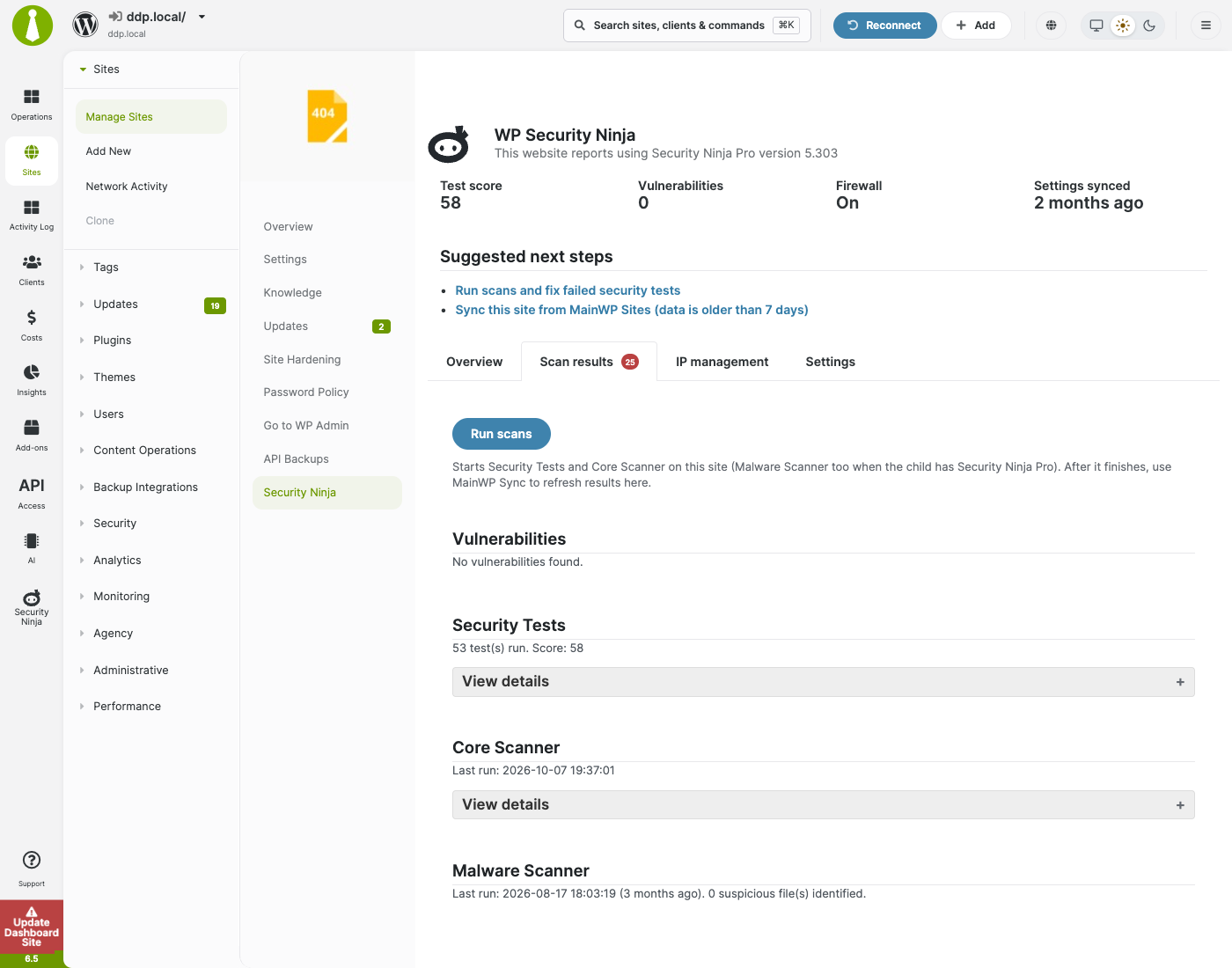
Overview
At-a-glance status from the last sync: test score, vulnerability count, firewall, malware summary when the child has Security Ninja Pro, core scanner status, and last sync time.
Suggested next steps appear when a count needs attention (for example low score or vulns).
Scan results
Security Tests table, Core Scanner summary, and vulnerability details for this child. On Pro children you also see malware findings when they were synced.
Use Run scans here to start the same remote run as the Sites bulk action (Security Tests and Core Scanner; Malware Scanner when the child is Pro). Wait for the run to finish, then Sync again so the Dashboard refreshes.
IP management (Pro)
Whitelist and blacklist rules synced from the child, plus remote add, remove, and lift ban / 404 Guard ban. Needs Security Ninja for MainWP Pro, Security Ninja Pro on the child, and 5.285+ on that child.
Full steps: Manage IPs from MainWP.
Settings (Pro)
Edit allowlisted Security Ninja options for this child, preview changed keys, then apply. Search the list to find a key. Array settings such as blocked countries need 5.297+. Newer keys (Redirect /wp-admin, Remember this browser, Connected AI) need the child versions listed in Copy settings.
If the child turned off remote Security Ninja actions (Security Ninja 5.307+), the Dashboard shows that and remote apply will not run for that site.