We no longer sell Lifetime as a standing plan. Annual licenses are the normal offering. A limited lifetime upgrade may appear in the account UI during special offers. This page is for those cases.
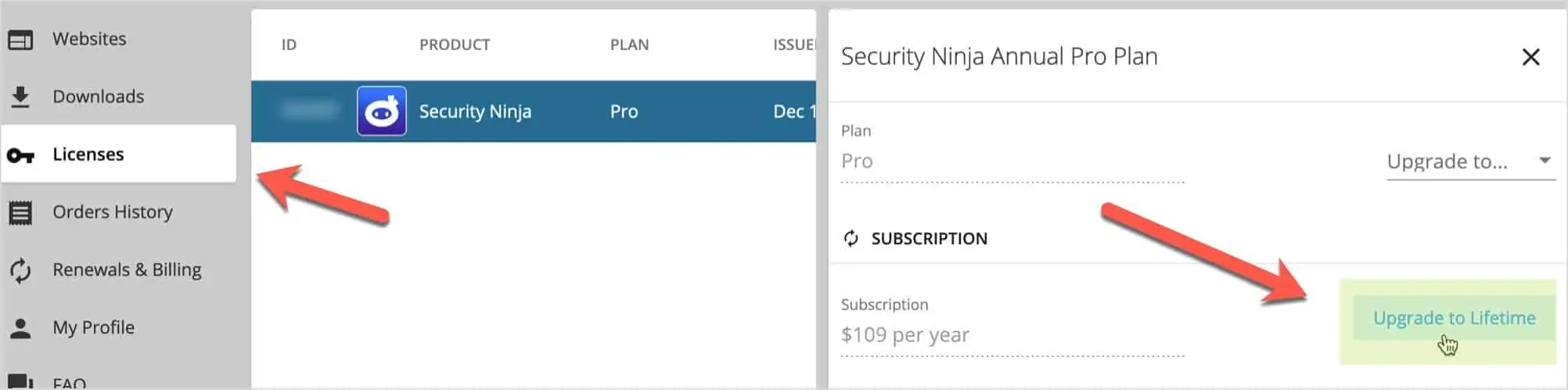
If your Licenses screen shows Upgrade to Lifetime:
- Log in at wpsecurityninja.com/account/.
- Open Licenses and select your license.
- Use Upgrade to Lifetime and confirm. Pricing is typically prorated based on what you already paid.
For more sites on an annual plan, use How to upgrade your license instead.
