

If you need to change your license key on your websites you can do that very easily.
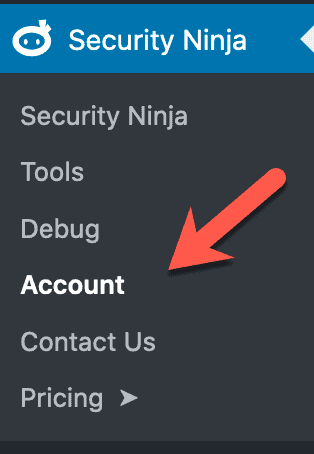
Log in to your website and navigate down to “Security Ninja” -> “Account”
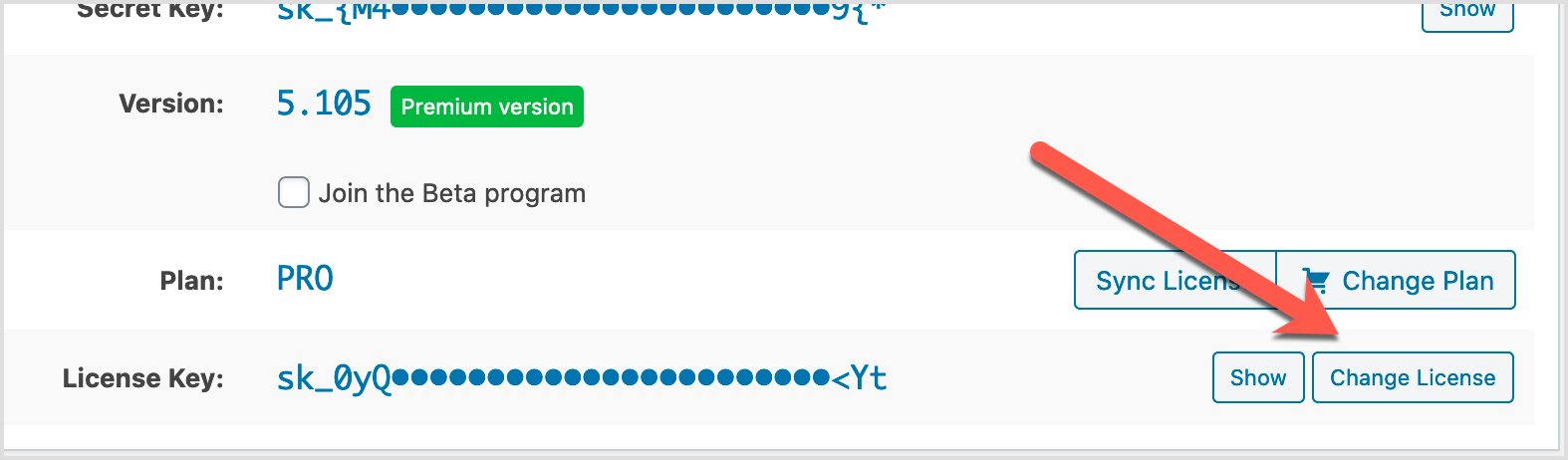
On the account page there is a button called “Change License” bottom right corner.
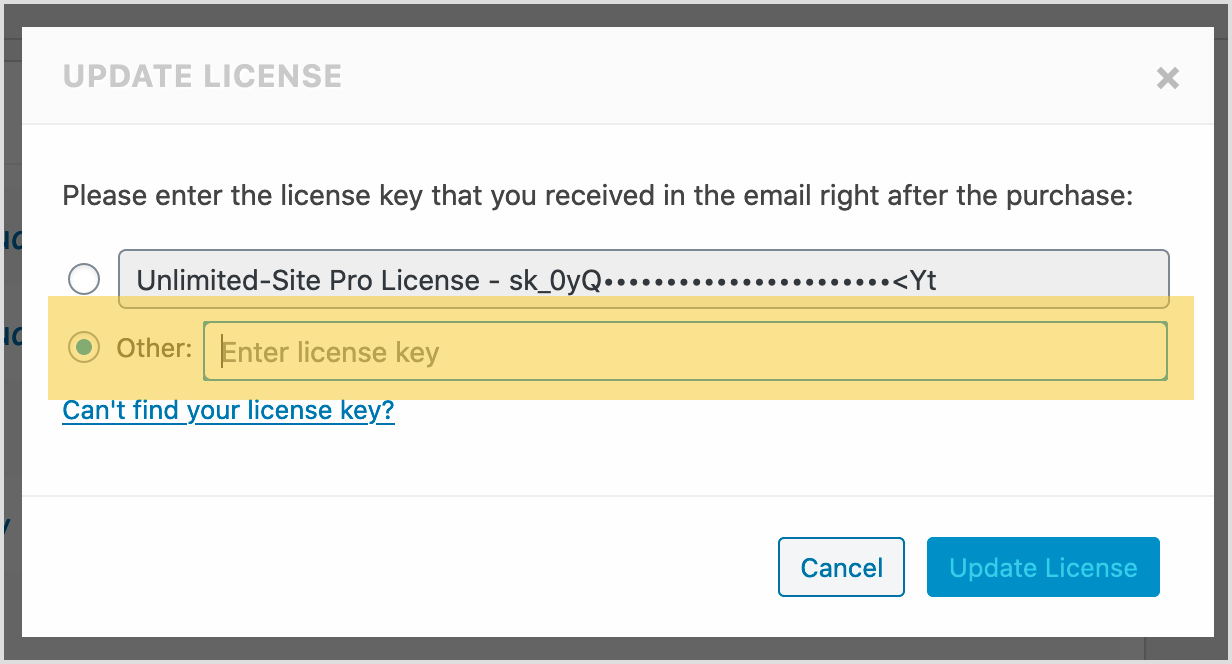
This opens up a popup window where you can enter your new license key.
Written by Lars Koudal
Get AI-Powered Security Summary
Let AI analyze this WordPress security article and provide actionable insights from WP Security Ninja experts.
Trusted WordPress Security Expert
